Turn On Prorated Rates
Before You Start
Section titled “Before You Start”- Plan or add-on: All plans, Car Rental module.
How It Works
Section titled “How It Works”Extra Days After A Week Or Month
Section titled “Extra Days After A Week Or Month”- With at least one full week and a Weekly Rate, extra days cost the Weekly Rate divided by 7.
- With at least one month and a Monthly Rate, extra days cost the Monthly Rate divided by Equivalent Days For One Month.
- Rentals with no full week or month use the Daily Rate. Leftover hours still use the Hourly Rate.
- Rates with a decreasing daily price are never prorated.
Example: Monthly Rate $900, Daily Rate $50, Equivalent Days For One Month = 30. 35 days cost $900 + 5 × $30 = $1,050 prorated, and $1,150 without.
Rental Extensions
Section titled “Rental Extensions”With Enable Prorated Rates on Rental Extensions = Yes, the days added by an extension are priced together with the original rental. With No, they are priced as a separate period. On decreasing rates, No means the extension length alone picks the row.
This applies when Use Old Reservation Prices When Creating Extension is No. See Choose How Extensions Are Priced for how the two settings combine.
Example: Weekly Rate $700 and Daily Rate $120. A 7 day reservation ($700) is extended by 2 days. With Yes it costs $900, and with No $940.
Set It Up
Section titled “Set It Up”Get There
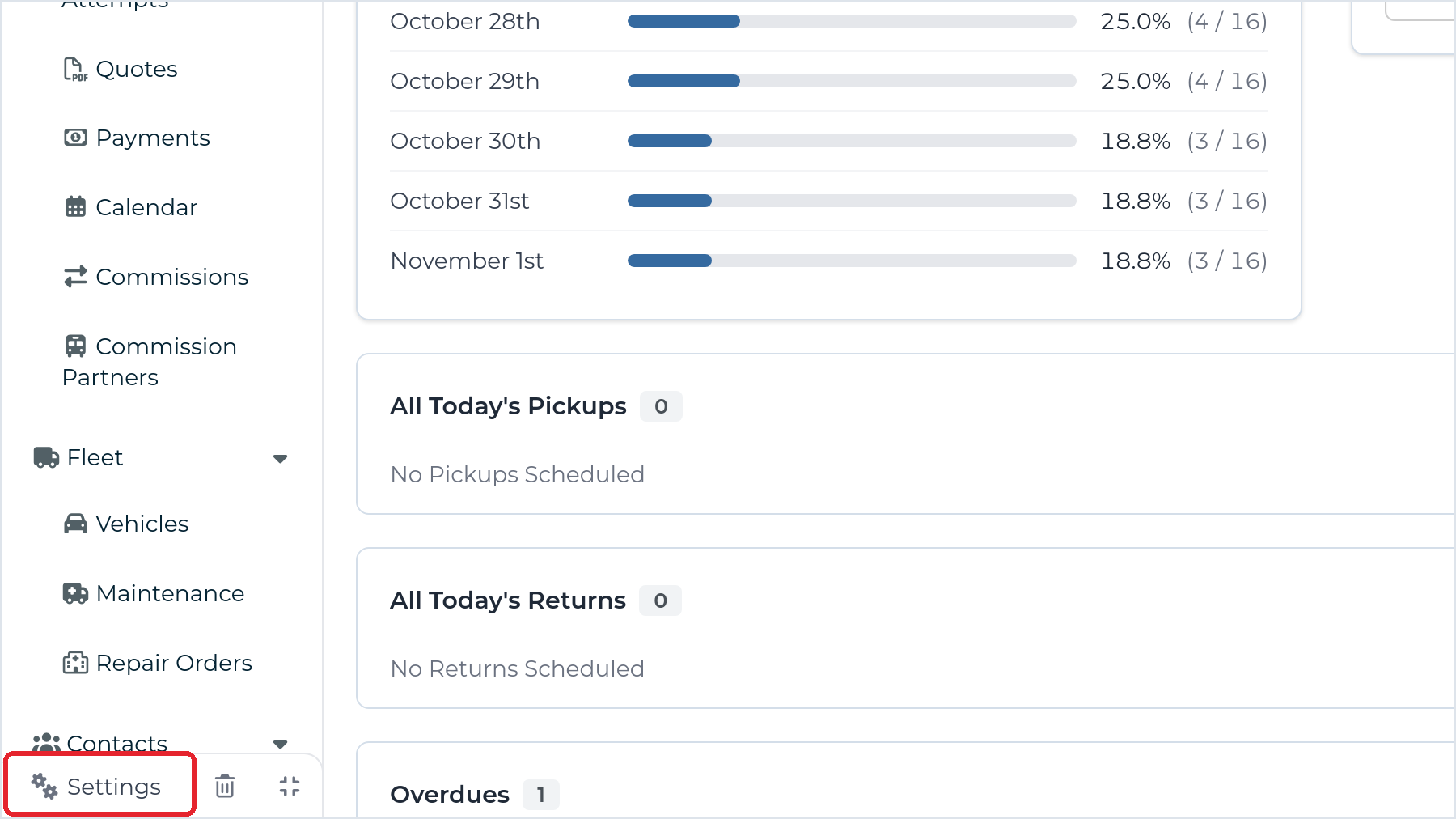
Section titled “Get There”- Click Settings at the bottom of the left menu.
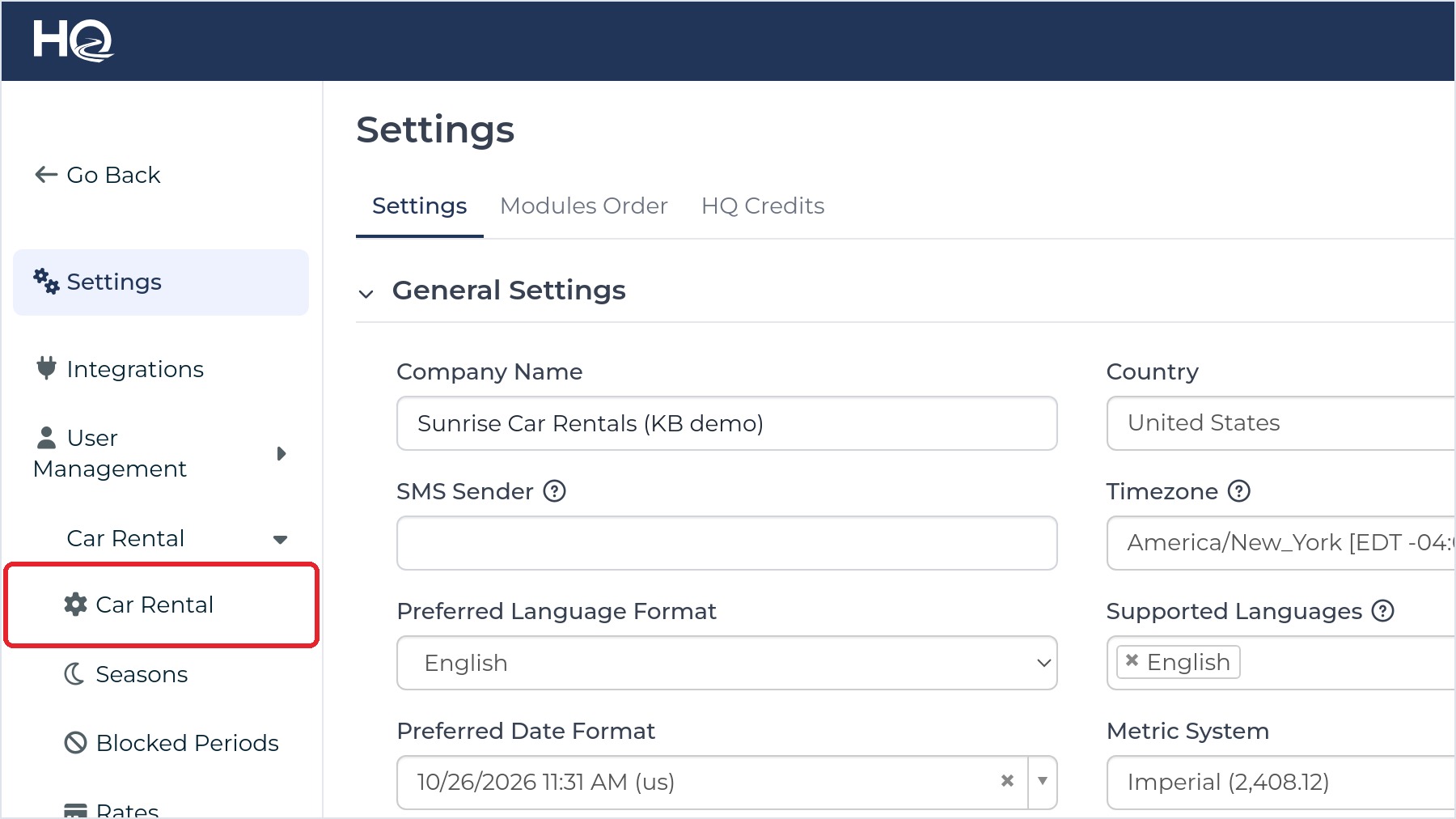
- In the left menu, under the group Car Rental, click Car Rental.
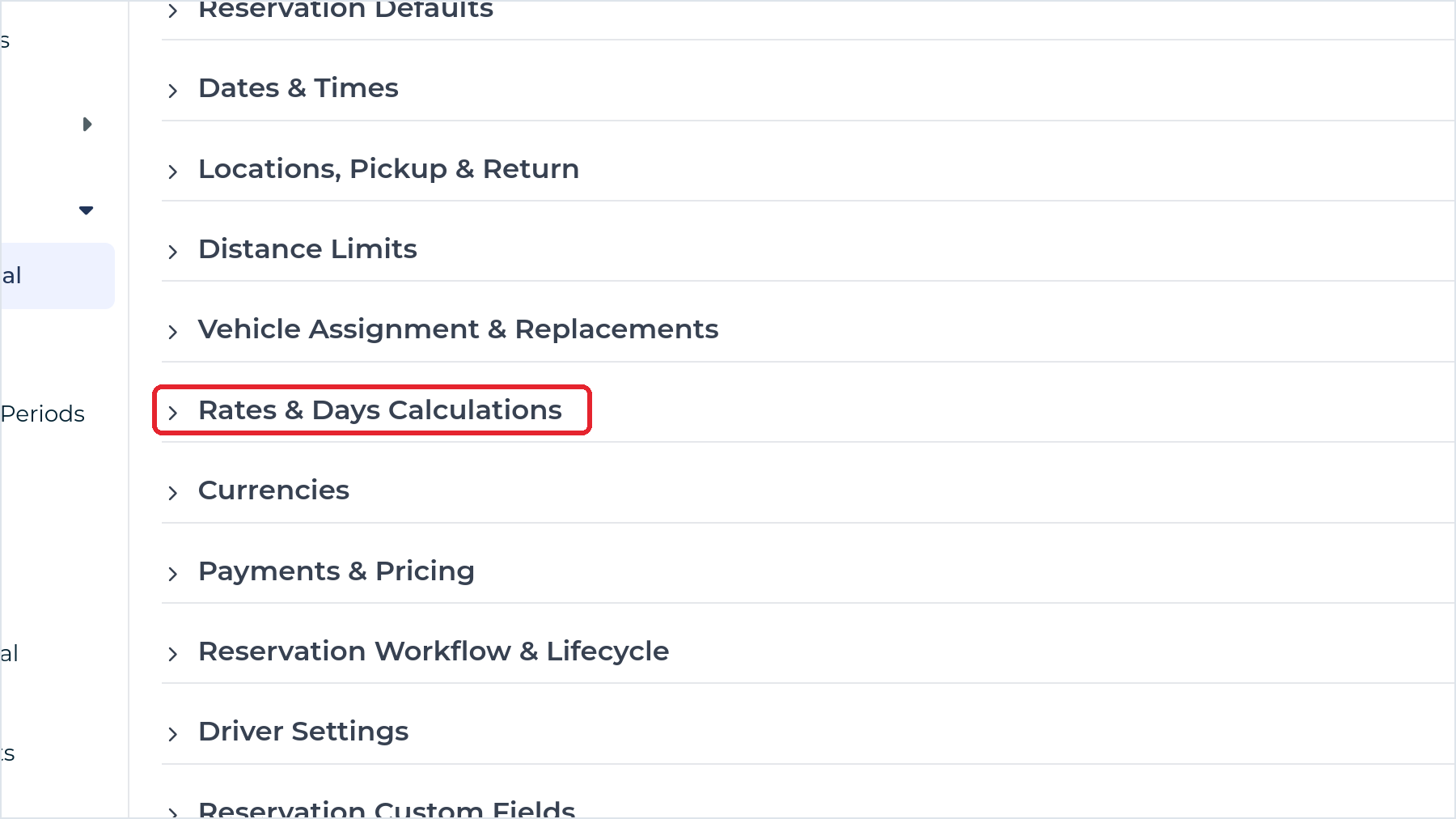
- Stay on the tab General Settings. Click the section Rates & Days Calculations to open it.
Show me where (3 pictures)
Page address: /settings/car-rental
Turn It On
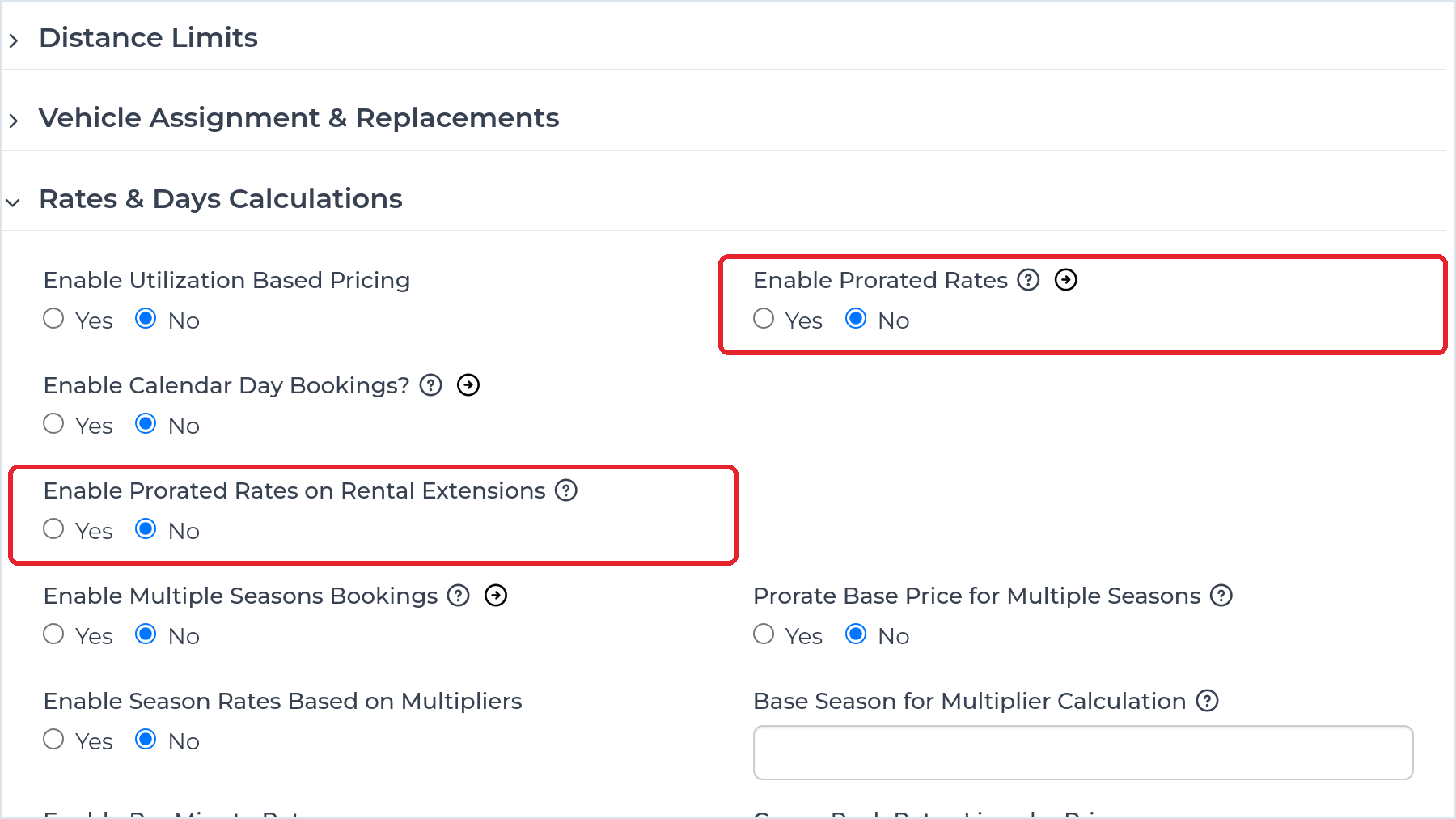
Section titled “Turn It On”- Set Enable Prorated Rates to Yes.
- Optional: set Enable Prorated Rates on Rental Extensions to Yes.
- Click Save at the bottom of the page.
Show me where (1 picture)
Good To Know
Section titled “Good To Know”- Prorated rates change only the extra days. Weeks and months still cost the Weekly Rate and Monthly Rate.
If Something Goes Wrong
Section titled “If Something Goes Wrong”The Extra Days Of A Long Rental Use The Full Daily Rate
Section titled “The Extra Days Of A Long Rental Use The Full Daily Rate”- Why it happens: Enable Prorated Rates is No, the rate has no Weekly Rate, or the rental is shorter than a full week.
- What to do: Turn the setting on, or add a Weekly Rate to the rate.
An Extension Was Charged At The Full Daily Rate
Section titled “An Extension Was Charged At The Full Daily Rate”- Why it happens: Enable Prorated Rates on Rental Extensions is No, or Use Old Reservation Prices When Creating Extension is Yes.
- What to do: Check both settings.
Settings Used In This Article
Section titled “Settings Used In This Article”The first two are in Settings, under Car Rental, tab General Settings, section Rates & Days Calculations. The third is on the tab Advanced, section Extensions, and is hidden until you turn on Show Advanced Settings.
- Enable Prorated Rates: charges extra days at the weekly or monthly price per day.
- Enable Prorated Rates on Rental Extensions: prices extension days together with the original rental.
- Use Old Reservation Prices When Creating Extension: keeps the original prices for extensions.
Related Articles
Section titled “Related Articles”- Decreasing And Prorated Rates
- Turn On Check Value Pricing
- Hourly, Daily, Weekly And Monthly Rates
- Contract Modifications