Change The Default Currency
Before You Start
Section titled “Before You Start”- Plan or add-on: All plans, Car Rental module.
- Check that your payment gateway account and your accounting integration use the new currency.
How It Works
Section titled “How It Works”Before Your First Reservation
Section titled “Before Your First Reservation”You can pick a new Default Currency yourself. Amounts are not converted, so check your prices.
Example: You change USD to EUR. A rate of 100 now means €100.
After Your First Reservation
Section titled “After Your First Reservation”The field is greyed out. Our support team changes it with an exchange rate agreed with you:
- Rates, security deposits, Additional Charge prices, fixed-amount discounts and fuel prices are converted.
- Percentages, like taxes and percent discounts, stay the same.
- Past reservations keep their currency and amounts. Reports show them in the new currency.
- Both currencies are added to Chargeable Currencies, and Allow Reservations in Other Currencies is set to Yes.
Example: You move from USD to EUR at 0.85. A $100 rate becomes €85. A 10% tax stays 10%.
Set It Up
Section titled “Set It Up”Change It Before Your First Reservation
Section titled “Change It Before Your First Reservation”Get There
Section titled “Get There”- Click Settings at the bottom of the left menu.
- In the left menu, under the group Car Rental, click Car Rental.
- Stay on the tab General Settings. It opens first.
Show me where (3 pictures)
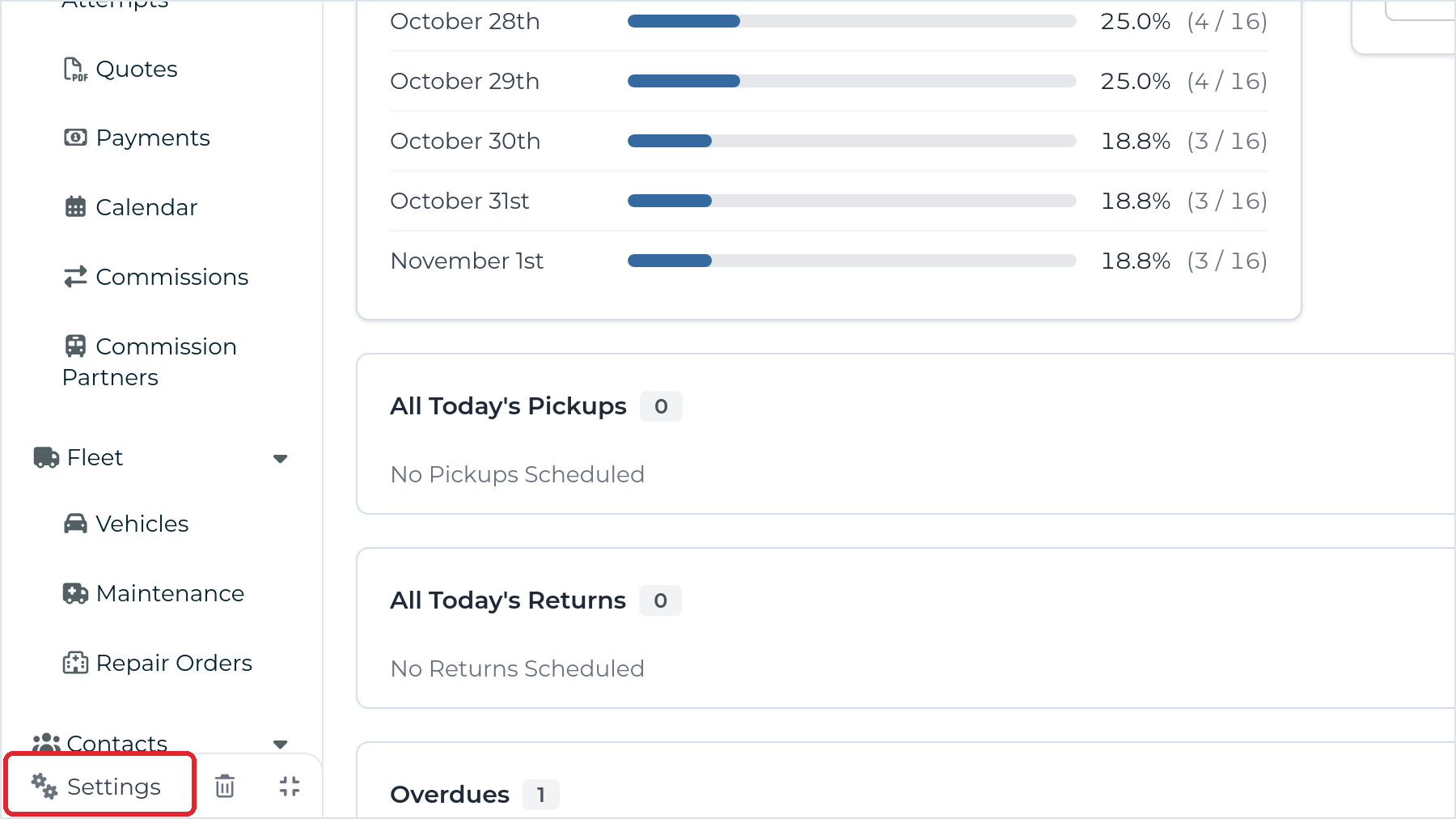
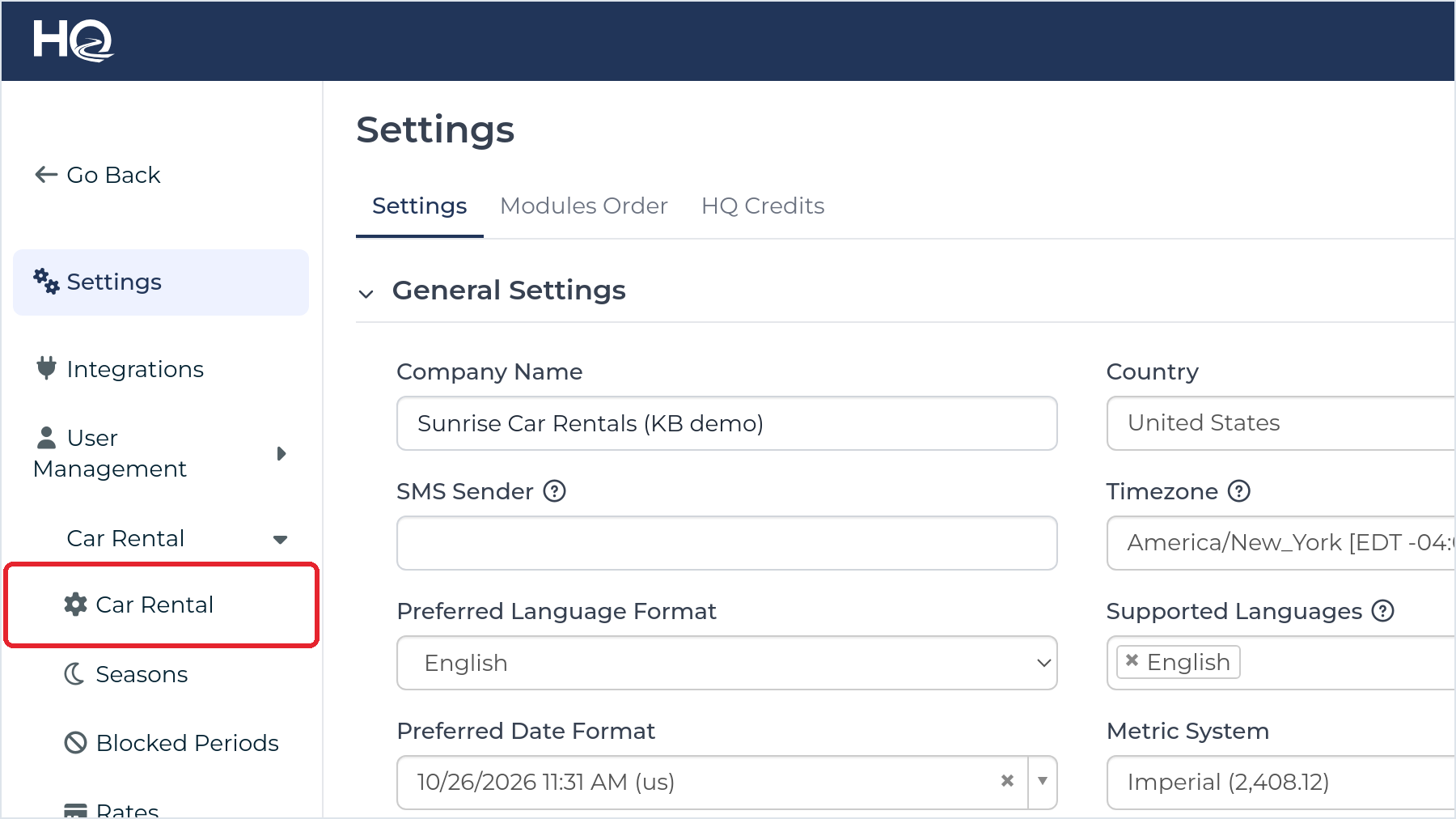
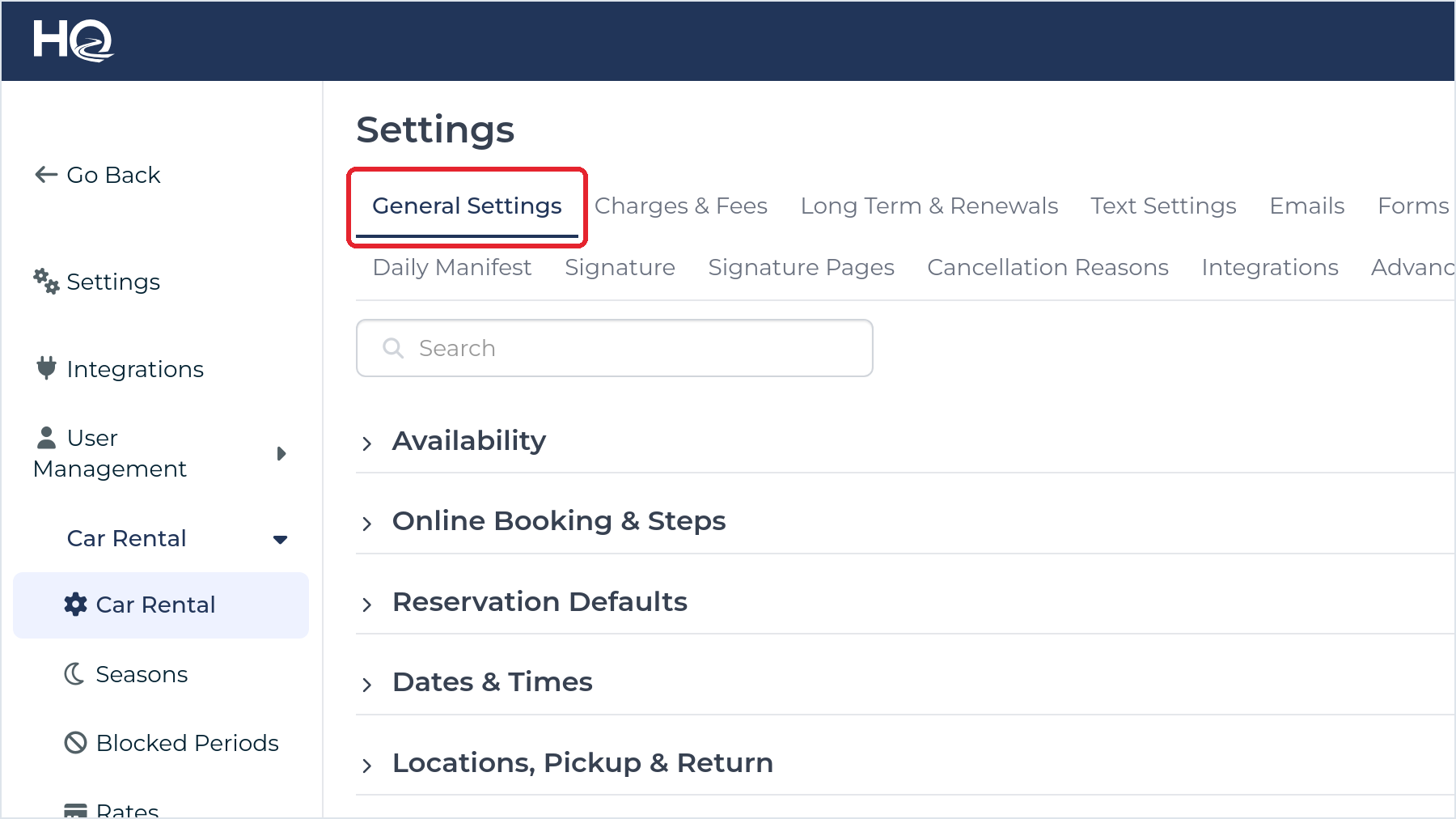
Page address: /settings/car-rental
- Click Currencies to open the section.
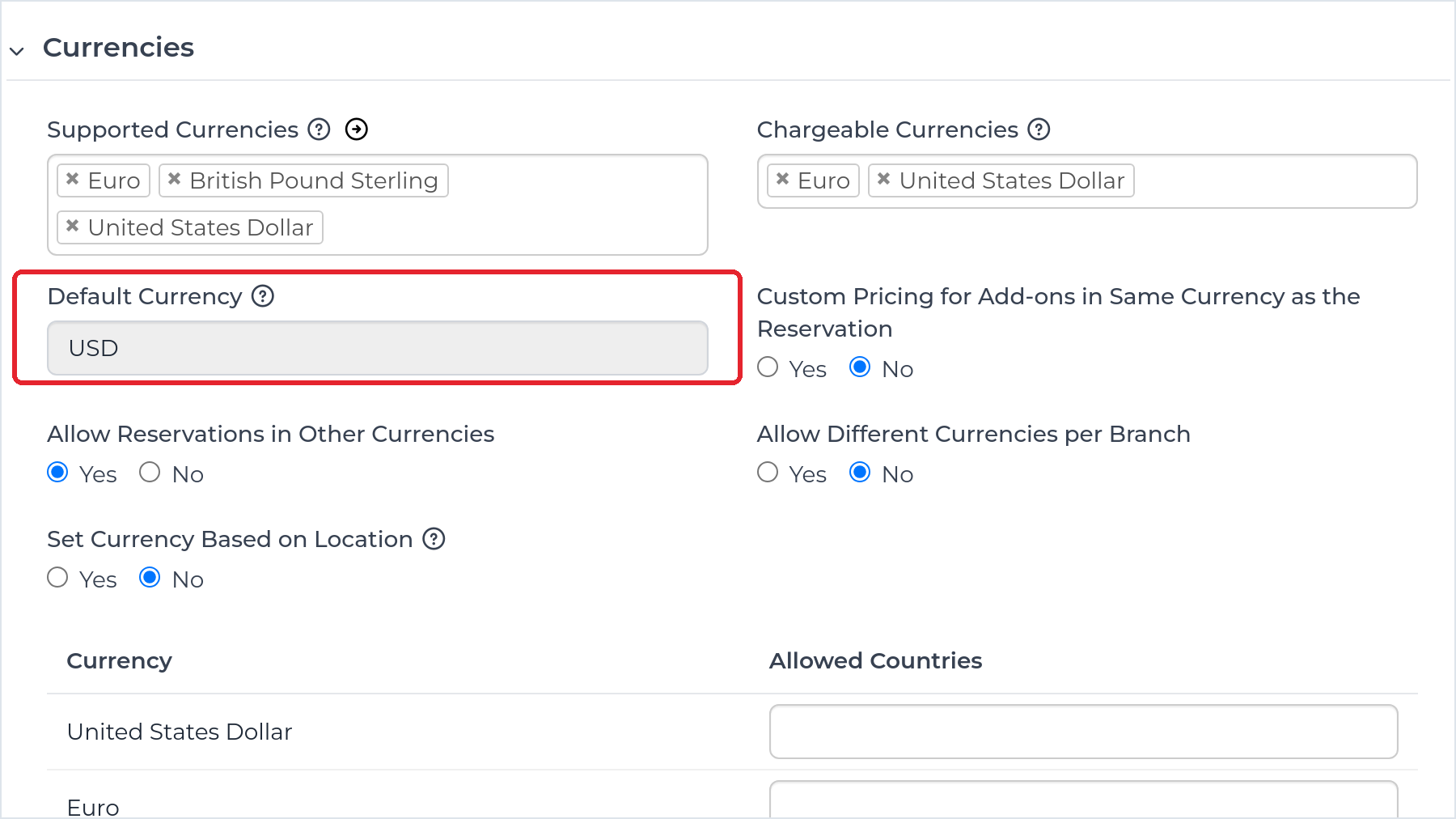
- In Default Currency, choose the new currency.
- Make sure it is also in Supported Currencies.
- Click Save at the bottom of the page.
Good To Know
Section titled “Good To Know”- The change cannot be undone automatically.
- The Government Tax ($) of each Branch is not converted. Review it after the change.
- When Branches already use different currencies, the change cannot be applied automatically and takes longer.
If Something Goes Wrong
Section titled “If Something Goes Wrong”The Default Currency Field Is Greyed Out
Section titled “The Default Currency Field Is Greyed Out”- Why it happens: Your account already has reservations.
- What to do: Contact our support team.
Settings Used In This Article
Section titled “Settings Used In This Article”- Default Currency: the currency of your rates, prices and reports. In Settings, under Car Rental, tab General Settings, section Currencies.