Add A Fee For Short Rentals
Before You Start
Section titled “Before You Start”- Plan or add-on: All plans, Car Rental module.
- Additional Charge: the fee is an Additional Charge (an extra or fee you add to a reservation), for example Short Rental Fee. Create it first, as shown in How Additional Charges Are Priced.
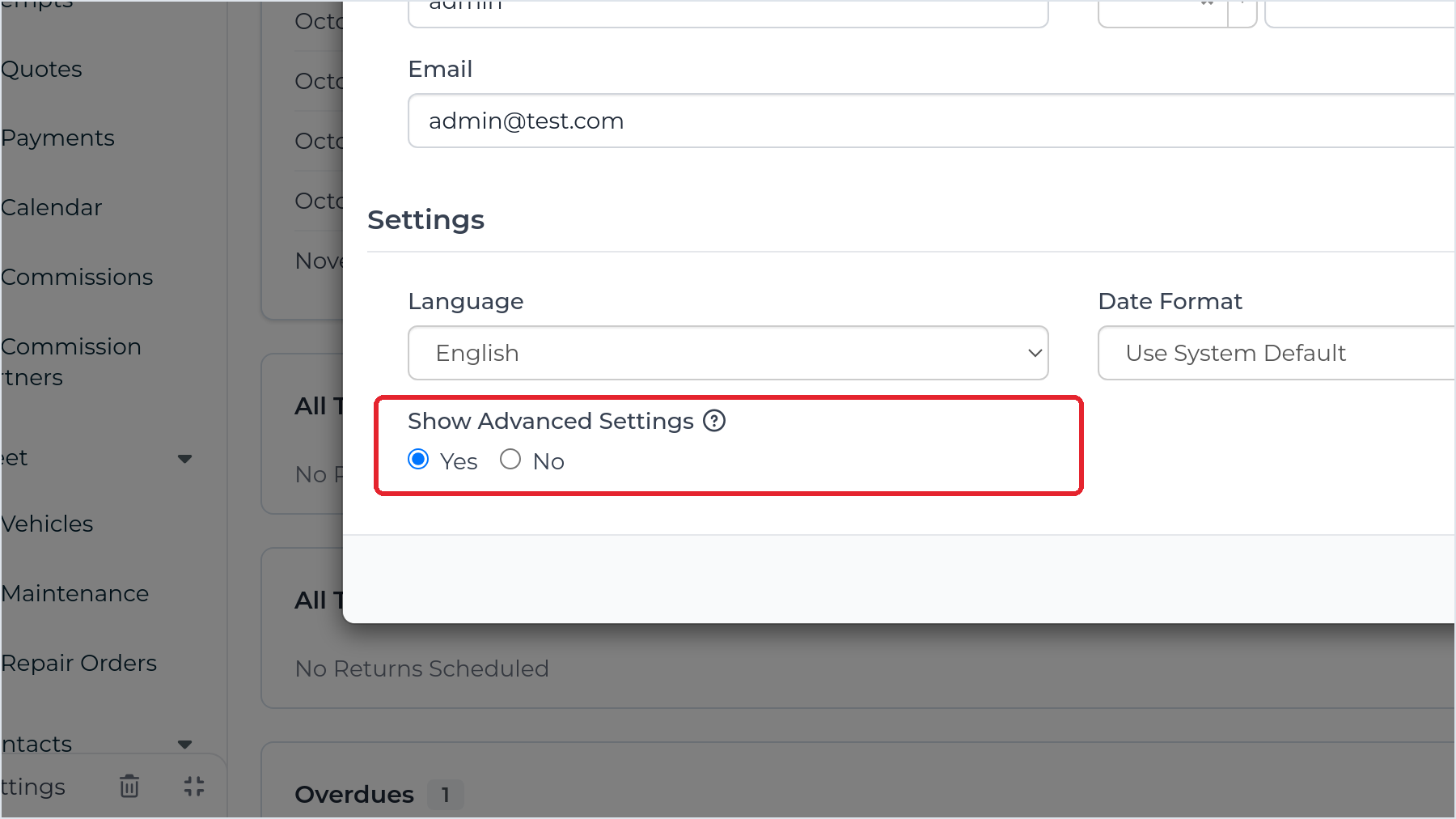
- Hidden settings: Days to Apply Minimal Rental Charge and the other fee rules are hidden until you turn on Show Advanced Settings.
Show Hidden Settings
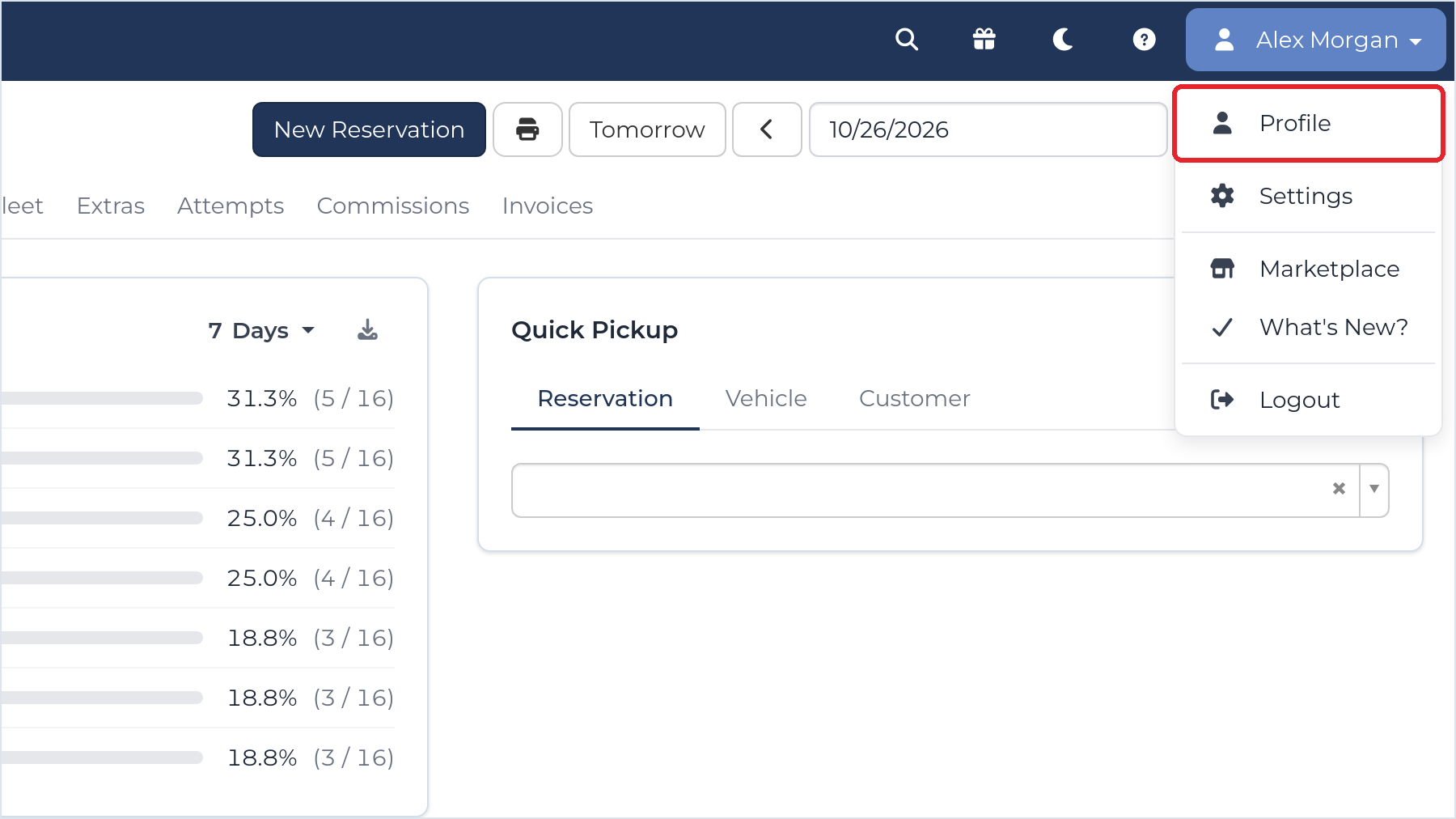
Section titled “Show Hidden Settings”- Click your name in the top right corner, then click Profile.
- In the User Profile window, find Show Advanced Settings and choose Yes.
- Click Save at the bottom of the window. Hidden settings now show on every settings page.
Show me where (2 pictures)
How It Works
Section titled “How It Works”When HQ Adds The Fee
Section titled “When HQ Adds The Fee”- HQ adds it when the rental has fewer days than Days to Apply Minimal Rental Charge.
- HQ also adds it when the rental has exactly that many days and no charged hours.
- With Skip Hours Validation for Minimal Rental Charge = Yes, charged hours are ignored.
- The fee does not change the number of days.
Example: Days to Apply Minimal Rental Charge = 2.
- A 1 day or 2 day rental gets the fee.
- A rental of 2 days and 2 charged hours does not, unless Skip Hours Validation for Minimal Rental Charge is Yes.
- A 3 day rental does not.
Limiting The Fee To Some Days Or Times
Section titled “Limiting The Fee To Some Days Or Times”- Apply Minimal Rental Charge on Selected Pickup Days and on Selected Return Days: only on the weekdays you choose, or every day if none.
- Apply Minimal Rental Charge if Pickup is After Time: only when the pickup is at or after this time.
- Apply Minimal Rental Charge if Return is Before Time: only when the return is at or before this time.
- Skip Minimal Rental Charge for Returns on Same Day = Yes: never when pickup and return are on the same date.
Example: Saturday and Sunday chosen as pickup days. A 1 day rental picked up on Tuesday does not get the fee.
Set It Up
Section titled “Set It Up”Get There
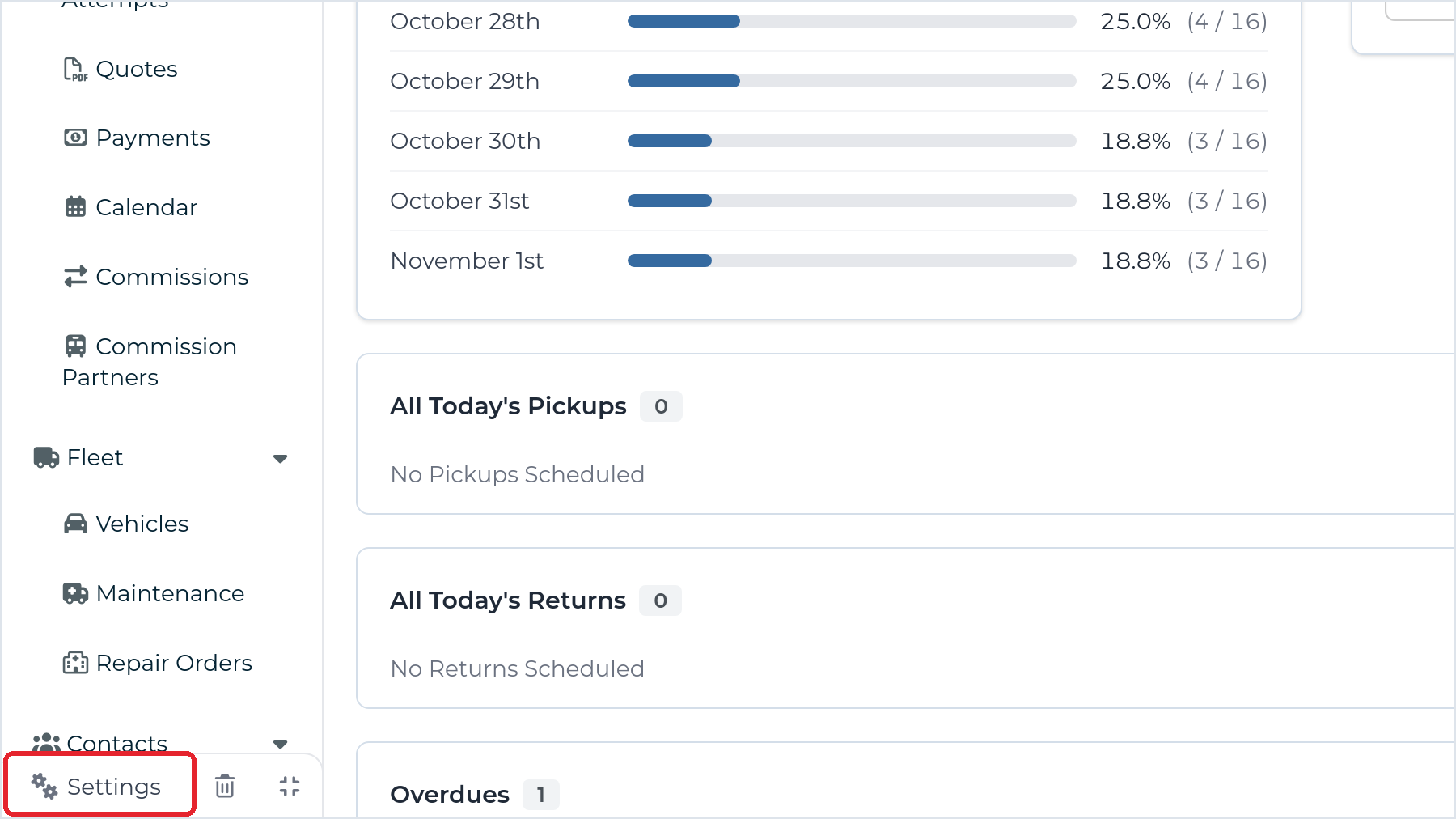
Section titled “Get There”- Click Settings at the bottom of the left menu.
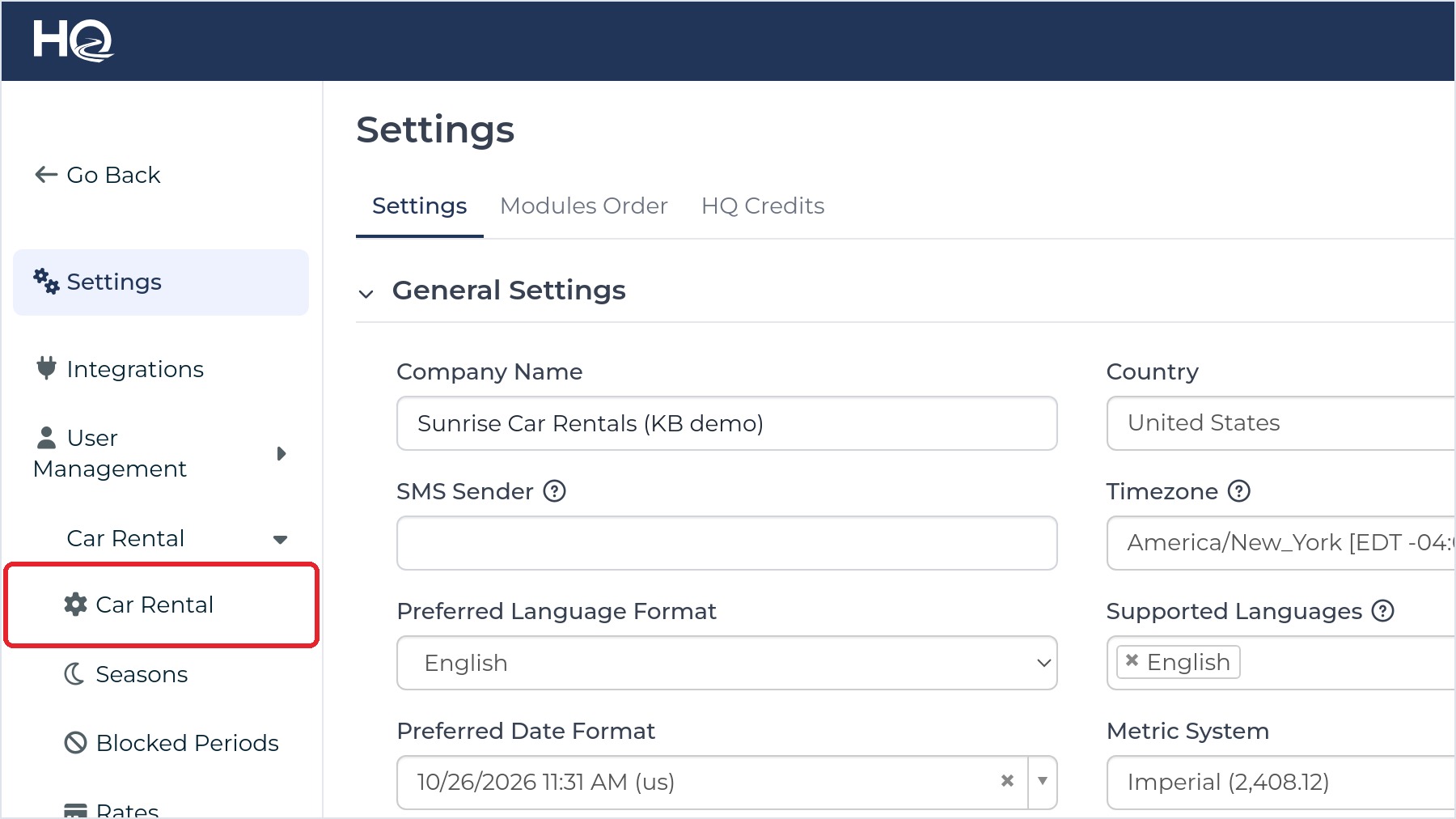
- In the left menu, under the group Car Rental, click Car Rental.
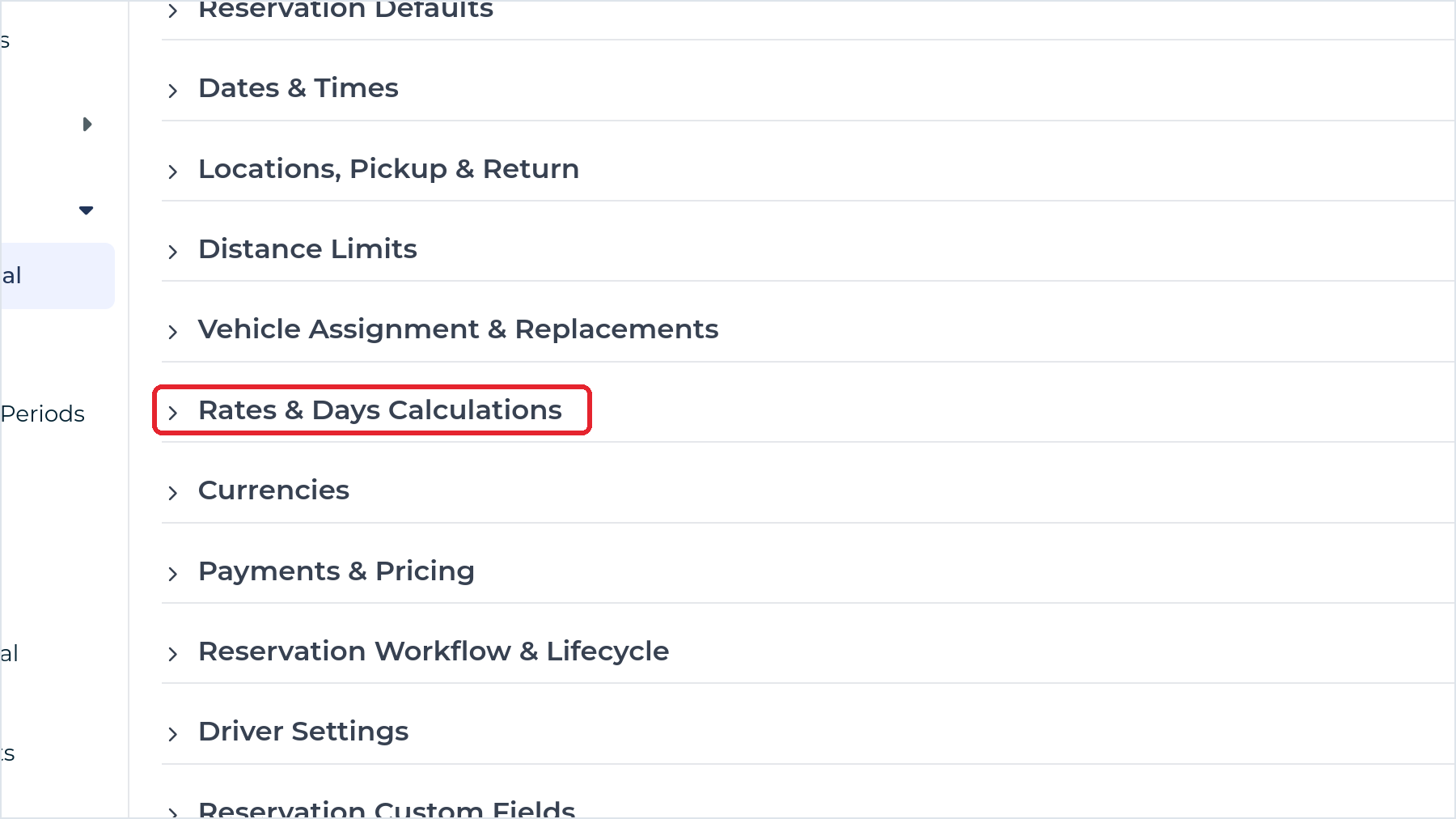
- Stay on the tab General Settings. Click the section Rates & Days Calculations to open it.
Show me where (3 pictures)
Page address: /settings/car-rental
Set Up The Fee
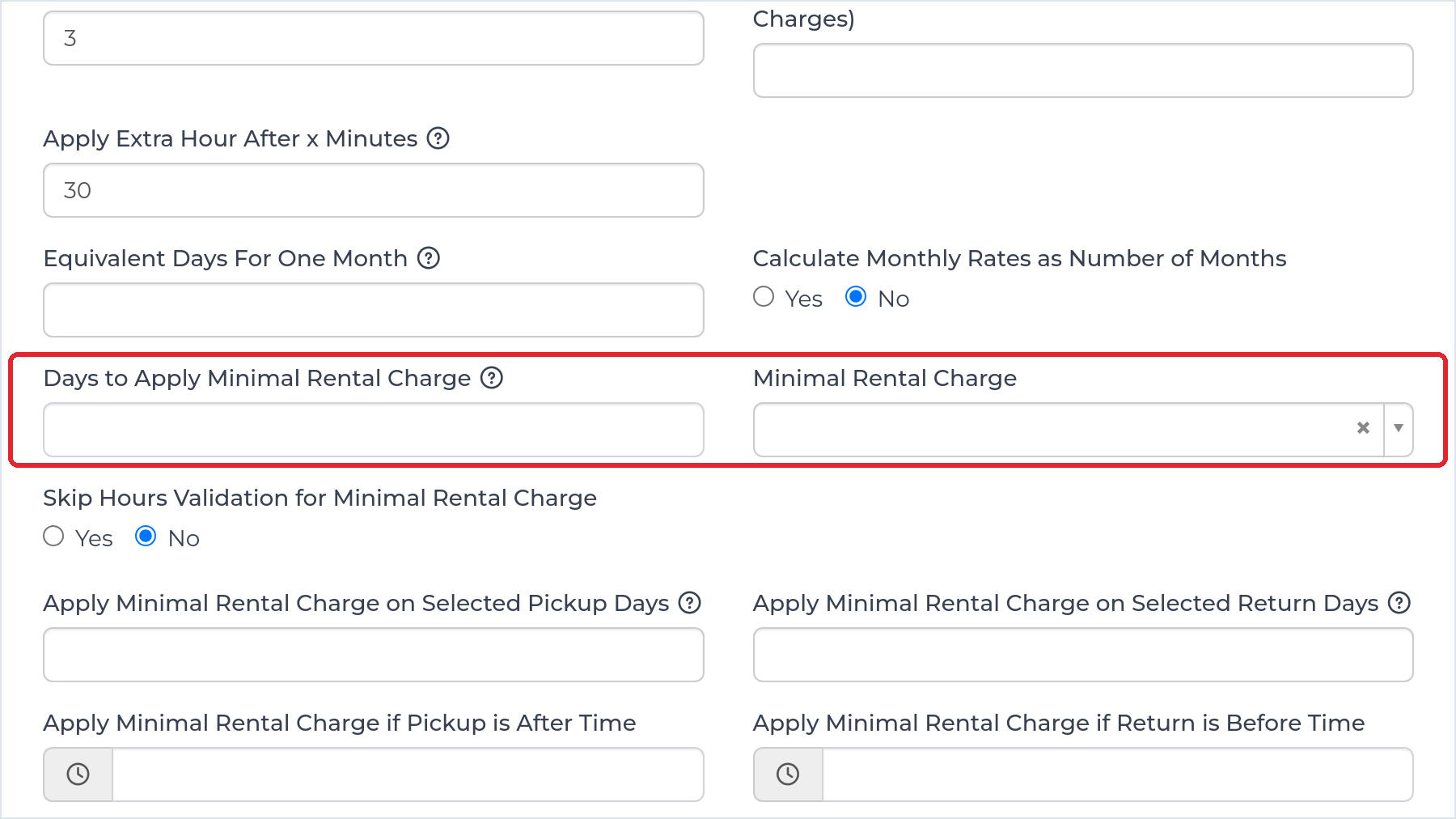
Section titled “Set Up The Fee”- Enter Days to Apply Minimal Rental Charge, for example 2.
- In Minimal Rental Charge, choose the fee.
- Optional: fill in the other Minimal Rental Charge fields below to limit the fee.
- Click Save at the bottom of the page.
Show me where (1 picture)
Good To Know
Section titled “Good To Know”- Leave Days to Apply Minimal Rental Charge empty to turn the fee off.
- If new dates no longer meet the rule, HQ removes the fee. For example, a 1 day rental changed to 4 days loses the fee.
- To charge extra days instead, see Set A Minimum Number Of Days To Charge.
If Something Goes Wrong
Section titled “If Something Goes Wrong”A Short Rental Did Not Get The Fee
Section titled “A Short Rental Did Not Get The Fee”- Why it happens: The rental had charged hours, or a day, time or same day rule left it out.
- What to do: Check Skip Hours Validation for Minimal Rental Charge and the limits in the section.
Settings Used In This Article
Section titled “Settings Used In This Article”All are in Settings, under Car Rental, tab General Settings, section Rates & Days Calculations. Full details are in General Settings Reference: Rates & Days Calculations Part 2.
- Days to Apply Minimal Rental Charge: rentals shorter than this get the fee. Empty turns it off.
- Minimal Rental Charge: the Additional Charge HQ adds.
- Skip Hours Validation for Minimal Rental Charge: ignores charged hours.
- Apply Minimal Rental Charge on Selected Pickup Days and on Selected Return Days: limit the fee to some weekdays.
- Apply Minimal Rental Charge if Pickup is After Time and if Return is Before Time: limit the fee to some times.
- Skip Minimal Rental Charge for Returns on Same Day: no fee for same date rentals.