Add A Discount For Vehicle And Package Bookings
Before You Start
Section titled “Before You Start”- Plan or add-on: Car Rental module, with Packages turned on by our support team.
- Create the discount first. See Create A Discount.
How It Works
Section titled “How It Works”Both Conditions Must Be True
Section titled “Both Conditions Must Be True”The vehicle reservation needs one of the Required Additional Charges for Automatic Discount. The package needs one of the Required Package Items for Automatic Discount. The discount goes on the vehicle reservation, not the package. HQ removes it when a condition stops being true.
Example: The customer removes the Roof Rack. “Adventure Combo” is removed from the vehicle reservation.
Set It Up
Section titled “Set It Up”Set The Discount
Section titled “Set The Discount”Get There
Section titled “Get There”- Click Settings at the bottom of the left menu, then Car Rental.
- Click the tab Packages and open the section Business Rules.
Page address: /settings/car-rental/packages-settings
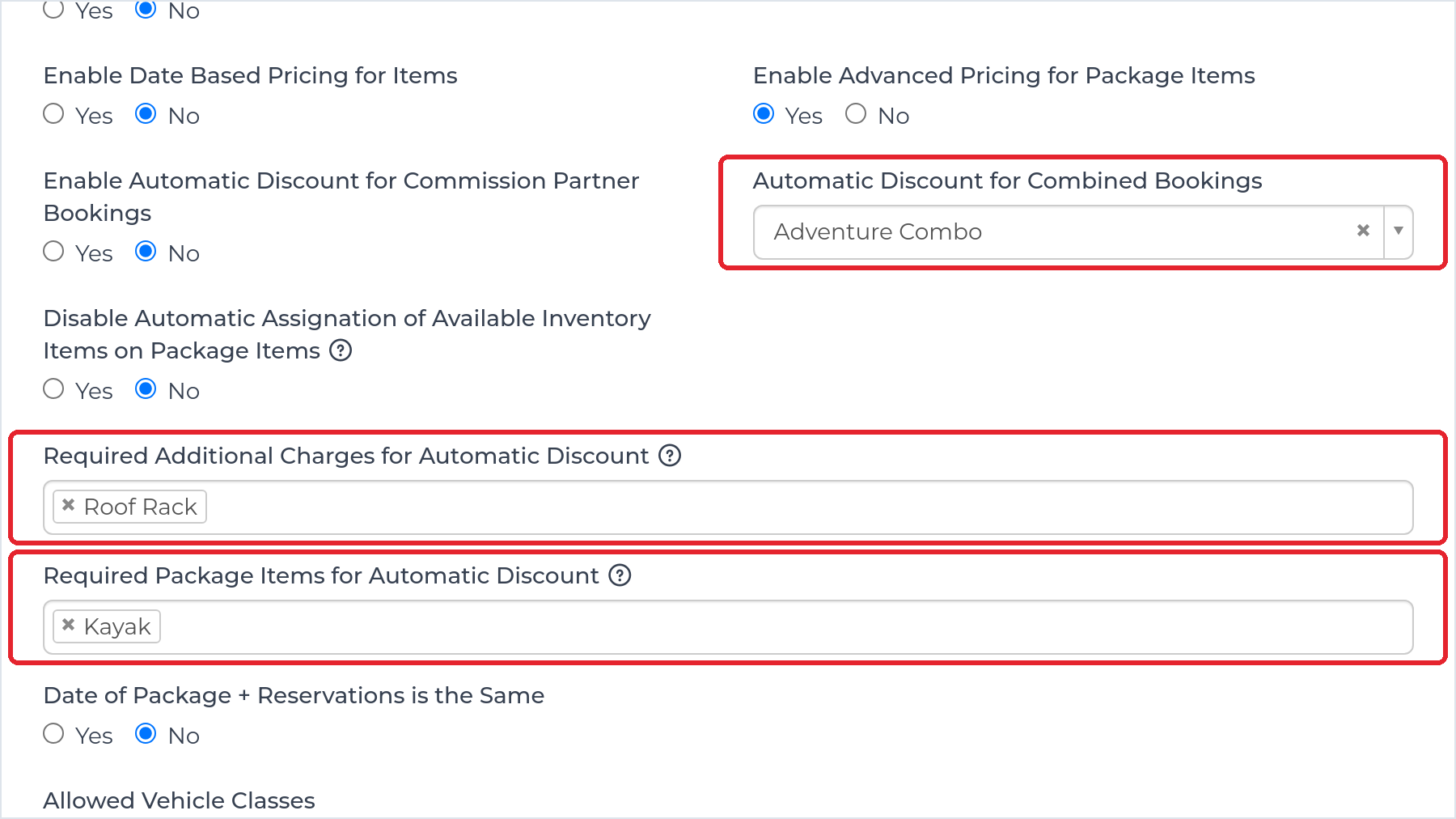
- Choose the discount in Automatic Discount for Combined Bookings.
- Choose the charges in Required Additional Charges for Automatic Discount.
- Choose the items in Required Package Items for Automatic Discount.
- Optional: set Enable Automatic Discount for Commission Partner Bookings to Yes.
- Click Save at the bottom of the page.
Show me where (1 picture)
If Something Goes Wrong
Section titled “If Something Goes Wrong”The Combined Discount Was Not Added
Section titled “The Combined Discount Was Not Added”- Why it happens: A required charge or item is missing. Or it is a Commission Partner booking and the partner setting is No.
- What to do: Check the required charges and items, and the partner setting.
Settings Used In This Article
Section titled “Settings Used In This Article”These are in the Car Rental settings, tab Packages, section Business Rules.
- Automatic Discount for Combined Bookings: the discount added.
- Required Additional Charges for Automatic Discount: charges the vehicle reservation needs.
- Required Package Items for Automatic Discount: items the package needs.
- Enable Automatic Discount for Commission Partner Bookings: also for partner bookings.
Related Articles
Section titled “Related Articles”- Package Pricing
- How Package Reservation Totals Are Calculated
- Discounts