Create A Discount
Before You Start
Section titled “Before You Start”- Plan or add-on: All plans, Car Rental module.
How It Works
Section titled “How It Works”Maximums
Section titled “Maximums”A Percentage discount can have a Maximum Discount Amount. An Amount discount can have a Maximum Discount Percentage. The reservation shows “(max … applied)” when a maximum is used.
Example: Summer 20 on a $300 rental is 20% = $60, but the maximum is $50, so $50 comes off.
Restrictions
Section titled “Restrictions”Restrictions limit when the discount works: classes, pickup Locations, dates and rental length. Empty fields mean no limit.
Example: Available Until December 31 accepts a rental returned December 31 and refuses one returned January 1.
Set It Up
Section titled “Set It Up”Get There
Section titled “Get There”- Click Settings at the bottom of the left menu.
- In the left menu, under the group Car Rental, click Discounts.
Show me where (2 pictures)
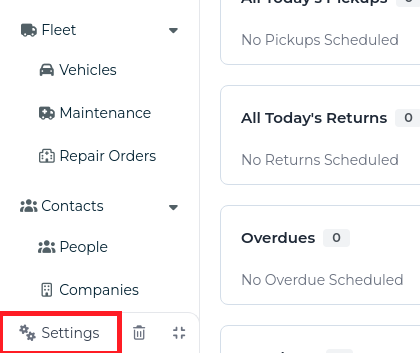
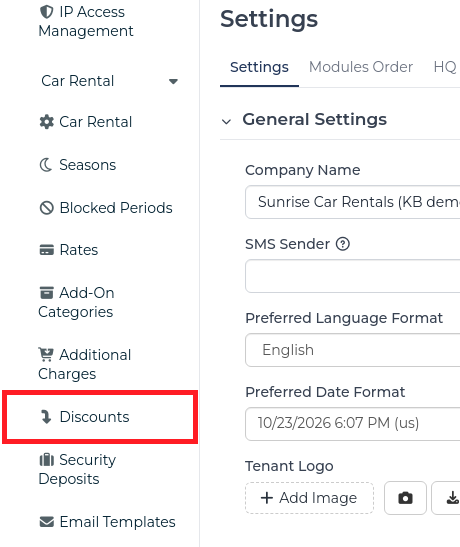
Page address: /settings/car-rental/discounts
Add The Discount
Section titled “Add The Discount”- Click Add Discount in the top right corner.
- Choose the Branch and enter the Discount definition.
- Choose the Discount type and enter the Discount, for example 20 for 20%.
- Optional: enter Maximum Discount Amount or Maximum Discount Percentage.
- Enter a Coupon Code of up to 20 letters and numbers, with no spaces.
- Keep Active? on Yes. Set Visible For Direct booker? to Yes if customers can use it online.
- Optional: fill in Restrictions.
- Click Save at the bottom of the page.
Show me where (2 pictures)
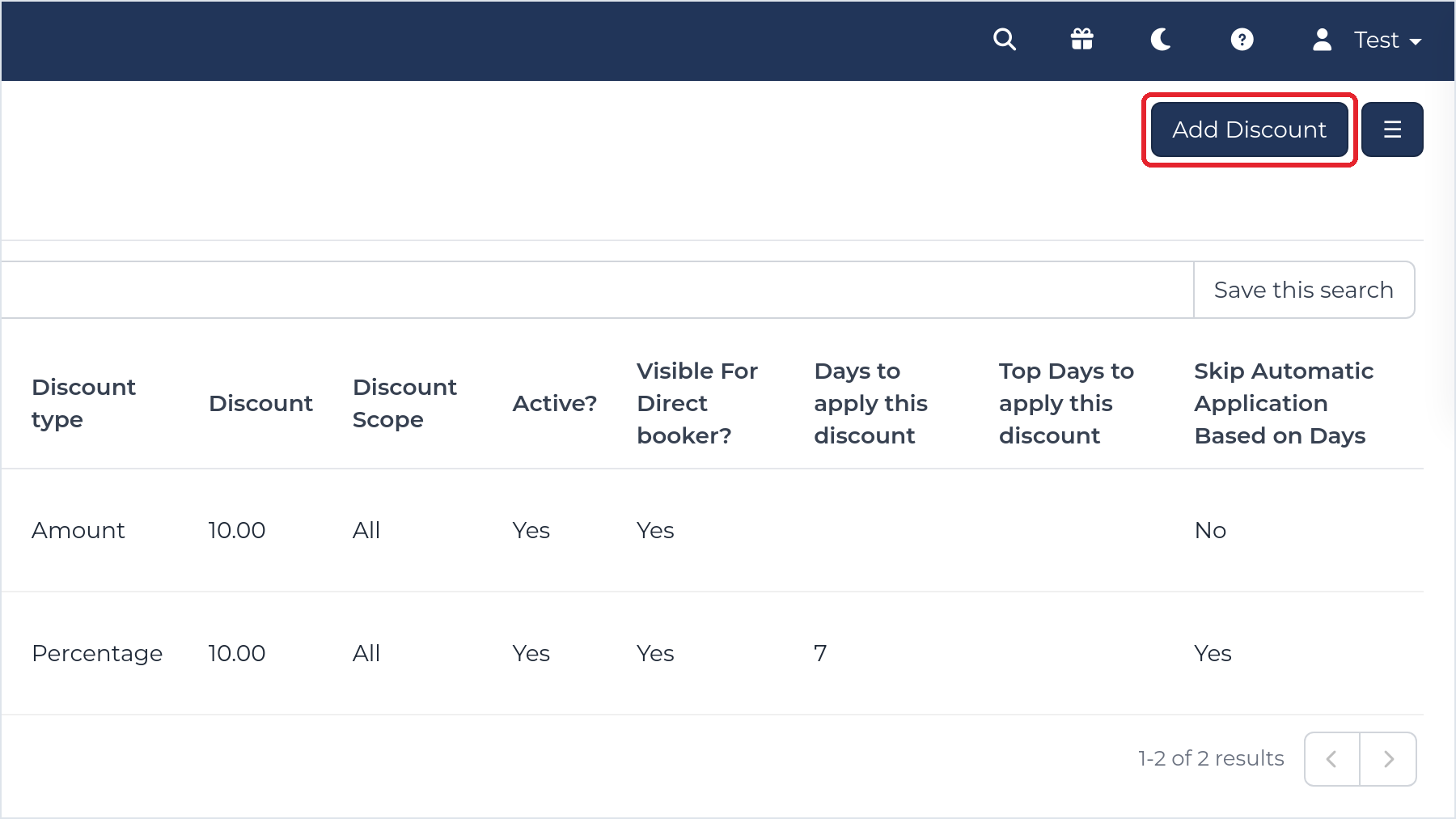
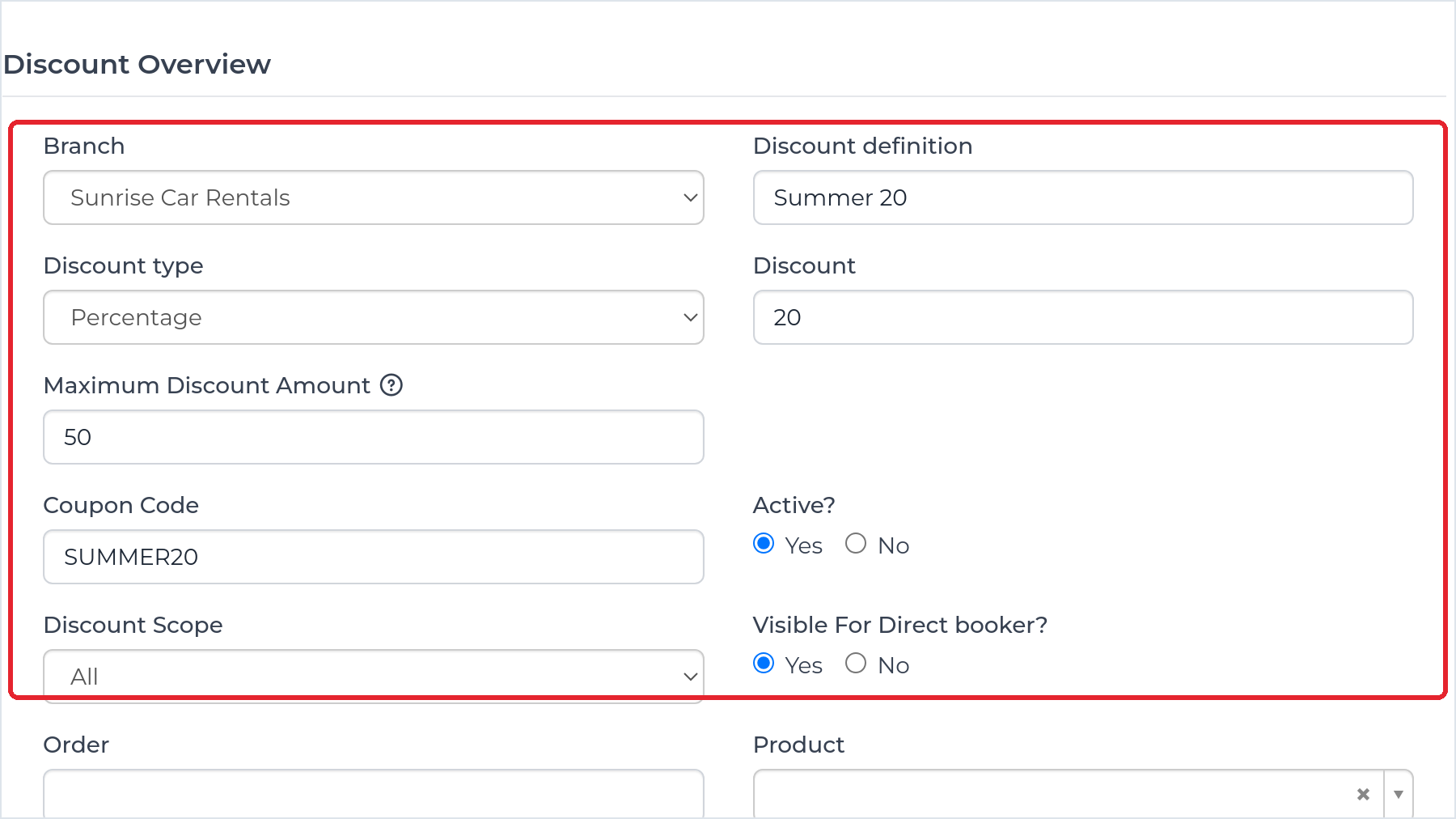
Good To Know
Section titled “Good To Know”- A discount with no Branch works with its code on any Branch, but is never added automatically.
- Discount Scope only labels the discount in the list. It does not stop it from being used elsewhere.
If Something Goes Wrong
Section titled “If Something Goes Wrong”“This Discount Can’t Be Deleted”
Section titled ““This Discount Can’t Be Deleted””- Why it happens: A reservation uses it.
- What to do: Set Active? to No.
Settings Used In This Article
Section titled “Settings Used In This Article”These are fields of each discount.
- Discount type: Percentage, Amount, Amount per Item, Amount per Day or Free Days.
- Maximum Discount Amount: the most a Percentage discount takes off.
- Maximum Discount Percentage: the most an Amount discount takes off, as a percentage.
- Visible For Direct booker?: lets customers use it online.
- Available From and Available Until: the pickup must be on or after the first, and the return on or before the second.
- No Other Discounts Can Apply: makes the discount exclusive.
- When Selected, These Items can’t be selected: discounts that cannot be used with this one.
- Disable Re-use: each customer can use it on one reservation only.