Turn On Check Value Pricing
Before You Start
Section titled “Before You Start”- Plan or add-on: All plans, Car Rental module.
- Hidden settings: Check Value Pricing on Daily vs Weekly Rates is hidden until you turn on Show Advanced Settings.
Show Hidden Settings
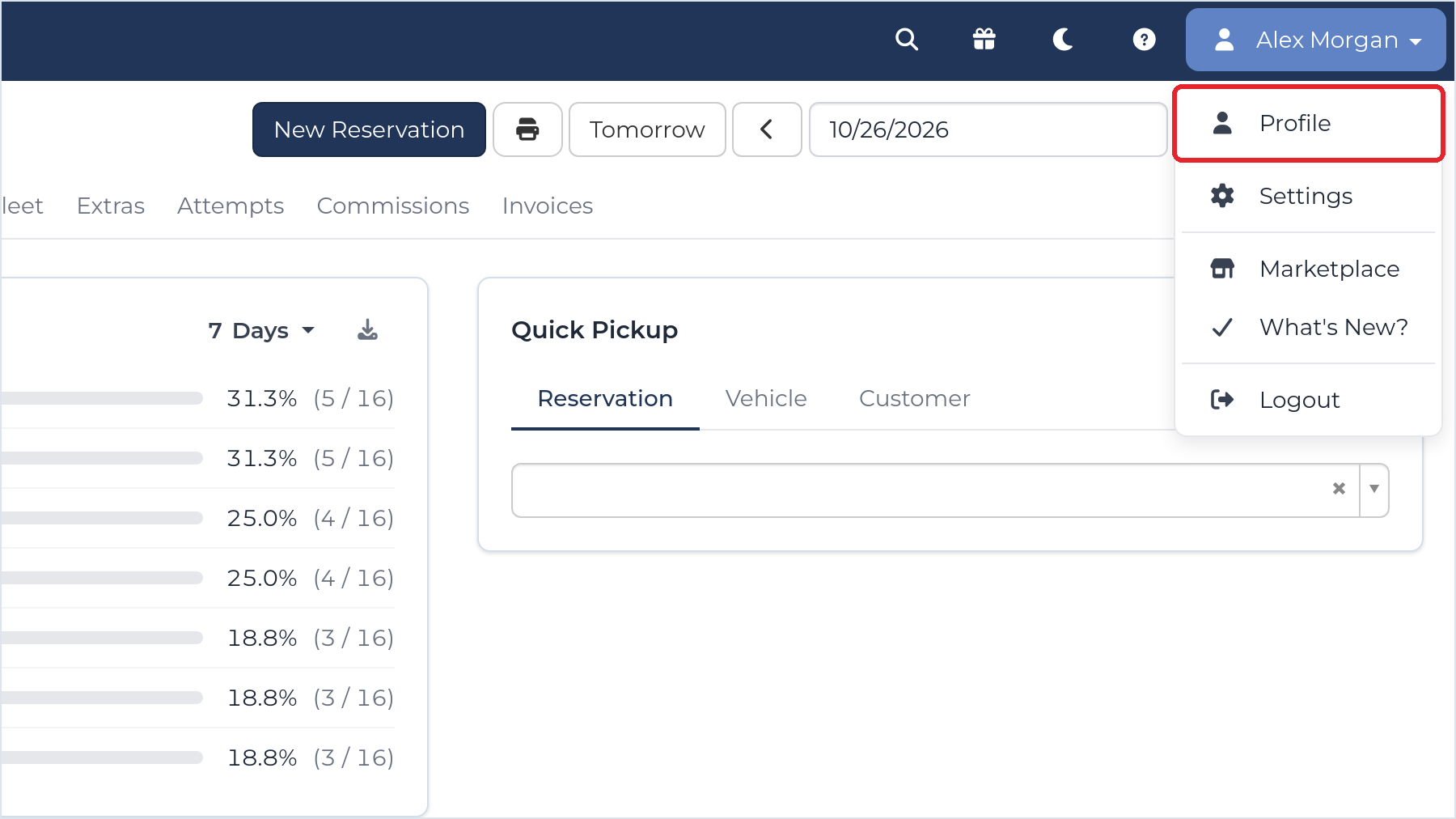
Section titled “Show Hidden Settings”- Click your name in the top right corner, then click Profile.
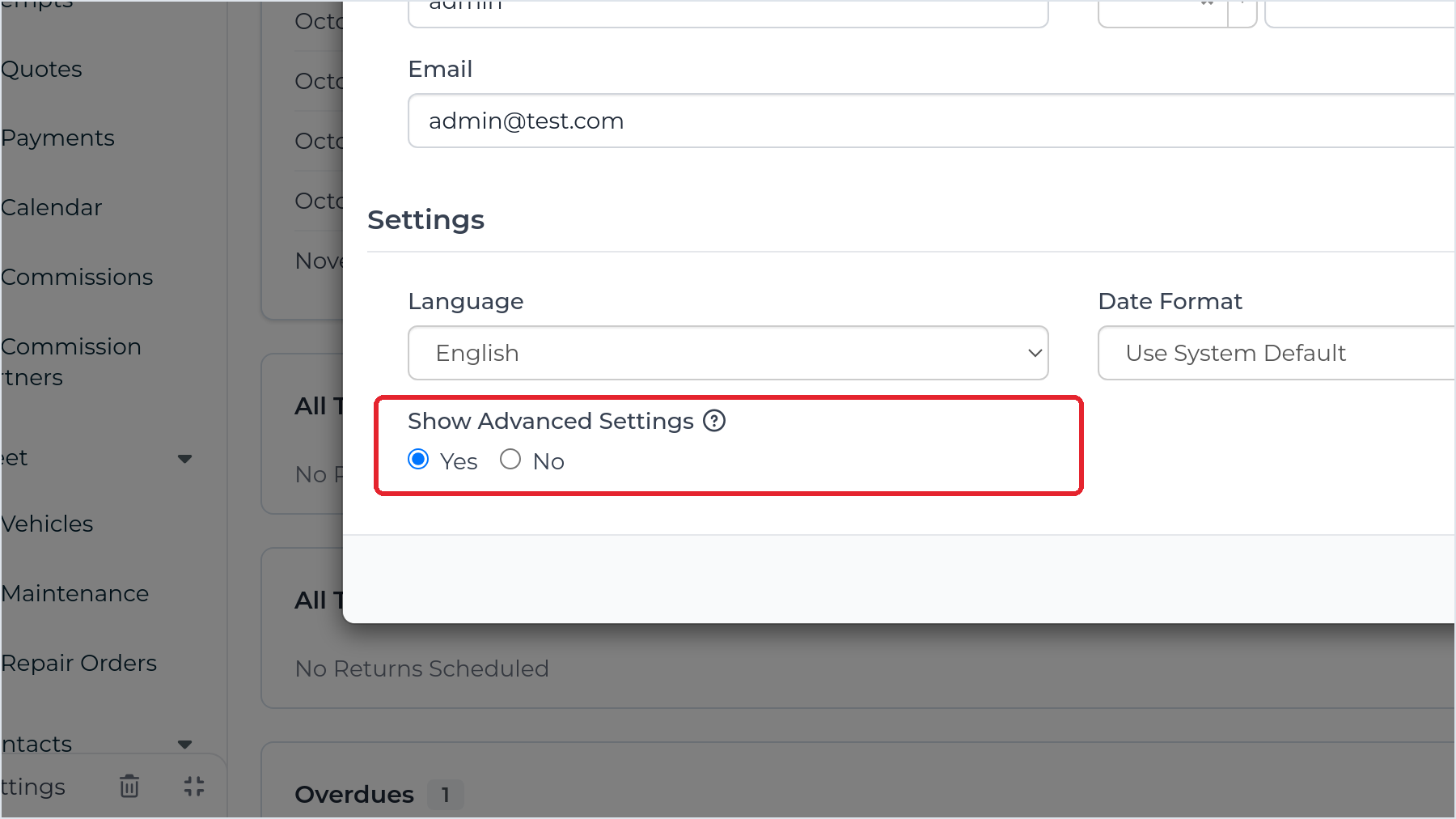
- In the User Profile window, find Show Advanced Settings and choose Yes.
- Click Save at the bottom of the window. Hidden settings now show on every settings page.
Show me where (2 pictures)
How It Works
Section titled “How It Works”How HQ Compares
Section titled “How HQ Compares”HQ first splits the rental into weeks and days. Then it compares the leftover days with the Weekly Rate. If the days cost the same or more, they become one more week. This also works after full weeks.
Example: Daily Rate $70 and Weekly Rate $300.
- 4 days: 4 × $70 = $280, less than a week, so $280.
- 5 days: 5 × $70 = $350, so 1 week = $300.
- 12 days: 1 week + 5 days would cost $650, so 2 weeks = $600.
Existing Reservations
Section titled “Existing Reservations”Each reservation keeps the value of this setting from when it was created.
Example: You turn it on today. A 5 day reservation made yesterday still costs $350.
Set It Up
Section titled “Set It Up”Get There
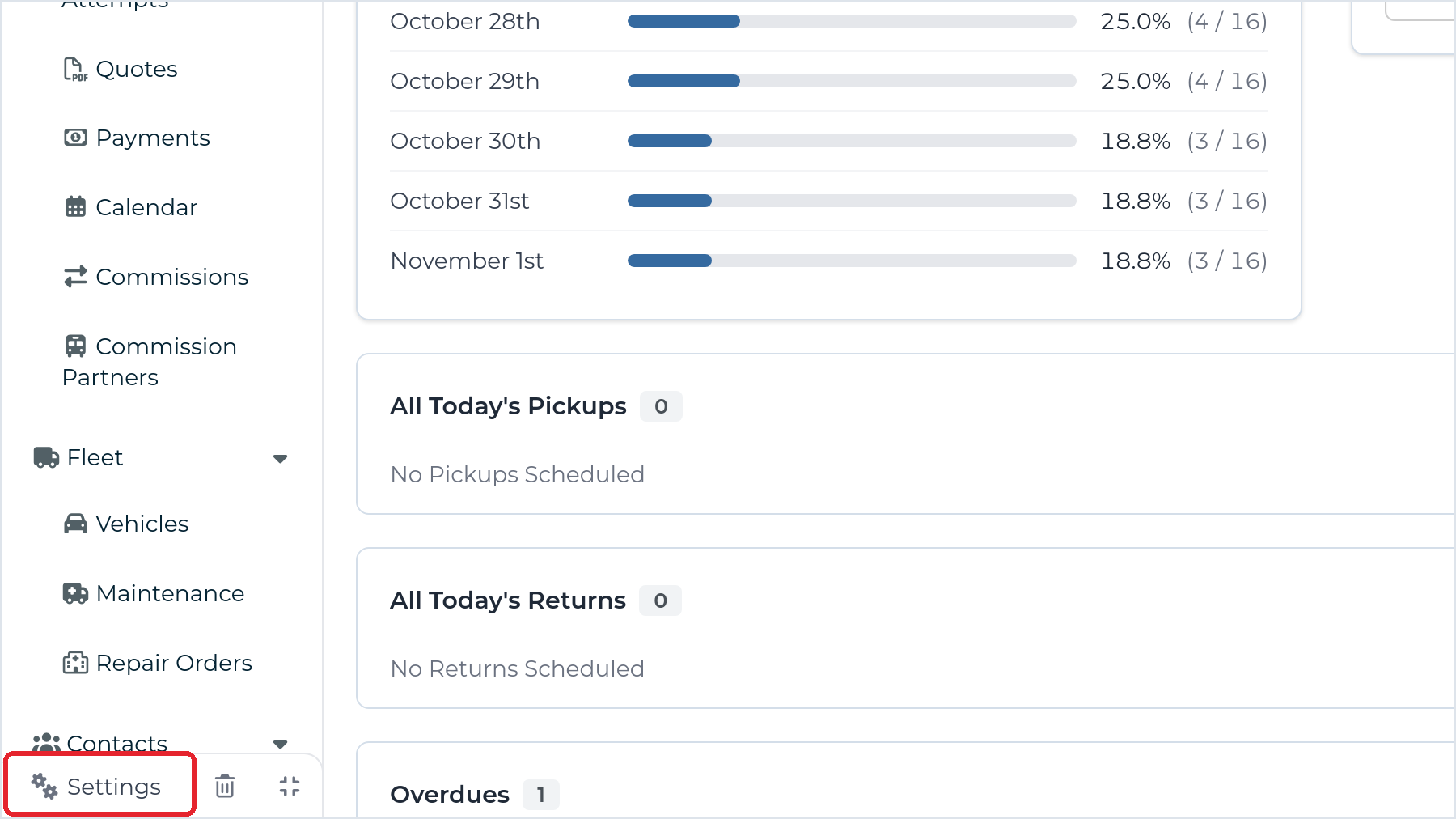
Section titled “Get There”- Click Settings at the bottom of the left menu.
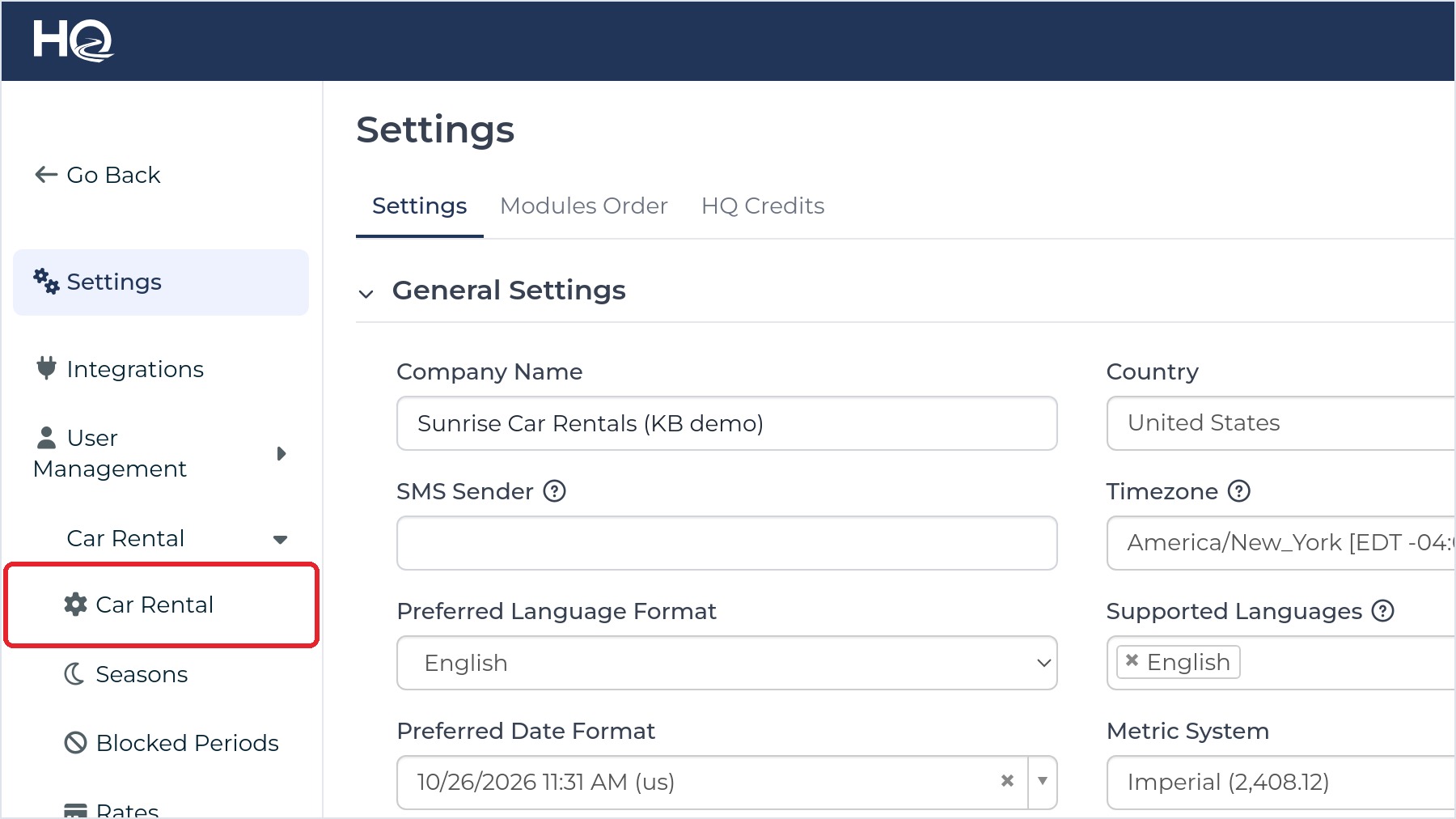
- In the left menu, under the group Car Rental, click Car Rental.
- Stay on the tab General Settings. Click the section Rates & Days Calculations to open it.
Show me where (3 pictures)
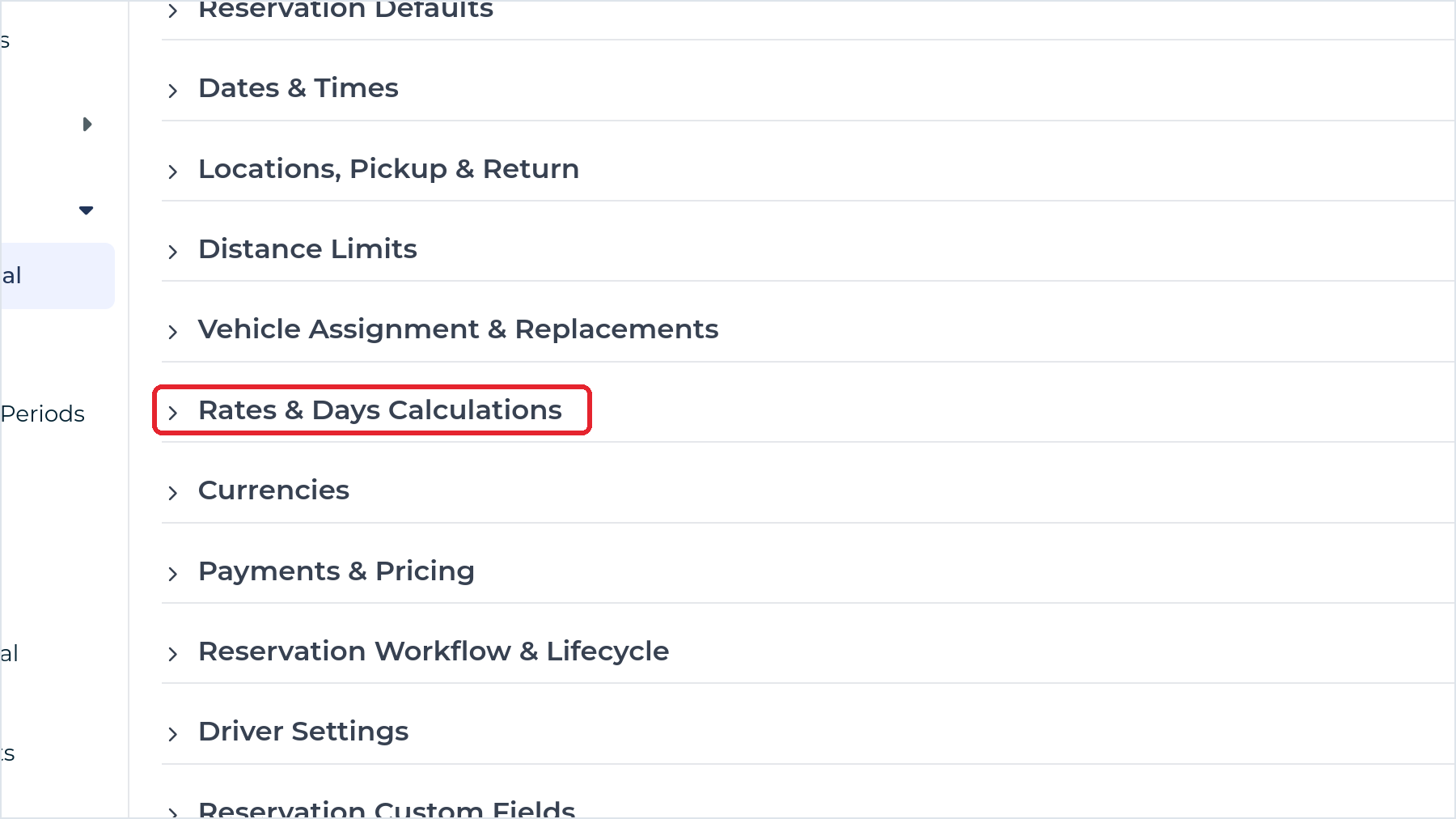
Page address: /settings/car-rental
Turn It On
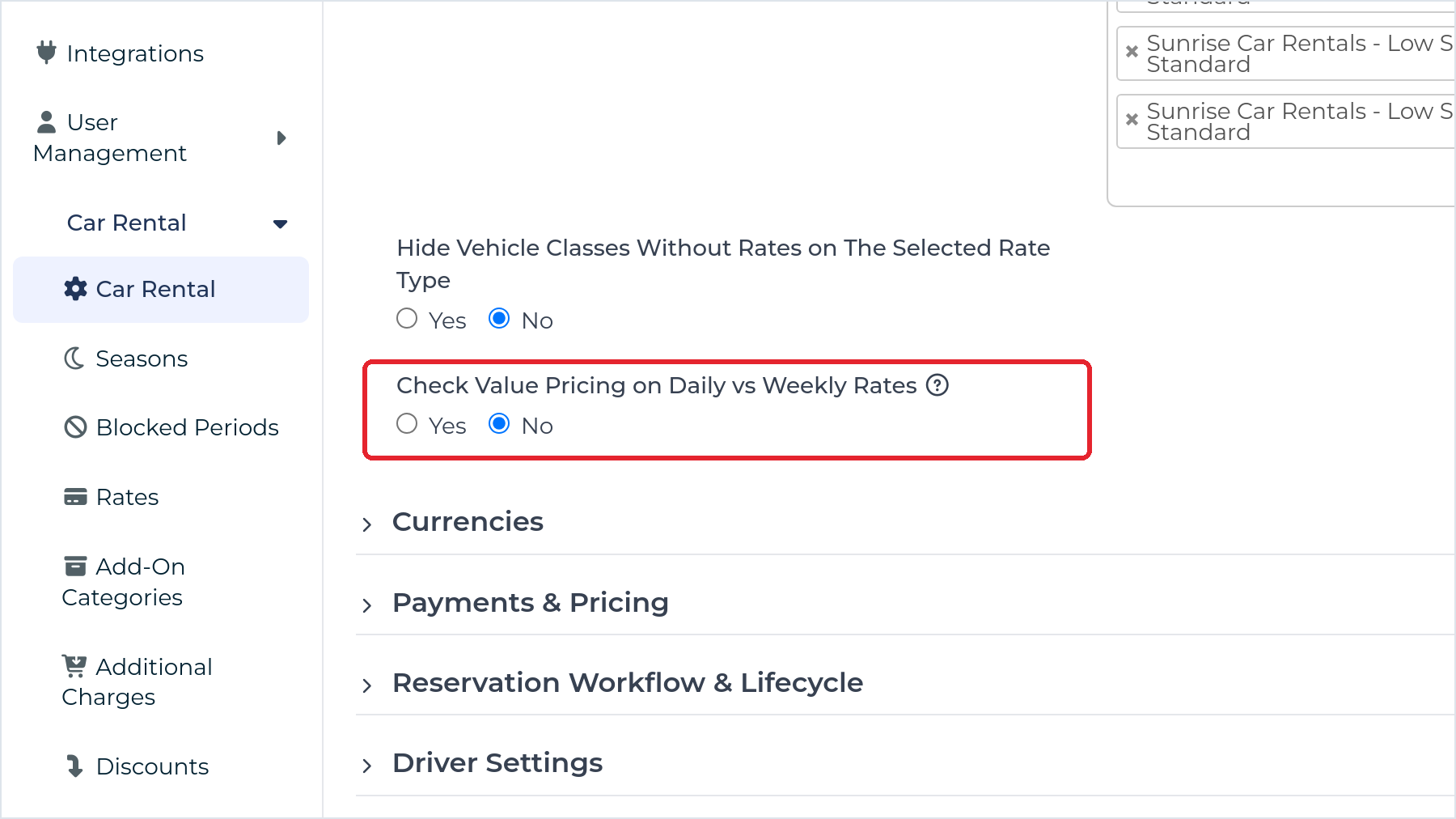
Section titled “Turn It On”- Set Check Value Pricing on Daily vs Weekly Rates to Yes.
- Click Save at the bottom of the page.
Show me where (1 picture)
Good To Know
Section titled “Good To Know”- The rate needs a Weekly Rate. Without one, HQ charges days.
If Something Goes Wrong
Section titled “If Something Goes Wrong”A 6 Day Rental Was Charged As One Week
Section titled “A 6 Day Rental Was Charged As One Week”- Why it happens: The 6 days cost the same as or more than the Weekly Rate.
- What to do: Nothing is wrong. Set the setting to No if you always want days.
Settings Used In This Article
Section titled “Settings Used In This Article”It is in Settings, under Car Rental, tab General Settings, section Rates & Days Calculations. Full details are in General Settings Reference: Rates & Days Calculations Part 2.
- Check Value Pricing on Daily vs Weekly Rates: charges a week instead of days when the week costs the same or less.