Create A Season
Before You Start
Section titled “Before You Start”- Plan or add-on: All plans, Car Rental module.
How It Works
Section titled “How It Works”Each new Season should start the day after the previous Season ends. Otherwise the Seasons page shows a warning, as explained in Seasons And Fallback Rates.
Example: Summer Season from June 15 to August 31, 2027 follows Winter Season, which ends June 14, 2027.
Rental Limits
Section titled “Rental Limits”Each Season sets Minimal Rental Period (Days), Max Rental Period (Days), Minimum Rental Hours and Maximum Rental Hours. When a rental touches several Seasons, HQ checks the limits of each one against the full rental.
Example: Summer Season has a Minimal Rental Period of 3 days. A 2 day rental from June 14 to June 16, 2027 touches Summer Season, so it is not allowed.
Rates For The Season
Section titled “Rates For The Season”You can enter a rate for each Vehicle Class in the Base rates box, or later on the Rates page. Rates for a Location, Rate Type or Commission Partner are added on the Rates page.
Example: Tick Set base rates per vehicle class and enter the prices of each class.
Set It Up
Section titled “Set It Up”Get There
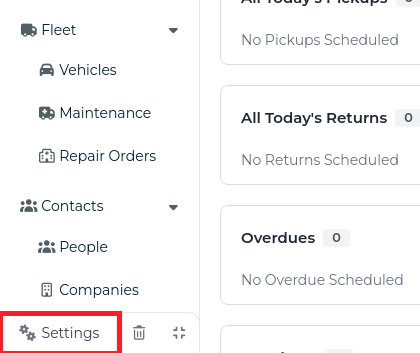
Section titled “Get There”- Click Settings at the bottom of the left menu.
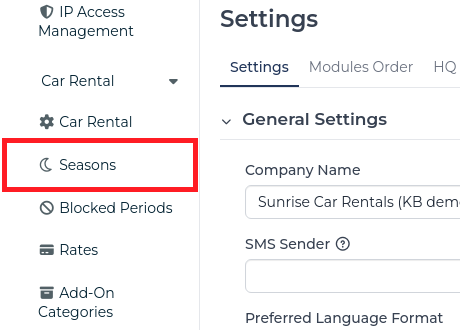
- In the left menu, under the group Car Rental, click Seasons.
Show me where (2 pictures)
Page address: /settings/car-rental/seasons
Add The Season
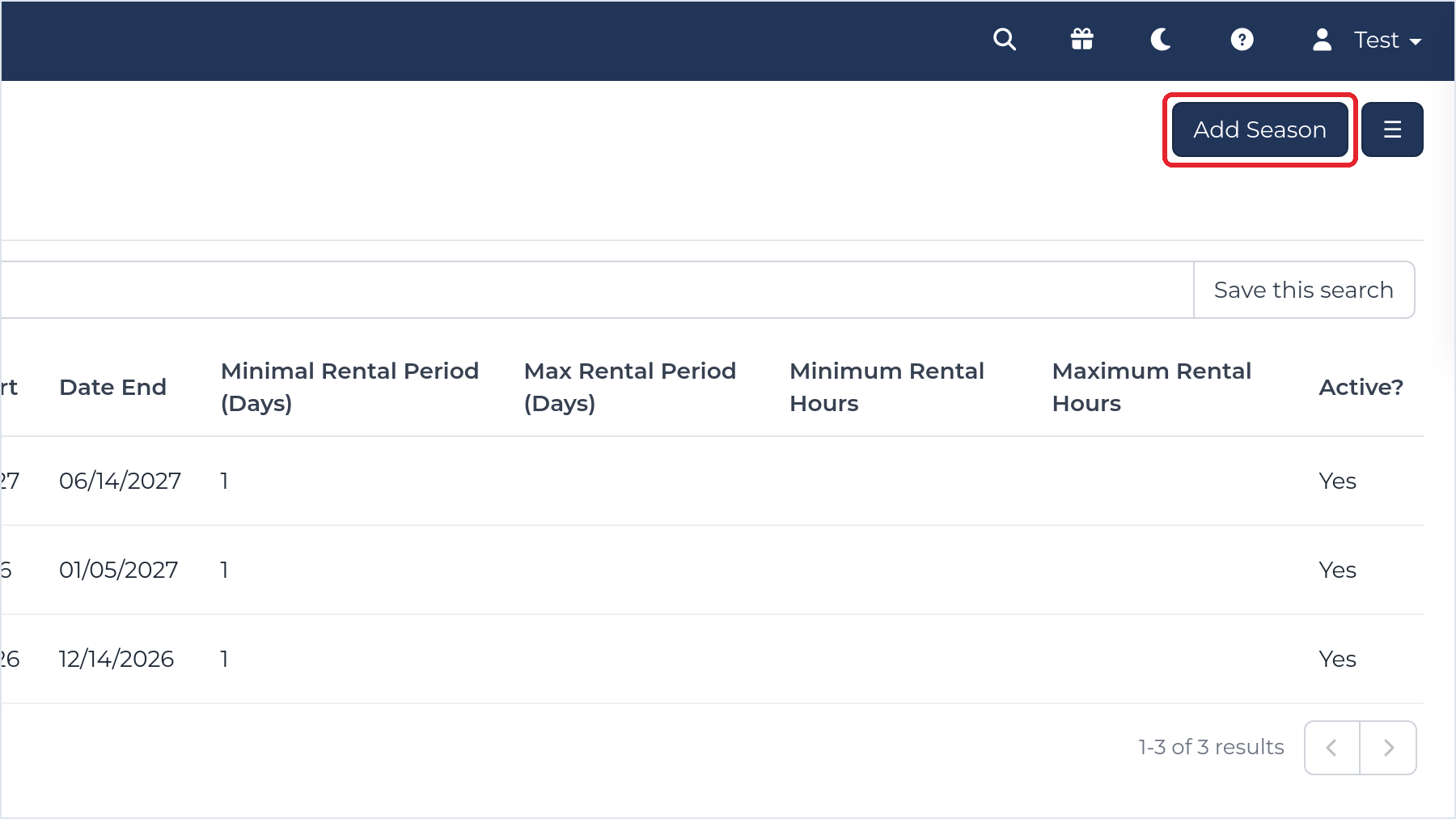
Section titled “Add The Season”- Click Add Season in the top right corner.
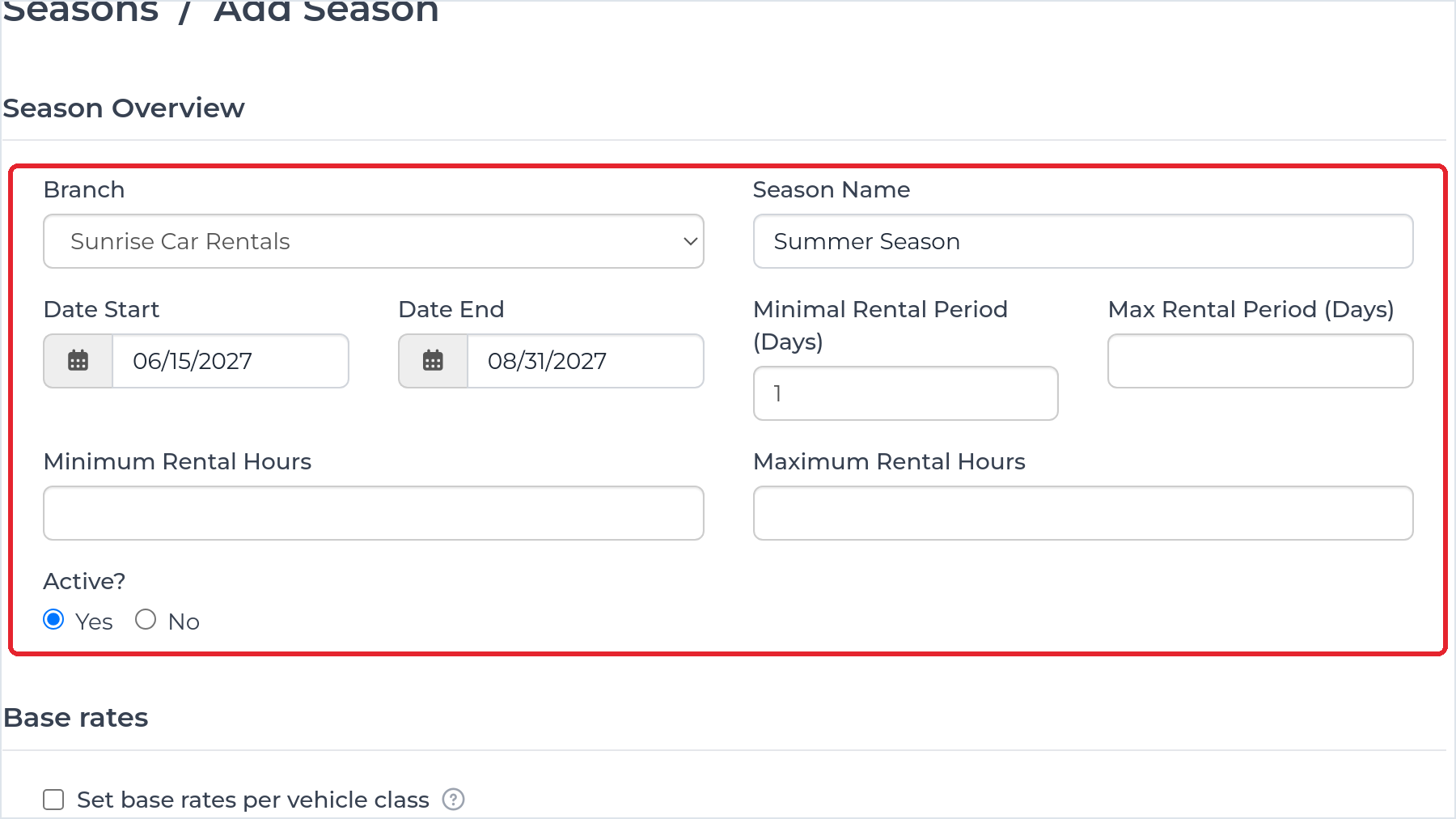
- In Season Overview, choose the Branch and enter the Season Name.
- Enter the Date Start and Date End.
- Enter the Minimal Rental Period (Days). It is required.
- Optional: enter Max Rental Period (Days), Minimum Rental Hours and Maximum Rental Hours.
- Set Active? to Yes.
- Optional: tick Set base rates per vehicle class and enter the rates.
- Click Save at the bottom of the page.
Show me where (2 pictures)
Good To Know
Section titled “Good To Know”- Inactive Seasons are not used for new reservations.
- A Season with reservations cannot be deleted. Set Active? to No instead.
If Something Goes Wrong
Section titled “If Something Goes Wrong”The New Season Is Not Used
Section titled “The New Season Is Not Used”- Why it happens: Active? is No, or the dates do not cover the rental days.
- What to do: Open the Season and check both.