Hourly, Daily, Weekly And Monthly Rates
Before You Start
Section titled “Before You Start”- Plan or add-on: All plans, Car Rental module.
- Hidden settings: Calculate Monthly Rates as Number of Months is hidden until you turn on Show Advanced Settings.
Show Hidden Settings
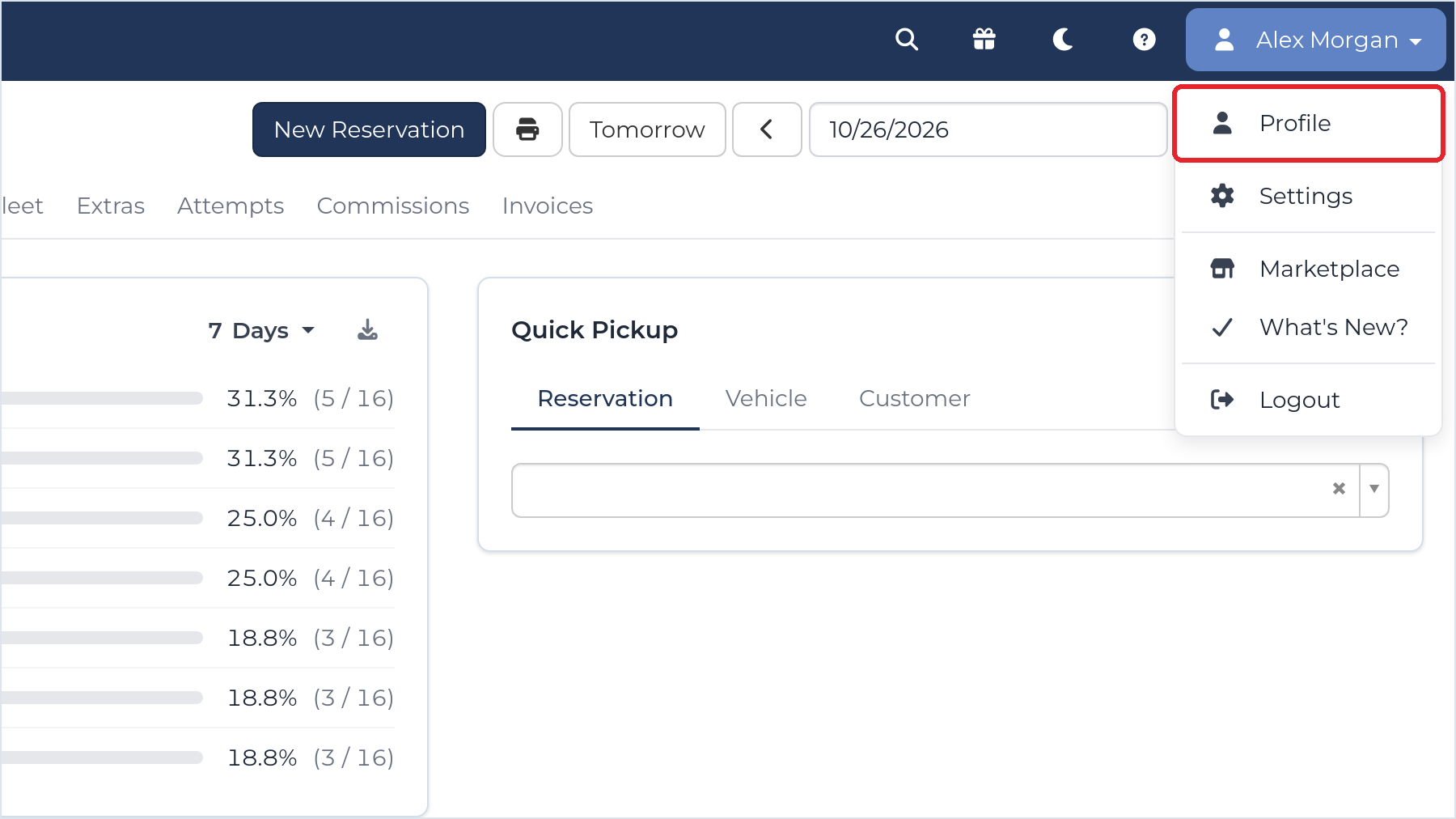
Section titled “Show Hidden Settings”- Click your name in the top right corner, then click Profile.
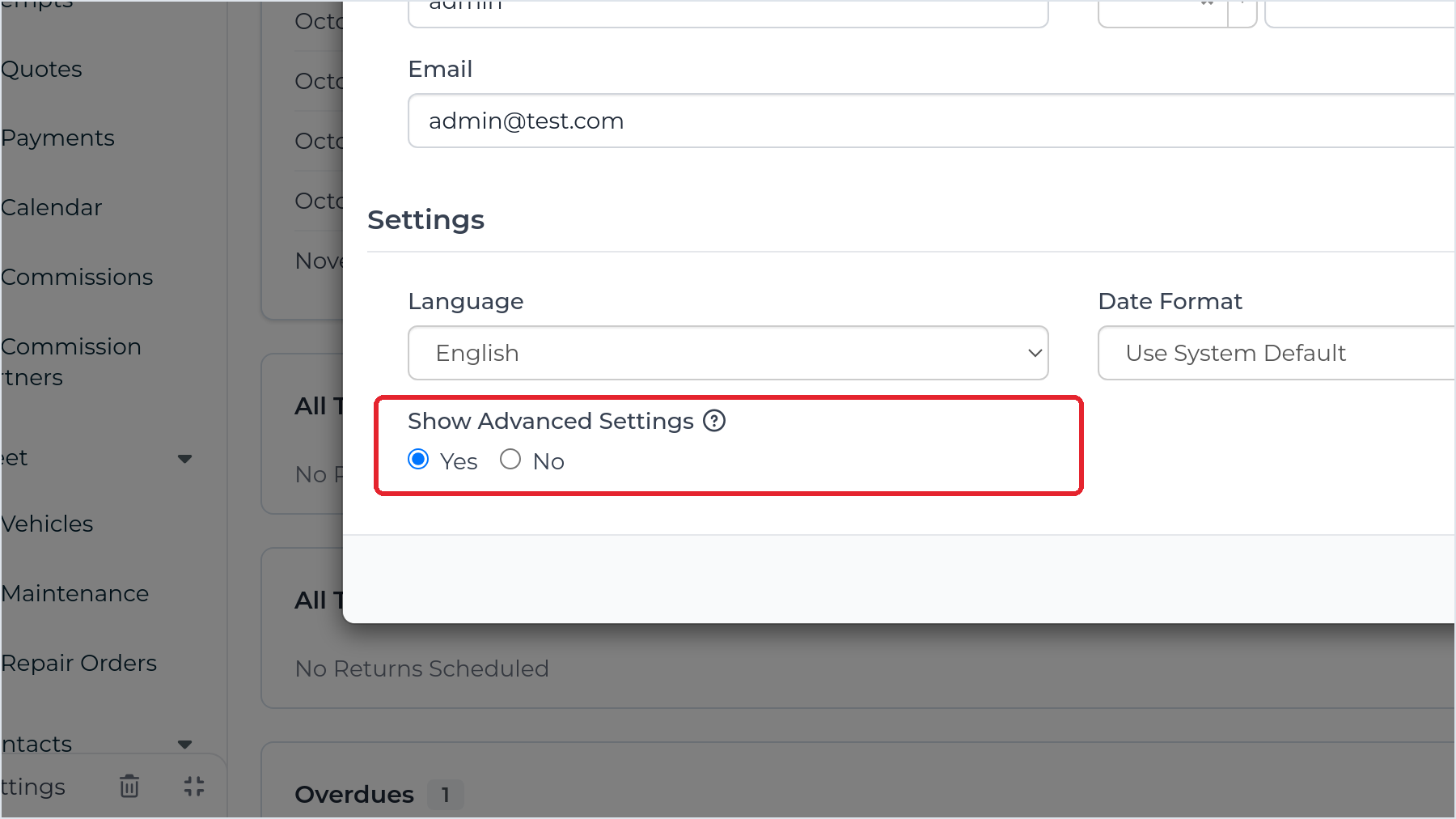
- In the User Profile window, find Show Advanced Settings and choose Yes.
- Click Save at the bottom of the window. Hidden settings now show on every settings page.
Show me where (2 pictures)
How It Works
Section titled “How It Works”The Rate Fields
Section titled “The Rate Fields”Each rate has these fields in its Rates box:
- Hourly Rate: the price per hour of extra time.
- Daily Rate: the price per day. It is required, unless the rate uses a decreasing daily price.
- Weekly Rate: the price per full week of 7 days.
- Monthly Rate: the price per month.
HQ uses the rate of the reservation’s Season (a date range with its own rates). It also matches the Vehicle Class (a group of vehicles you rent and price together). A Minute Rate is also possible, as shown in Use Per Minute Rates.
Example: A rate with only a Daily Rate of $50 charges a 9 day rental as 9 × $50 = $450.
How A Rental Is Split
Section titled “How A Rental Is Split”HQ fills the largest periods first. It uses a period only when the rate has a price for it:
- Months: every block of Equivalent Days For One Month days, or 30 if empty. With Calculate Monthly Rates as Number of Months = Yes, HQ counts real calendar months.
- Weeks: every full 7 days left.
- Days: every full 24 hours left.
- Hours: the time left, rounded with Apply Extra Hour After x Minutes.
Extra time over Apply Daily Price After More Than x Hours then becomes one more day. If that makes 7 days, they become a week.
Example: 6 days and 5 hours, with Apply Daily Price After More Than x Hours = 3. The 5 hours become a 7th day, and 7 days become 1 week = $300.
Worked Examples
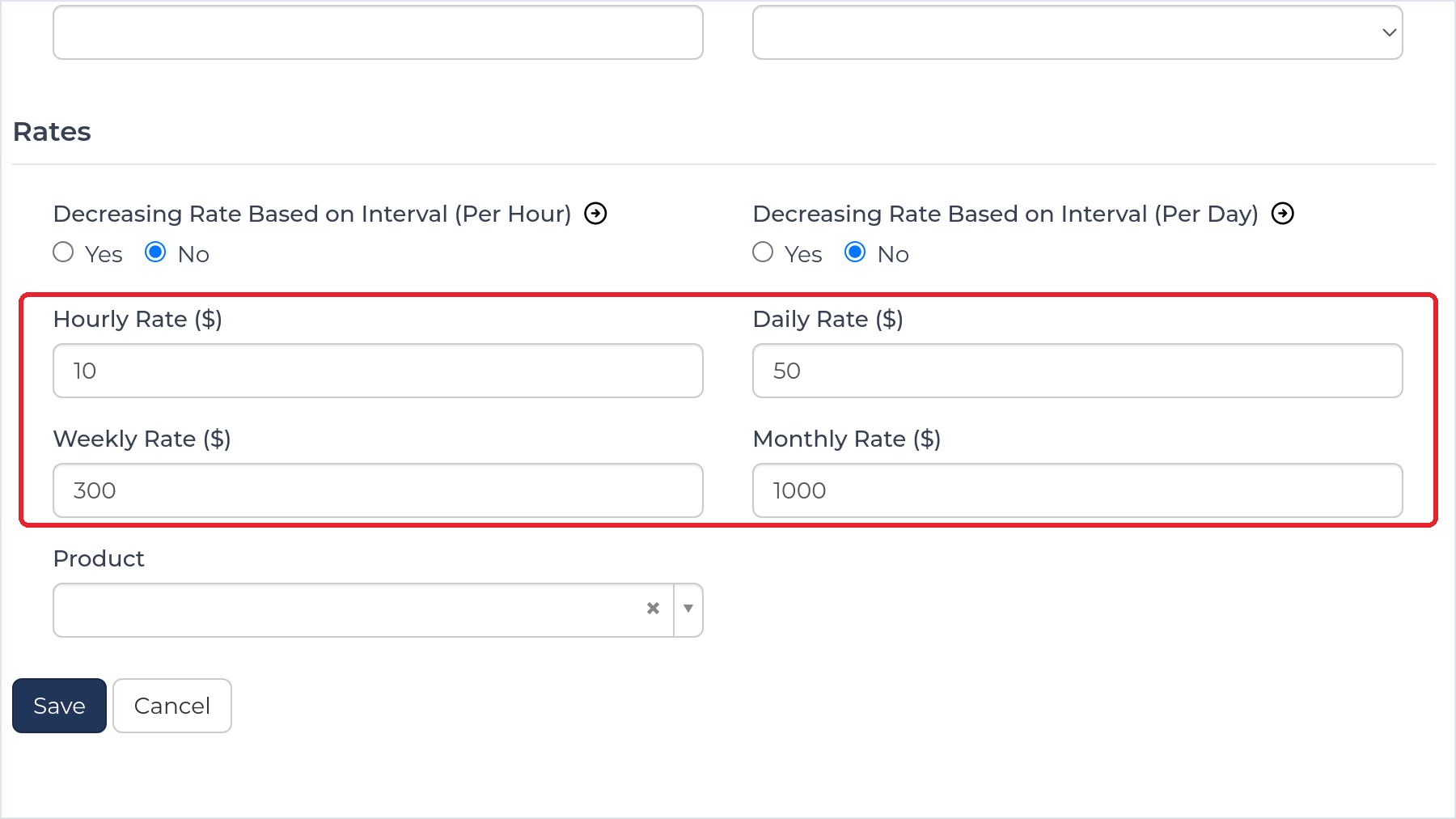
Section titled “Worked Examples”The rate has an Hourly Rate of $10, a Daily Rate of $50, a Weekly Rate of $300 and a Monthly Rate of $1,000. Equivalent Days For One Month is 30.
Example:
- 3 days and 2 hours: 3 × $50 + 2 × $10 = $170.
- 9 days: 1 week + 2 days = $300 + $100 = $400.
- 16 days and 1 hour: 2 weeks + 2 days + 1 hour = $600 + $100 + $10 = $710.
- 35 days: 1 month + 5 days = $1,000 + $250 = $1,250.
- 40 days: 1 month + 1 week + 3 days = $1,000 + $300 + $150 = $1,450.
- 40 days on a rate without a Monthly Rate: 5 weeks + 5 days = $1,500 + $250 = $1,750.
Set It Up
Section titled “Set It Up”Get There
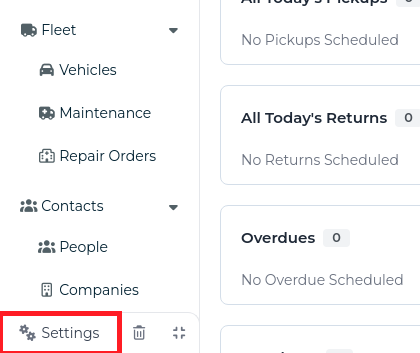
Section titled “Get There”- Click Settings at the bottom of the left menu.
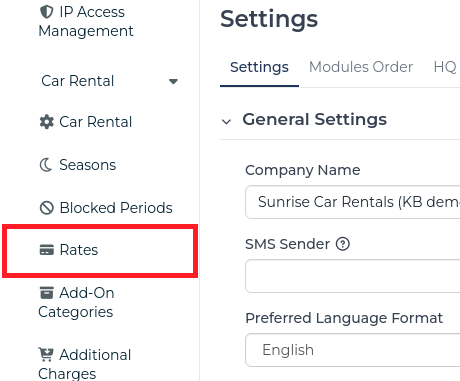
- In the left menu, under the group Car Rental, click Rates.
Show me where (2 pictures)
Page address: /settings/car-rental/rates
Add A Rate
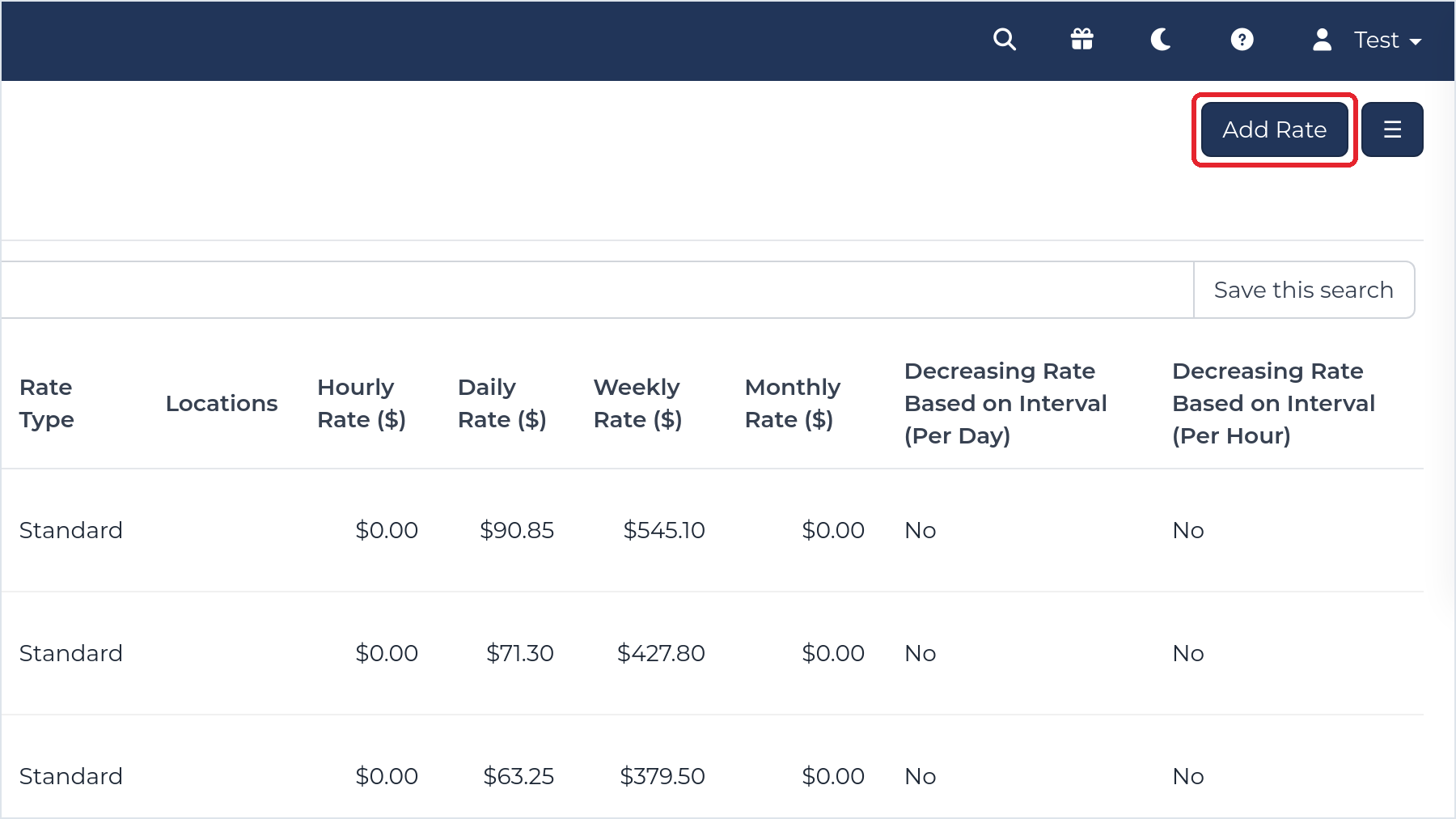
Section titled “Add A Rate”- Click Add Rate in the top right corner.
- Choose the Season and the Vehicle Class.
- Leave Decreasing Rate Based on Interval (Per Hour) and Decreasing Rate Based on Interval (Per Day) set to No.
- Enter the Daily Rate.
- Optional: enter the Hourly Rate, Weekly Rate and Monthly Rate.
- Click Save at the bottom of the page. The rate appears in the list.
Repeat these steps for each Season and Vehicle Class.
Show me where (2 pictures)
Good To Know
Section titled “Good To Know”- When a month is charged, 7 or more leftover days still become weeks if the rate has a Weekly Rate.
- How extra hours are rounded, and when they become a day, is explained in How Chargeable Days Are Counted.
- Rates with Decreasing Rate Based on Interval (Per Day) = Yes do not use the Monthly Rate. They use the Weekly Rate only with Enable Weekly Rates on Decreasing Rates based on Intervals = Yes. See Decreasing And Prorated Rates.
- With Enable Multiple Seasons Bookings = Yes, each Season part of a rental is split and priced with its own rate.
If Something Goes Wrong
Section titled “If Something Goes Wrong”A 9 Day Rental Was Charged 9 Daily Rates Instead Of A Week
Section titled “A 9 Day Rental Was Charged 9 Daily Rates Instead Of A Week”- Why it happens: The rate for that Season and Vehicle Class has no Weekly Rate.
- What to do: Add a Weekly Rate to the rate.
A Long Rental Was Not Charged A Month
Section titled “A Long Rental Was Not Charged A Month”- Why it happens: The rate has no Monthly Rate, or the rental is shorter than Equivalent Days For One Month.
- What to do: Add a Monthly Rate, or check the setting.
Settings Used In This Article
Section titled “Settings Used In This Article”All are in Settings, under Car Rental, tab General Settings, section Rates & Days Calculations. Full details are in General Settings Reference: Rates & Days Calculations Part 2.
- Equivalent Days For One Month: how many days make one month. Default 30 when empty.
- Calculate Monthly Rates as Number of Months: counts real calendar months instead.
- Apply Extra Hour After x Minutes: a part hour counts as a full hour from this many minutes. Default 30 when empty.
- Apply Daily Price After More Than x Hours: extra time longer than this many hours is charged as 1 more day.