How A Rental Price Is Calculated
Before You Start
Section titled “Before You Start”- Plan or add-on: All plans, Car Rental module.
How It Works
Section titled “How It Works”The Order In Short
Section titled “The Order In Short”HQ works through these steps for every reservation:
- It picks the Rate Type (an alternative set of rates, like corporate rates) and the pickup Location.
- It counts the chargeable days.
- It finds the Season (a date range with its own rates) and the rate for each part of the rental.
- It prices the rental and adds Additional Charges (extras and fees, like a GPS).
- It takes off discounts.
- It adds the Location Fee, the Sales Tax and the Government Tax.
- It adds everything up and rounds the Total to 2 decimals.
How HQ Calculates A Price, Step By Step explains each step in full.
Example: Discounts come before taxes, so a 10% discount also lowers the Sales Tax.
A Worked Example
Section titled “A Worked Example”The rate has a Daily Rate of $100 and no Hourly Rate. Apply Daily Price After More Than x Hours is 3. The GPS costs $10 a day and is taxed, but not discounted. The discount is 10%. The Branch has a 10% Location Fee and an 8% Sales Tax.
Example: Pickup Monday 10:00, return Friday 11:00.
- Days: 4. The 1 extra hour is free, because the rate has no Hourly Rate.
- Rental price: 4 × $100 = $400.
- GPS: 4 × $10 = $40.
- Discount: 10% of $400 = $40 off, so $360.
- Location Fee: 10% of $360 = $36.
- Sales Tax: 8% of ($360 + $40 + $36) = $34.88.
- Total: $360 + $40 + $36 + $34.88 = $470.88.
- With Don’t Include Location Fee in Tax Calculation? = Yes, the Sales Tax is 8% of $400 = $32.00, and the Total is $468.00.
What The Total Includes
Section titled “What The Total Includes”- Prices are entered without tax. Taxes are always added on top.
- By default, the Sales Tax is also charged on the Location Fee.
- The Security Deposit is never part of the Total. It shows below it.
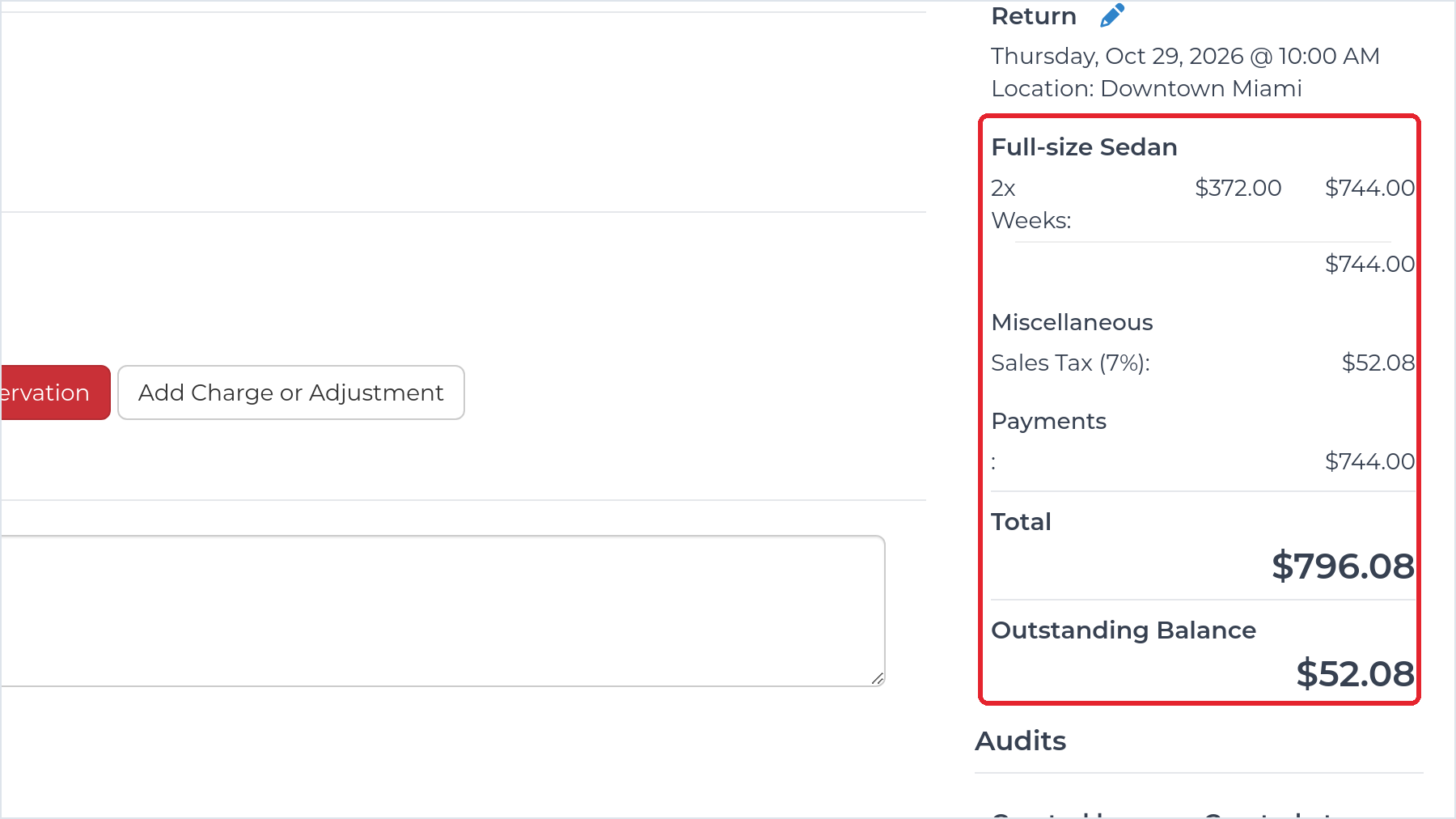
What Each Reservation Keeps
Section titled “What Each Reservation Keeps”A reservation saves the values used when it was created. Changing a setting or a rate later changes new reservations only. HQ prices it again when you change its dates, Vehicle Class or Rate Type. It keeps:
- The Rate Type and the rates of each Season part.
- Apply Daily Price After More Than x Hours, the pickup grace period and the calendar day choice.
- The price of each Additional Charge when it was added, and its tax, Location Fee and discount options.
- The tax percentages and the exchange rate.
Example: You raise the Daily Rate from $100 to $110. A reservation made yesterday keeps $100 until you change its dates.
Good To Know
Section titled “Good To Know”- With Round Amounts to Two Decimals on Calculations = Yes, each line is rounded before it is added.
- Accounts in Malaysia that use MYR have the Total rounded to the nearest 0.05.
- The Summary box shows prices without tax, even when Steps 2 and 3 show prices with tax.
If Something Goes Wrong
Section titled “If Something Goes Wrong”The Total Is Higher Than The Rental Price Plus Charges
Section titled “The Total Is Higher Than The Rental Price Plus Charges”- Why it happens: The Miscellaneous lines add the Location Fee, the Sales Tax and the Government Tax.
- What to do: Check the tax setup, as shown in Taxes.
An Existing Reservation Did Not Change After I Changed A Rate
Section titled “An Existing Reservation Did Not Change After I Changed A Rate”- Why it happens: Each reservation keeps the values saved when it was created.
- What to do: Nothing is wrong. New reservations use the new values.
The Security Deposit Is Not In The Total
Section titled “The Security Deposit Is Not In The Total”- Why it happens: The Security Deposit is held or charged separately.
- What to do: Nothing. This is expected.
Settings Used In This Article
Section titled “Settings Used In This Article”Both are in Settings, under Car Rental, tab Advanced, section Pricing, Taxes & Discounts. They are hidden until you turn on Show Advanced Settings. Full details are in Advanced Tab Reference: Locations, Pickup & Return And Pricing, Taxes & Discounts.
- Don’t Include Location Fee in Tax Calculation?: leaves the Location Fee out of the Sales Tax.
- Round Amounts to Two Decimals on Calculations: rounds each line before adding it.