Troubleshooting Reservation Prices
Before You Start
Section titled “Before You Start”- Plan or add-on: All plans, Car Rental module.
- Permission: a role that can open reservations and the settings pages named in each article.
How It Works
Section titled “How It Works”Read The Summary First
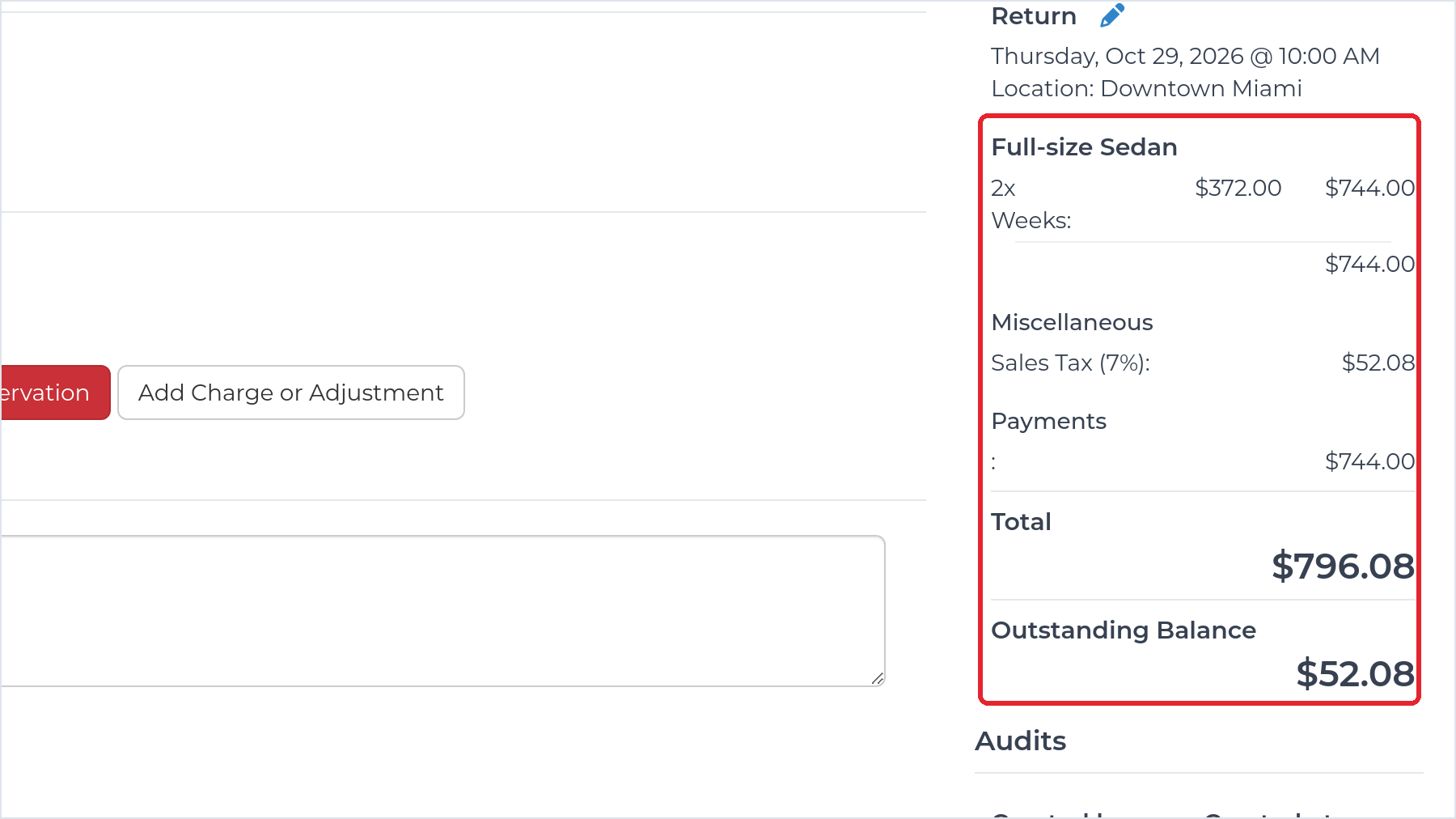
Section titled “Read The Summary First”Open the reservation and read the Summary box. It lists the rental price lines, discounts, Additional Charges, taxes under Miscellaneous, and the Total. Find the line that is not what you expected.
Example: A Full-size Sedan for 2 weeks shows 2x Weeks at $372.00, so $744.00. Sales Tax (7%) adds $52.08, for a Total of $796.08.
Check The Season, Rate Type And Location
Section titled “Check The Season, Rate Type And Location”- Season: check which Seasons cover the rental dates. The return day does not choose the Season when the rental lasts more than one day.
- Rate Type: check the Rate Type box in the Summary, then the rate of that Season, Vehicle Class and Rate Type.
- Pickup Location: rates and taxes per Location follow the pickup Location only.
Example: A rental picked up at Miami Airport and returned Downtown uses the Airport’s rates and taxes.
Check When The Reservation Was Created
Section titled “Check When The Reservation Was Created”A reservation keeps its rates, several day counting settings, tax percentages, Additional Charge prices and exchange rate from when it was created. A setting you changed later does not change it.
Example: You raised the Sales Tax to 8% on Monday. A reservation from last week still shows 7%.
Good To Know
Section titled “Good To Know”- Some settings named in these articles are hidden until you turn on Show Advanced Settings.
- For the full calculation order, see How HQ Calculates A Price, Step By Step.
Related Articles
Section titled “Related Articles”- Fix Day And Hour Charges On A Reservation
- Fix Weekly, Monthly And Long Rental Prices
- Fix Season Problems On A Reservation
- Fix Rate And Rate Type Problems On A Reservation
- Fix Discount Problems On A Reservation
- Fix Additional Charge Problems On A Reservation
- Fix Tax And Currency Problems On A Reservation
- Fix Price Changes On Existing Reservations