Export And Import Rate Calendar Prices
Before You Start
Section titled “Before You Start”- Plan or add-on: All plans, Car Rental module. Turned on by our support team.
How It Works
Section titled “How It Works”What The File Holds
Section titled “What The File Holds”The export holds the prices on screen. It follows the Rate type, Location and class search you chose. Dates use the YYYY-MM-DD format.
Example: With Rate type set to Corporate, the file holds only Corporate prices, such as 2027-07-04 at 90.
The Check Before Import
Section titled “The Check Before Import”Check file shows how many prices will change, how many already match and which lines will be skipped. Nothing changes until you apply it.
Example: A file with 400 lines shows 120 changes, 278 matches and 2 skipped lines.
Set It Up
Section titled “Set It Up”Get There
Section titled “Get There”- Click Settings at the bottom of the left menu.
- In the left menu, under the group Car Rental, click Rate Calendar.
- Click the calendar name.
Export And Import
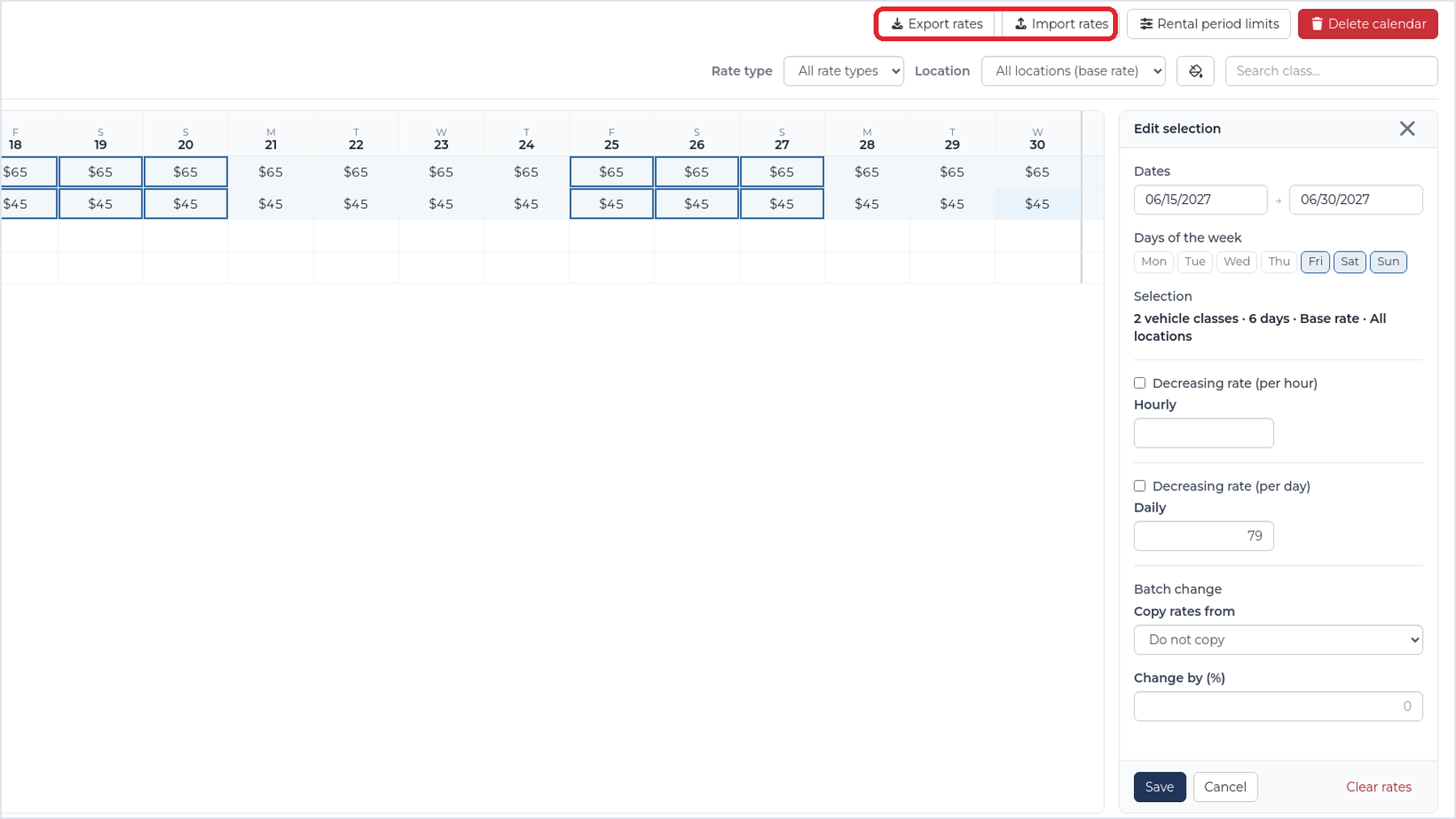
Section titled “Export And Import”- Click Export rates to download the file.
- Edit the prices in the file and save it.
- Click Import rates, choose the file and click Check file.
- Read the preview, then click Apply changes.
Show me where (1 picture)
Good To Know
Section titled “Good To Know”- A file can hold up to 25,000 lines and be up to 10 MB.
- The calendar does not manage weekly, monthly or per minute prices.
If Something Goes Wrong
Section titled “If Something Goes Wrong”Some Lines Were Not Applied
Section titled “Some Lines Were Not Applied”- Why it happens: A line has a date outside the calendar, a date not in YYYY-MM-DD format, or a column the import cannot change. The preview lists each line with its reason.
- What to do: Fix those lines, or export again and edit the new file.