Charge One-Way And Custom Address Fees
Before You Start
Section titled “Before You Start”- Plan or add-on: All plans, Car Rental module.
- You need: an Additional Charge to use as the fee, usually with Hide From Reservations = Yes.
How It Works
Section titled “How It Works”Excluded Routes
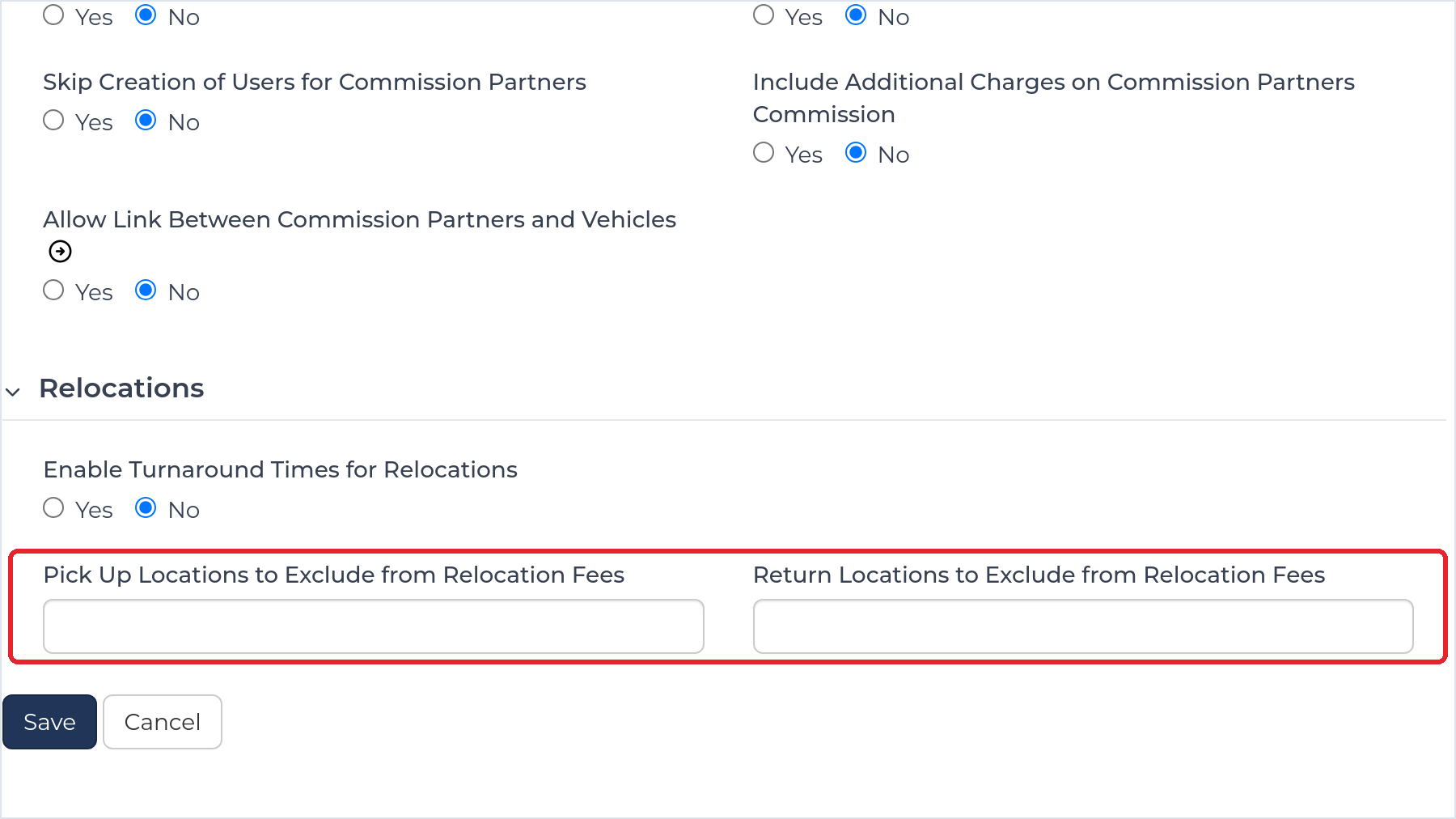
Section titled “Excluded Routes”Two lists can skip the fee: Pick Up Locations to Exclude from Relocation Fees and Return Locations to Exclude from Relocation Fees. The fee is skipped only when the pickup is in the first and the return is in the second.
Example: Airport is in both lists and Downtown in neither. Airport to Downtown pays $50 because Downtown is not excluded as a return.
A Fee Per Route
Section titled “A Fee Per Route”Turn on Enable Additional Charges per Combination of Return Location to get a Combinations button on the Additional Charges page. There you set a charge per From and To pair, and optionally per Vehicle Class.
Example: Airport to Downtown adds One-Way Small for Economy and One-Way Large for SUVs.
Set It Up
Section titled “Set It Up”Get There
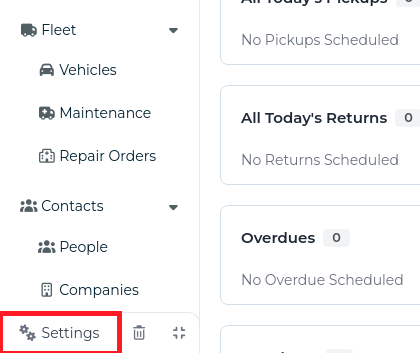
Section titled “Get There”- Click Settings at the bottom of the left menu.
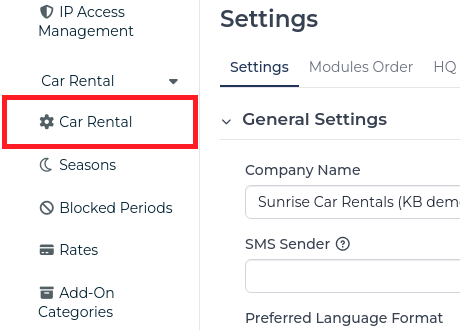
- In the left menu, under the group Car Rental, click Car Rental.
- Click the tab Charges & Fees at the top of the page.
Show me where (3 pictures)

Page address: /settings/car-rental/charges-and-fees
Set The Fees
Section titled “Set The Fees”- Open the section Additional Charges.
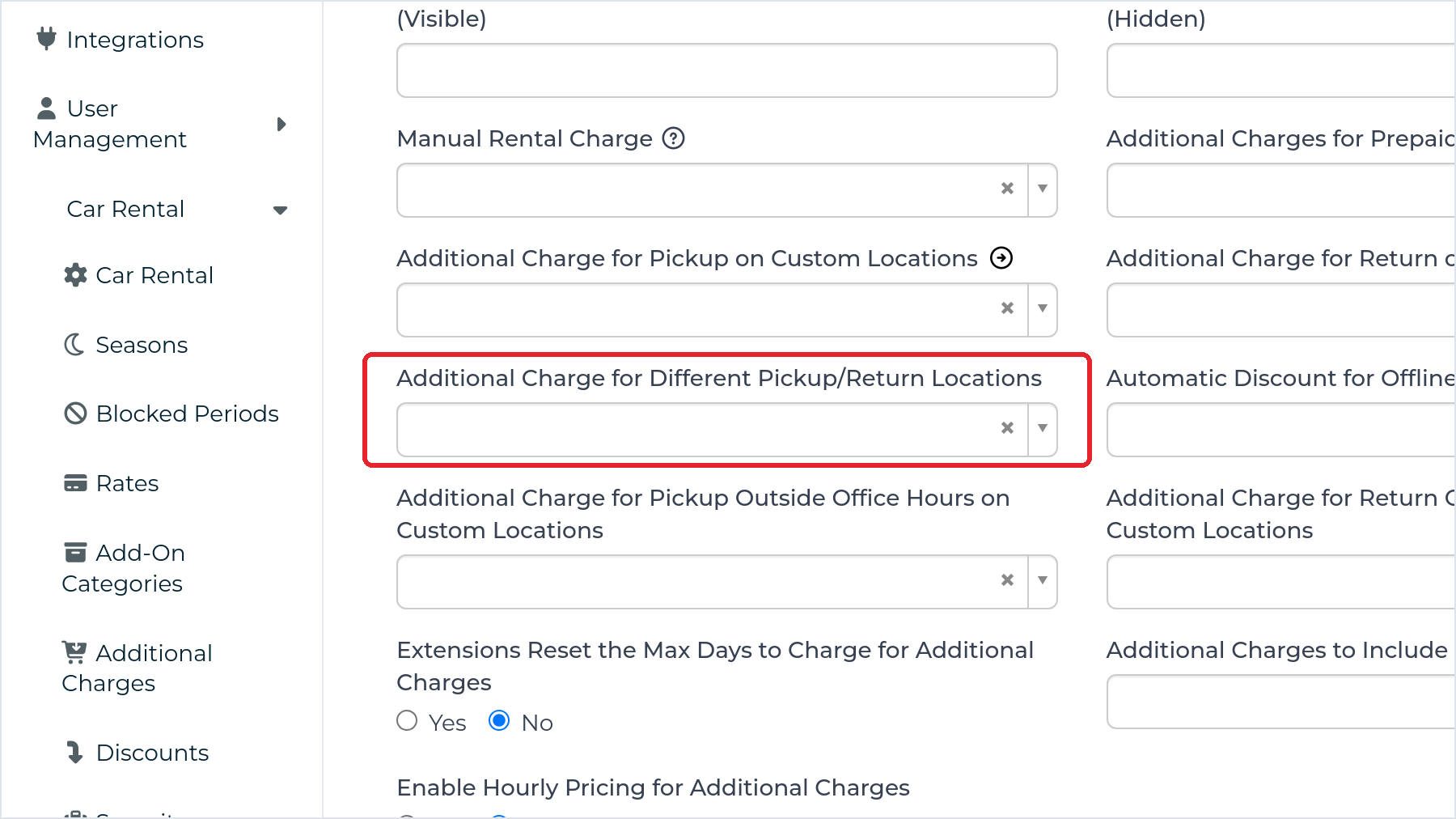
- Choose the charge in Additional Charge for Different Pickup/Return Locations.
- Optional: choose charges for Additional Charge for Pickup on Custom Locations and Additional Charge for Return on Custom Locations.
- Optional: open Relocations and choose the excluded Locations.
- Click Save at the bottom of the page.
Show me where (2 pictures)
Good To Know
Section titled “Good To Know”- Combinations do not apply to custom pickup or return addresses.
- There are also outside office hours versions of the custom address fees.
If Something Goes Wrong
Section titled “If Something Goes Wrong”The Fee Is Charged On A Route I Excluded
Section titled “The Fee Is Charged On A Route I Excluded”- Why it happens: Only one of the two Locations is in its exclusion list.
- What to do: Add the Location to both lists.
Settings Used In This Article
Section titled “Settings Used In This Article”All are in Settings, under Car Rental.
- Additional Charge for Different Pickup/Return Locations: the one-way fee. Tab Charges & Fees, section Additional Charges.
- Pick Up Locations to Exclude from Relocation Fees and Return Locations to Exclude from Relocation Fees: section Relocations.
- Enable Additional Charges per Combination of Return Location: hidden setting. Tab Advanced, section Pricing, Taxes & Discounts.