Rate Calendar
Before You Start
Section titled “Before You Start”- Plan or add-on: All plans, Car Rental module.
- Turned on by: our support team. If Rate Calendar is not in your settings menu, create a support ticket.
How It Works
Section titled “How It Works”What A Calendar Is
Section titled “What A Calendar Is”- A calendar covers one Branch and a date range of up to 731 days.
- It replaces creating a separate Season for every price change.
- Regular Seasons keep working for dates no calendar covers.
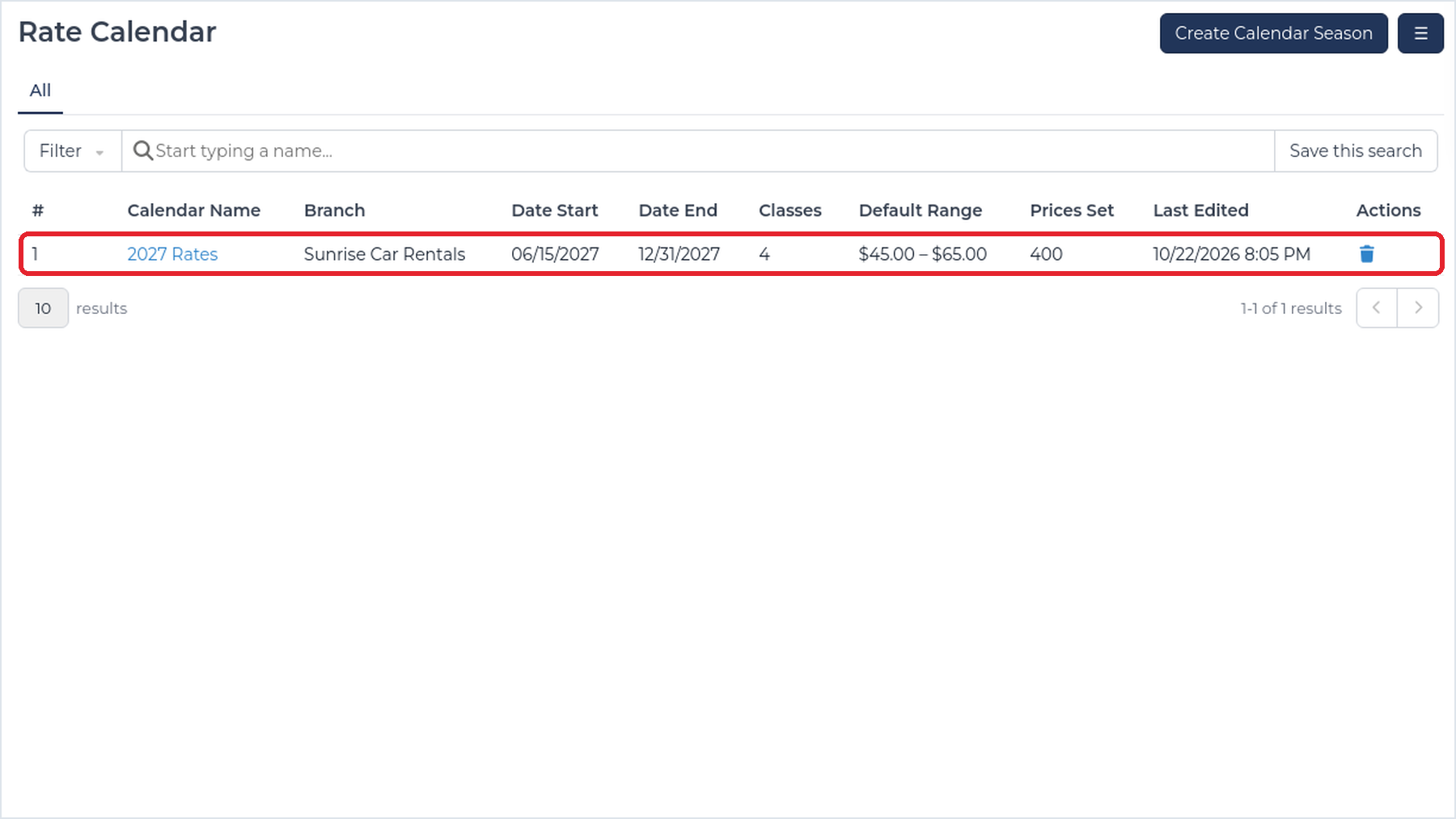
Each Day Has Its Own Price
Section titled “Each Day Has Its Own Price”A rental is charged day by day, each day at its own price. The return day is not charged.
Example: Friday costs $100, Saturday $150 and Sunday $150. Friday 10:00 to Monday 10:00 costs $100 + $150 + $150 = $400.
Rate Types And Locations
Section titled “Rate Types And Locations”- The Base rate is the price every booking uses unless a more specific price exists.
- A Rate Type or a pickup Location can have its own price on any day. Without one, the day uses the base rate.
- With Hide Vehicle Classes Without Rates on The Selected Rate Type = Yes, a Rate Type without its own price is not offered.
Example: The base rate on July 4 is $100 and Corporate has no price that day. A Corporate booking on July 4 pays $100.
Longer Rentals And The Last Day
Section titled “Longer Rentals And The Last Day”There are no weekly or monthly prices. A day can hold a decreasing ladder instead, chosen by the total rental length.
Example: Days 1 to 3 cost $100 a day and day 4 and up $80. A 5 day rental costs 5 × $80 = $400.
Days after the calendar ends are charged at the last day’s price.
Example: The calendar ends December 31 at $90, and December 30 is $80. December 30 to January 2 costs $80 + $90 + $90 = $260.
Good To Know
Section titled “Good To Know”- Bookings from booking channels use the pickup day’s price for every day.
- Changing a price does not change existing reservations until their rates are recalculated.
- While the calendar is on, Enable Multiple Seasons Bookings stays Yes and both Enable Rates per day of the Week settings stay No.
- Calendar days do not show on the Seasons and Rates pages. With no regular Seasons or rates left, the menu shows Rate Types in their place.
If Something Goes Wrong
Section titled “If Something Goes Wrong”Rate Calendar Is Not In My Settings Menu
Section titled “Rate Calendar Is Not In My Settings Menu”- Why it happens: It is not turned on for your account.
- What to do: Create a support ticket.
A Long Rental Costs More Than Expected
Section titled “A Long Rental Costs More Than Expected”- Why it happens: Calendar dates have no weekly prices, so weekly rates from Enable Weekly Rates on Decreasing Rates based on Intervals are not used on them.
- What to do: Use a decreasing ladder with a lower price for longer rentals.
A Rental After The Last Day Uses An Old Price
Section titled “A Rental After The Last Day Uses An Old Price”- Why it happens: Days past the end use the last day’s price.
- What to do: Create the next calendar before the current one ends.
Settings Used In This Article
Section titled “Settings Used In This Article”All are in Settings, under Car Rental, tab General Settings, section Rates & Days Calculations. Full details are in General Settings Reference Part 2.
- Enable Multiple Seasons Bookings: prices each day with its own Season. Locked on Yes.
- Enable Rates per day of the Week: hidden setting, locked on No. Use the calendar’s day filter instead.
- Enable Weekly Rates on Decreasing Rates based on Intervals: hidden setting. Set it to No if your calendars use ladders.