Create A Rate Calendar
Before You Start
Section titled “Before You Start”- Plan or add-on: All plans, Car Rental module. Turned on by our support team.
- You need: the Vehicle Classes of the Branch. Rate Types are optional.
How It Works
Section titled “How It Works”A calendar can cover up to 731 days and cannot start before today. It cannot share dates with an active Season of the same Branch.
Example: Low Season ends June 14, 2027, so 2027 Rates starts June 15, 2027.
Base Rates
Section titled “Base Rates”The prices you enter when creating the calendar are copied to every day. Leave a class empty to price it later.
Example: Economy at $12 an hour and $45 a day gets $45 on every day from June 15 to December 31.
Set It Up
Section titled “Set It Up”Get There
Section titled “Get There”- Click Settings at the bottom of the left menu.
- In the left menu, under the group Car Rental, click Rate Calendar.
Page address: /settings/car-rental/rate-calendar
Create The Calendar
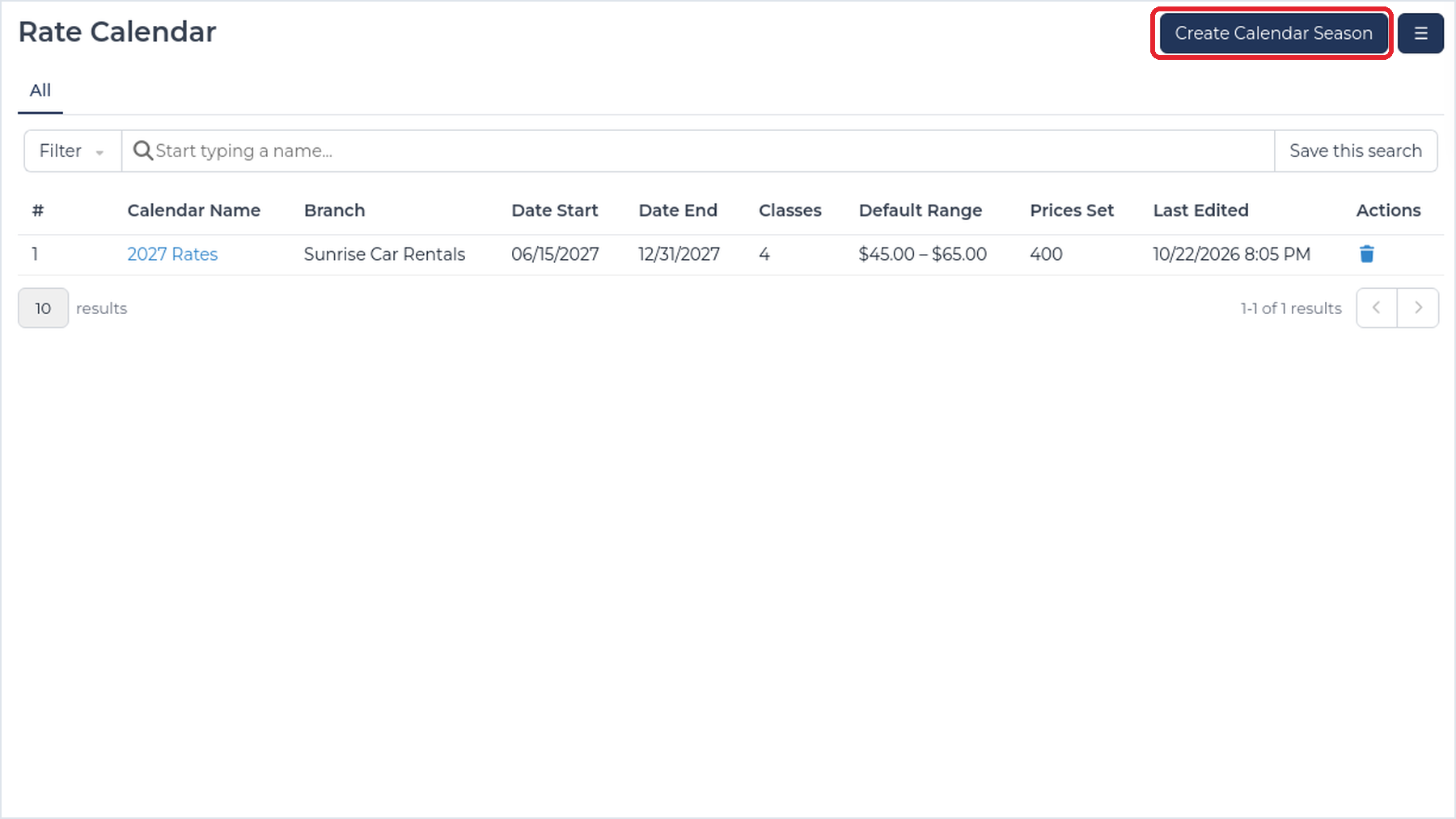
Section titled “Create The Calendar”- Click Create Calendar Season in the top right corner.
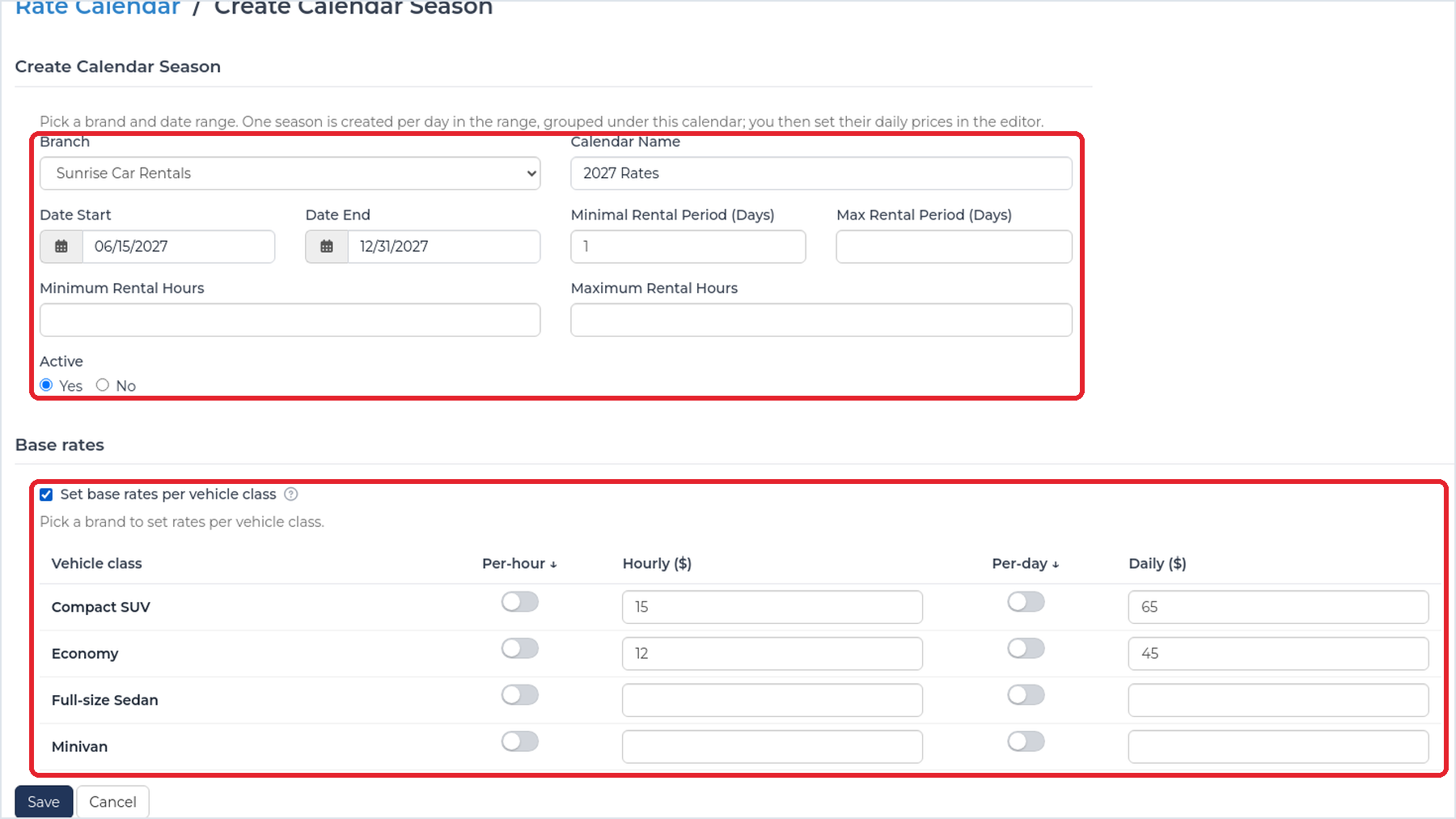
- Choose the Branch and enter the Calendar Name.
- Enter the Date Start and Date End.
- Optional: enter the rental limits, like Minimal Rental Period (Days).
- Keep Active on Yes.
- Optional: tick Set base rates per vehicle class and enter the Hourly and Daily prices. For a ladder, click Set tiers….
- Click Save. The calendar opens.
Show me where (2 pictures)
Good To Know
Section titled “Good To Know”- To delete a calendar, click Delete calendar and confirm. A calendar with reservations cannot be deleted.
- With the Accounting module, click Accounting in the calendar header to choose the account that receives its rental revenue.
If Something Goes Wrong
Section titled “If Something Goes Wrong”“These Dates Overlap An Existing Season For This Brand”
Section titled ““These Dates Overlap An Existing Season For This Brand””- Why it happens: An active Season of the same Branch covers some dates.
- What to do: Start the calendar after that Season ends, or shorten the Season.
“The Calendar Cannot Start On A Date That Is In The Past”
Section titled ““The Calendar Cannot Start On A Date That Is In The Past””- Why it happens: Date Start is before today.
- What to do: Start today or later.
“A Calendar Can Span At Most 731 Days”
Section titled ““A Calendar Can Span At Most 731 Days””- Why it happens: The range is too long.
- What to do: Shorten it and create a second calendar.
Settings Used In This Article
Section titled “Settings Used In This Article”These are fields of each calendar.
- Minimal Rental Period (Days): the shortest rental on its dates. Default 1.
- Max Rental Period (Days): the longest rental. Empty means no limit.
- Minimum Rental Hours and Maximum Rental Hours: the same limits in hours.
- Active: when No, the calendar prices no booking.