Set Up Distance Limits
Before You Start
Section titled “Before You Start”- Plan or add-on: All plans, Car Rental module.
- Create the extra distance charge first, for example “Extra Kilometer”, with Charge Type Amount and Hide From Reservations = Yes. See Create An Additional Charge.
How It Works
Section titled “How It Works”The Unit Is Only A Label
Section titled “The Unit Is Only A Label”Distance Unit Displayed on Rental Agreement shows Kilometers, Miles or Hours next to distances. It never converts numbers. Empty shows miles.
Example: With Kilometers, a 10 day rental shows Included Distance 1600 km.
Set It Up
Section titled “Set It Up”Turn On Odometer Tracking
Section titled “Turn On Odometer Tracking”Get There
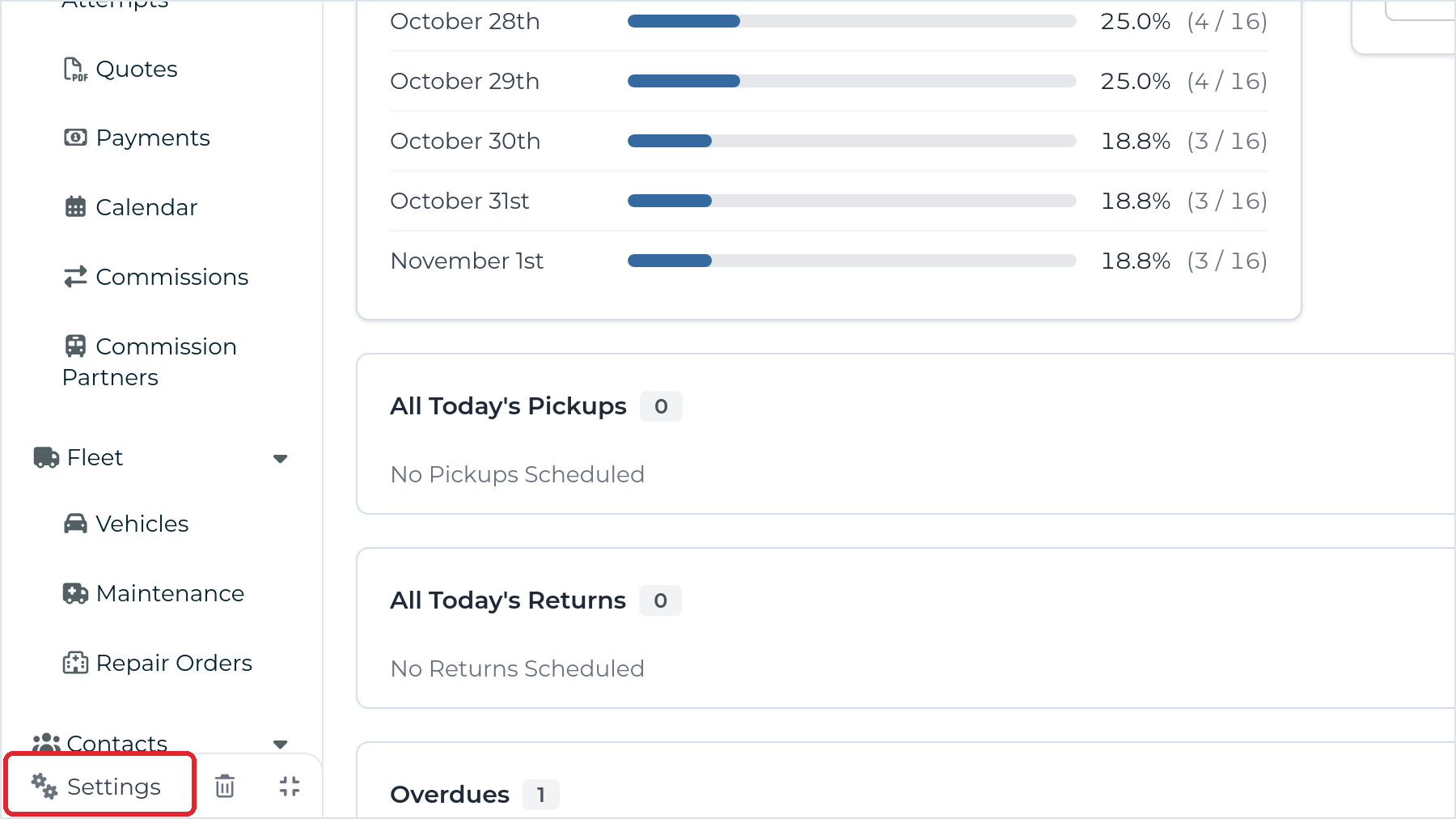
Section titled “Get There”- Click Settings at the bottom of the left menu.
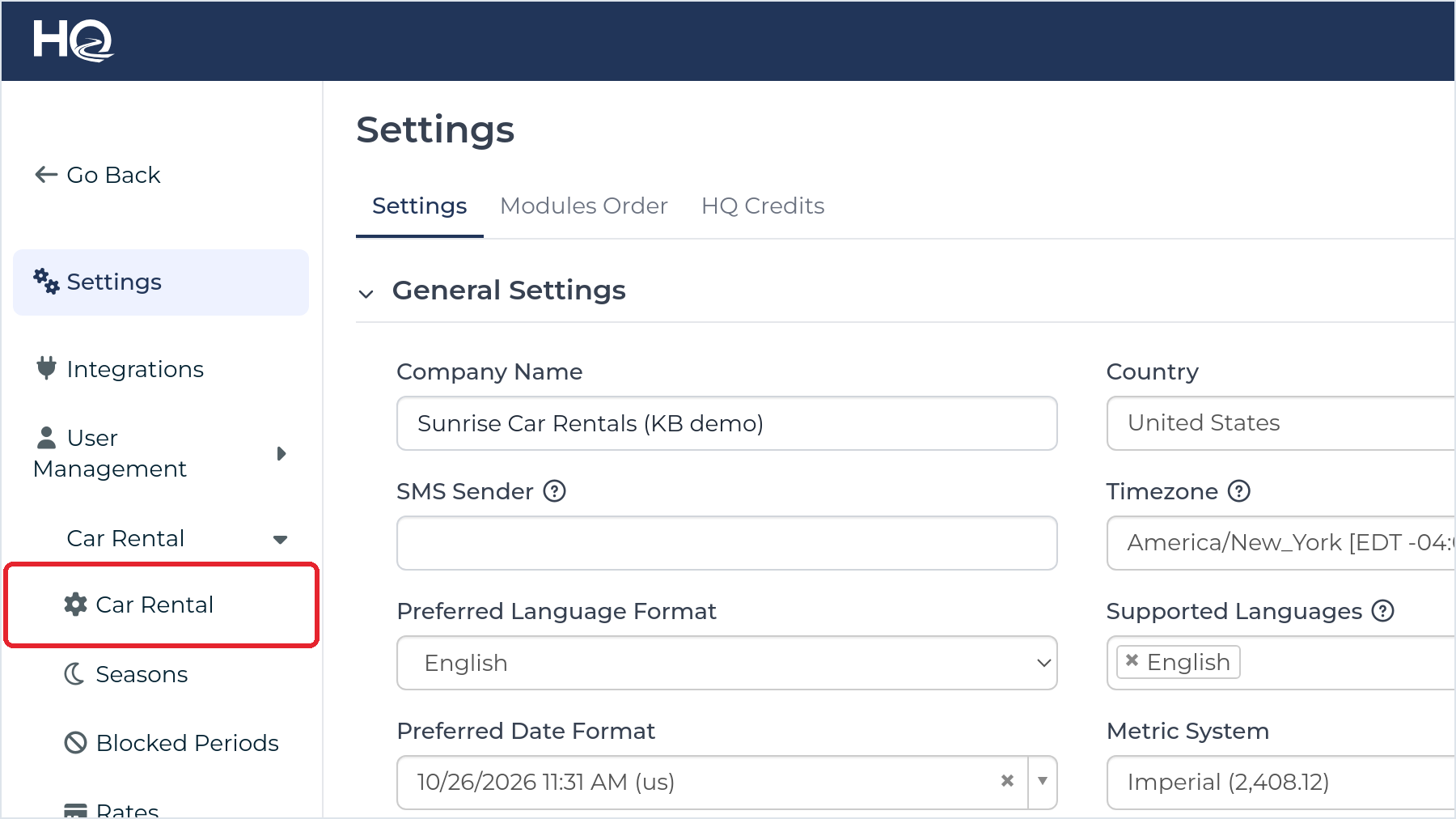
- In the left menu, under the group Car Rental, click Car Rental.
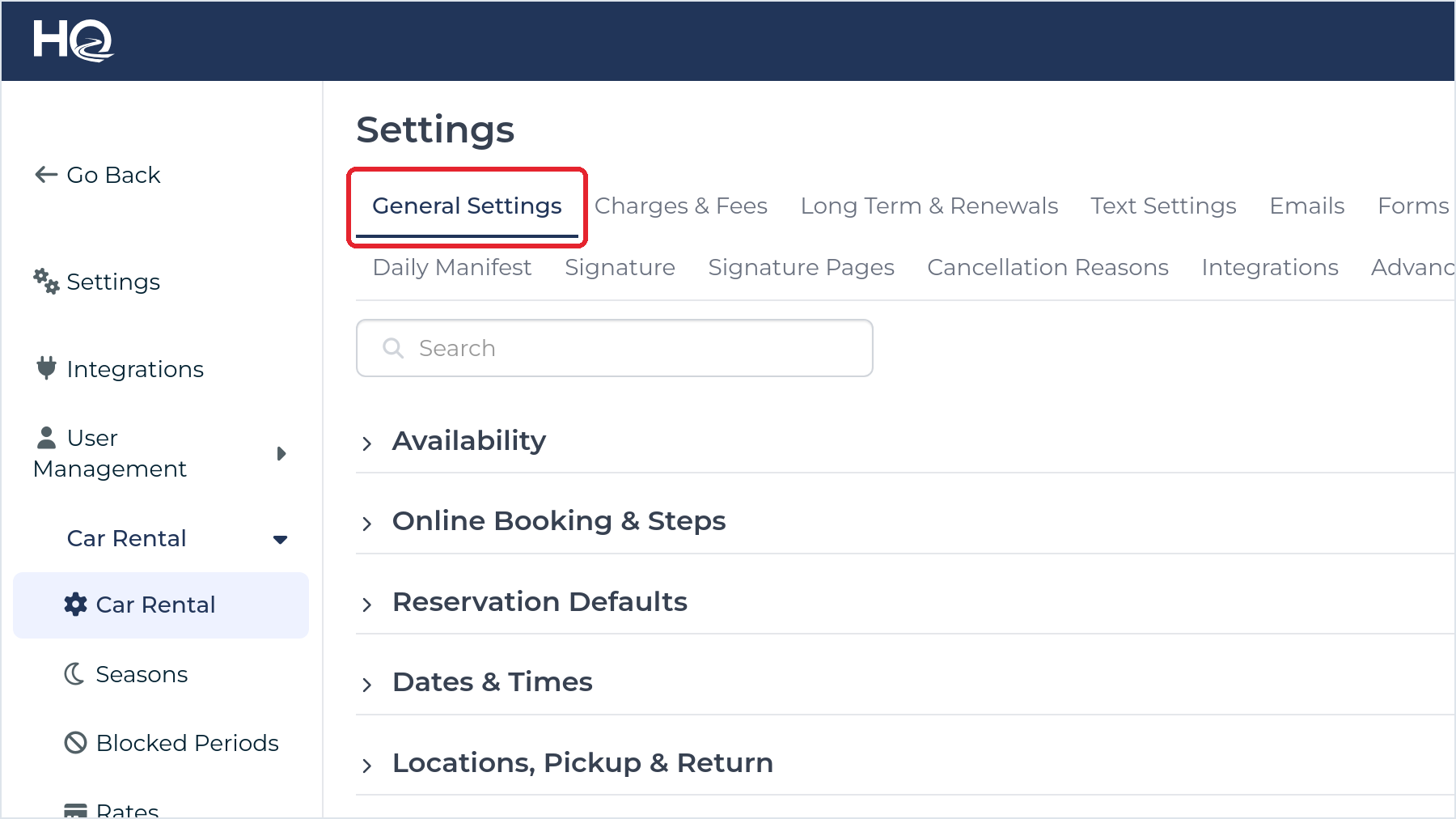
- Stay on the tab General Settings. It opens first.
Show me where (3 pictures)
Page address: /settings/car-rental
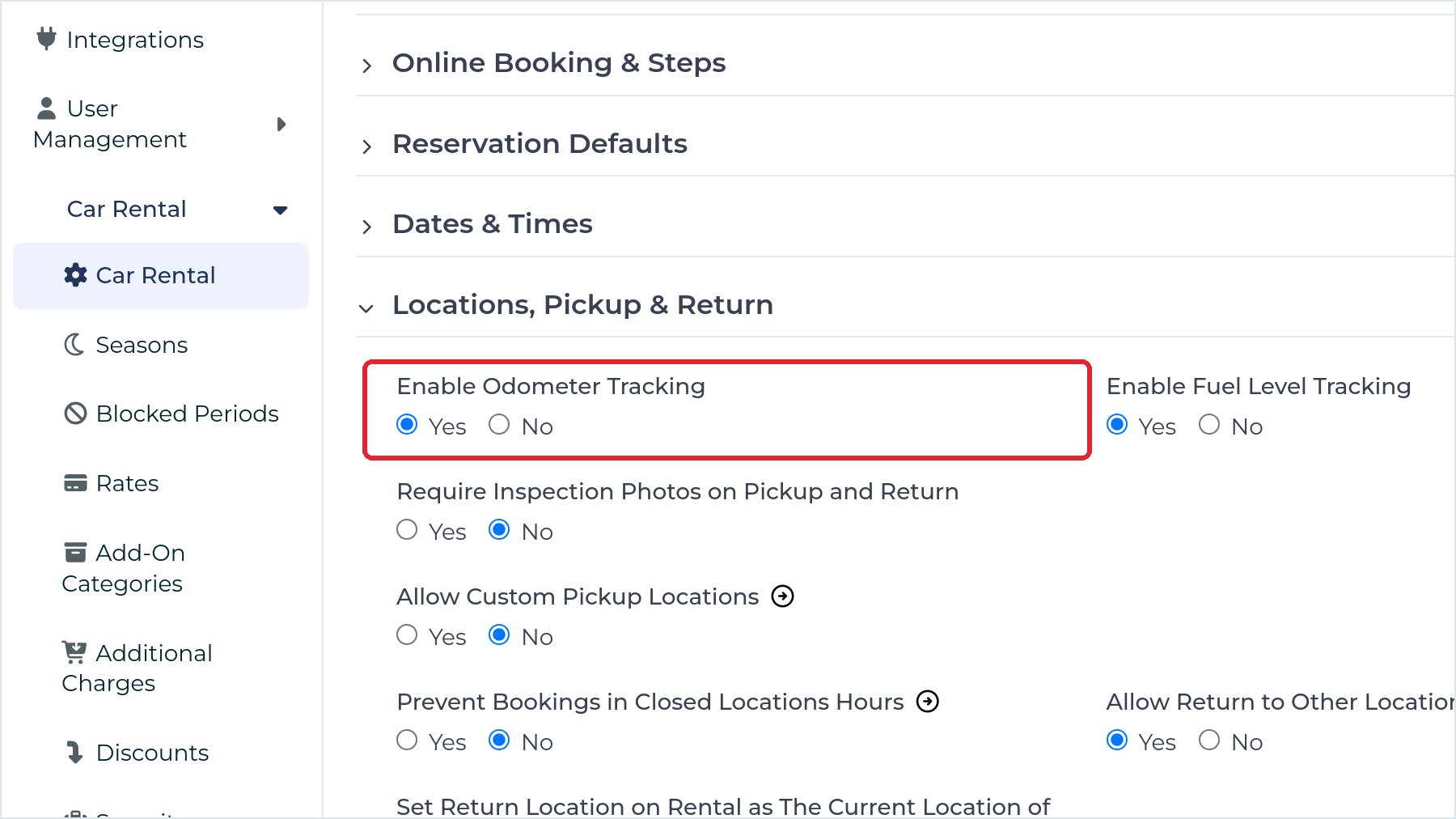
- Click Locations, Pickup & Return to open the section.
- Set Enable Odometer Tracking to Yes.
- Click Save at the bottom of the page. The section Distance Limits now shows.
Show me where (1 picture)
Set The Limits
Section titled “Set The Limits”Get There
Section titled “Get There”- Click Settings at the bottom of the left menu.
- In the left menu, under the group Car Rental, click Car Rental.
- Stay on the tab General Settings. It opens first.
Show me where (3 pictures)
Page address: /settings/car-rental
- Click Distance Limits to open the section.
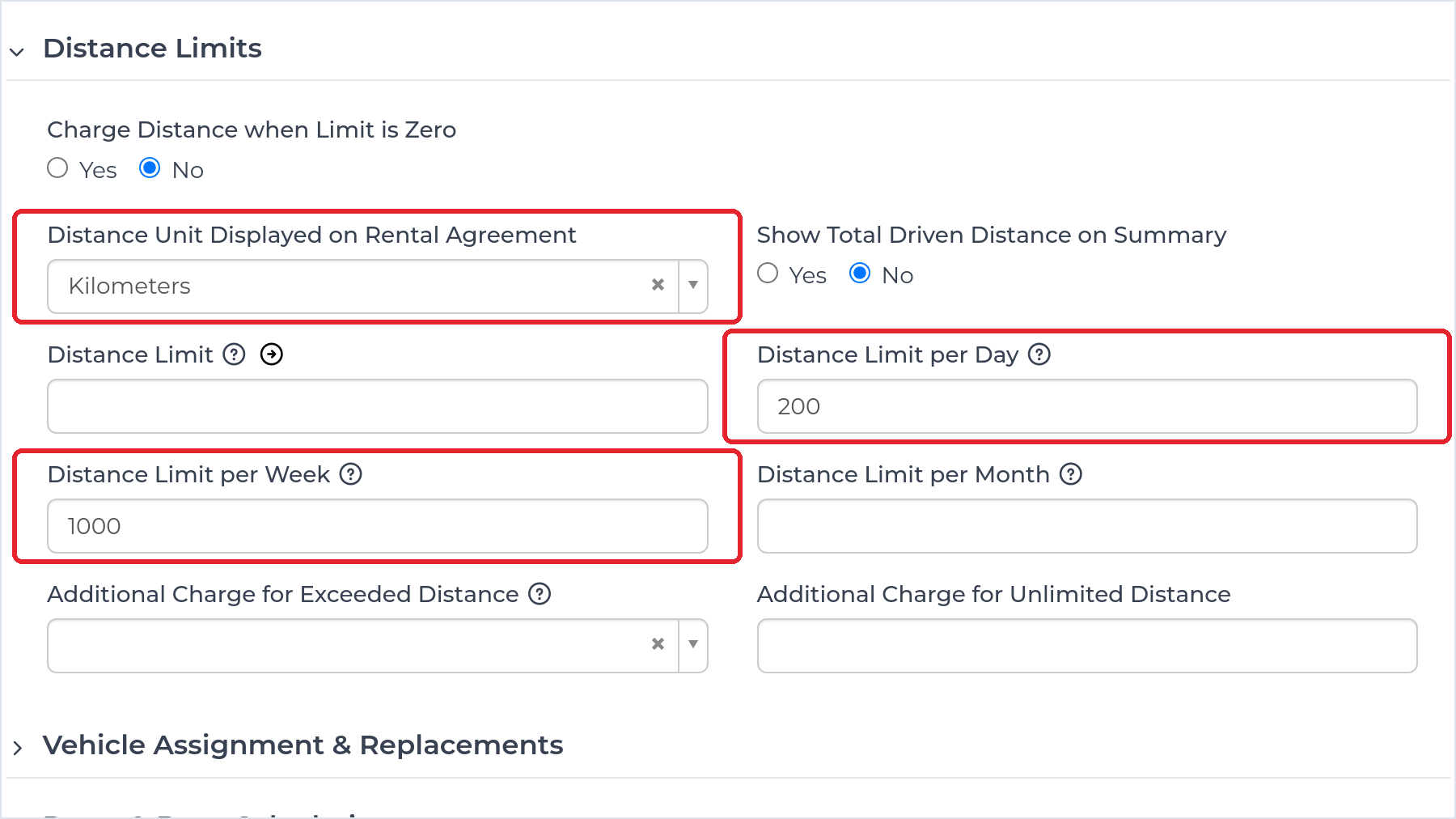
- Enter Distance Limit per Day, and optionally per Week, per Month and Distance Limit.
- Choose the charge in Additional Charge for Exceeded Distance.
- Choose the Distance Unit Displayed on Rental Agreement.
- Click Save at the bottom of the page.
Show me where (1 picture)
Good To Know
Section titled “Good To Know”- Show Total Driven Distance on Summary = Yes shows Included Distance and Total Driven Distance on the reservation.
- Additional Charge for Unlimited Distance lists charges, like “Unlimited Kilometers”, that remove the limit.
Settings Used In This Article
Section titled “Settings Used In This Article”These are in Settings, under Car Rental, tab General Settings. The section Distance Limits shows once odometer tracking is saved as Yes.
- Enable Odometer Tracking: records odometers at pickup and return. Section Locations, Pickup & Return.
- Distance Limit, per Day, per Week and per Month: the allowance.
- Additional Charge for Exceeded Distance: the charge for each extra unit.
- Additional Charge for Unlimited Distance: charges that remove the limit.
- Distance Unit Displayed on Rental Agreement: the unit shown.
- Show Total Driven Distance on Summary: shows the distances on the reservation.
- Charge Distance when Limit is Zero: see How The Distance Allowance Is Worked Out.