Rate Types And Rates Per Location
Before You Start
Section titled “Before You Start”- Plan or add-on: All plans, Car Rental module.
- Hidden settings: The location settings in this article are hidden until you turn on Show Advanced Settings.
How It Works
Section titled “How It Works”What A Rate Type Is
Section titled “What A Rate Type Is”- Once a Rate Type exists, every rate has a Rate Type field.
- A Season and Vehicle Class can have one rate per Rate Type.
- Each reservation has one Rate Type, and HQ charges the rates of that Rate Type.
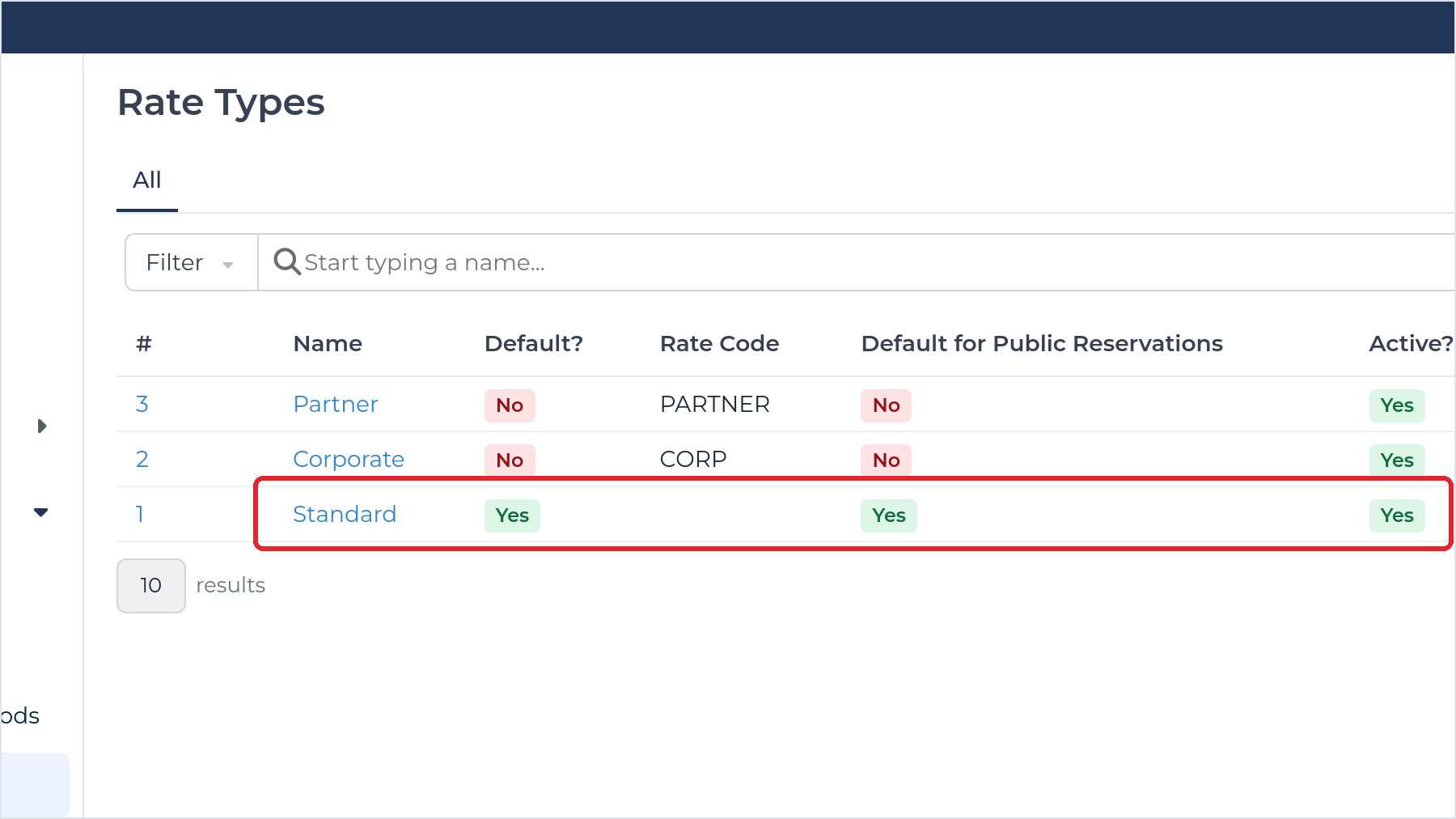
Example: In Low Season, Economy costs $50 a day on Standard and $45 on Corporate. A 3 day Corporate reservation costs $135.
How A Reservation Gets Its Rate Type
Section titled “How A Reservation Gets Its Rate Type”- Website bookings use the Rate Type with Default for Public Reservations = Yes.
- Reservations made by users use the Rate Type that lists them in Apply Automatically for this Users. Otherwise they use the one with Default? = Yes.
- A Commission Partner, a booking link or the customer can replace it. Staff can change it in the Rate Type box of the reservation.
The full order is in How HQ Chooses The Rate Type And The Rate.
Example: A customer books on your website and gets Standard. A staff user then picks Corporate in the Rate Type box, and the price drops from $50 to $45 a day.
Rates Per Location
Section titled “Rates Per Location”With Enable Rates per Location = Yes, every rate has a Locations field.
- A rate with Locations applies only to pickups at those Locations.
- A rate with no Locations applies everywhere. The rate for the pickup Location wins over it.
- Only the pickup Location counts, not the return Location.
Example: Economy costs $50 with no Locations and $65 at Miami Airport. Picked up at Miami Airport and returned Downtown Miami, 3 days cost $195. Picked up Downtown Miami, they cost $150.
When No Rate Matches Exactly
Section titled “When No Rate Matches Exactly”If the Rate Type has no rate for the pickup Location, HQ can use another rate. The order is in How HQ Chooses The Rate Type And The Rate.
Example: A Corporate reservation is picked up at Miami Airport, where only Standard has a rate. With Hide Vehicle Classes Without Rates on The Selected Rate Type = No, it pays the Standard Airport rate of $65.
Good To Know
Section titled “Good To Know”- A Rate Type with rates cannot be deleted. Set Active? to No to hide it.
- If you turn Enable Rates per Location off, rates saved for a Location apply everywhere. Edit them first.
- Two rates with the same Season, Vehicle Class, Rate Type and Location cannot be saved. HQ shows “This combination is already defined”.
If Something Goes Wrong
Section titled “If Something Goes Wrong”A Customer Got The Wrong Price For Their Rate Type
Section titled “A Customer Got The Wrong Price For Their Rate Type”- Why it happens: The Season has no rate for that Rate Type at the pickup Location, so HQ used another rate.
- What to do: Add the missing rate, or set Hide Vehicle Classes Without Rates on The Selected Rate Type to Yes.
Website Bookings Use The Wrong Rates
Section titled “Website Bookings Use The Wrong Rates”- Why it happens: Another Rate Type has Default for Public Reservations = Yes, or the booking link sets a Rate Type.
- What to do: Keep that setting on one Rate Type only, and check the link.
A Vehicle Class Disappeared For One Rate Type
Section titled “A Vehicle Class Disappeared For One Rate Type”- Why it happens: Hide Vehicle Classes Without Rates on The Selected Rate Type is Yes and that Rate Type has no rate for the class.
- What to do: Add the rate, or a fallback rate for the class.
Settings Used In This Article
Section titled “Settings Used In This Article”All are hidden settings in Settings, under Car Rental, tab General Settings, section Rates & Days Calculations. Full details are in General Settings Reference Part 2.
- Enable Rates per Location: adds the Locations field to every rate.
- Location Rate for Custom Pickup Locations: the Location whose rates price pickups at a custom address.
- Hide Vehicle Classes Without Rates on The Selected Rate Type: stops a reservation from using another Rate Type’s rate.