Make A Charge Mandatory Or Limit Where It Shows
Before You Start
Section titled “Before You Start”- Plan or add-on: All plans, Car Rental module.
How It Works
Section titled “How It Works”Mandatory Charges
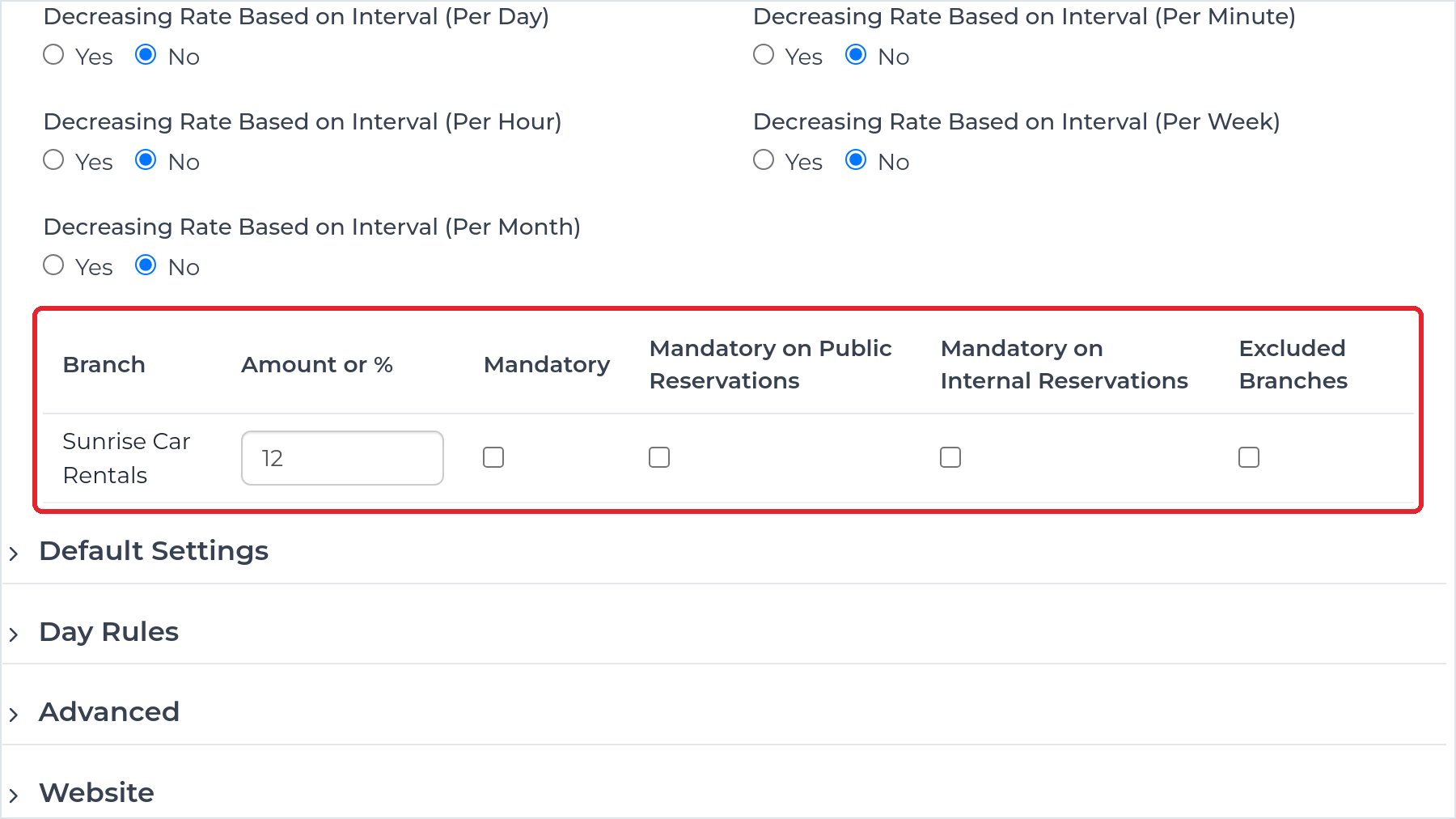
Section titled “Mandatory Charges”In the Branch table, Mandatory adds the charge to every reservation of that Branch. Mandatory on Public Reservations adds it only to website bookings, and Mandatory on Internal Reservations only to staff bookings.
Example: An Online Booking Fee with Mandatory on Public Reservations ticked is added to website bookings but not to staff bookings.
Charges That Depend On Other Charges
Section titled “Charges That Depend On Other Charges”When Selected, These Items will be Free, will be Mandatory and can’t be selected act when this charge is on the reservation. Mandatory charges are still added even if blocked.
Example: Full Protection makes Windshield Cover free when both are on the reservation.
Where It Is Offered
Section titled “Where It Is Offered”Show Only in Specific Vehicle Classes, Hide for Specific Vehicle Classes, Show Only for Specific Fleet Locations and Show Only for Specific Commission Partners limit the charge. Empty means everywhere.
Example: A ski rack limited to SUVs is not offered on an Economy reservation.
Set It Up
Section titled “Set It Up”Get There
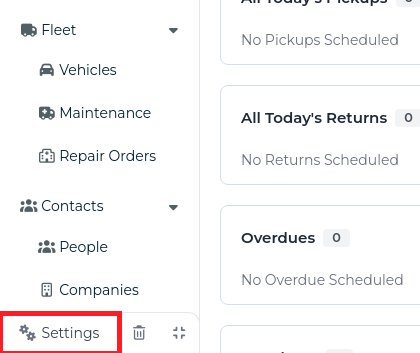
Section titled “Get There”- Click Settings at the bottom of the left menu.
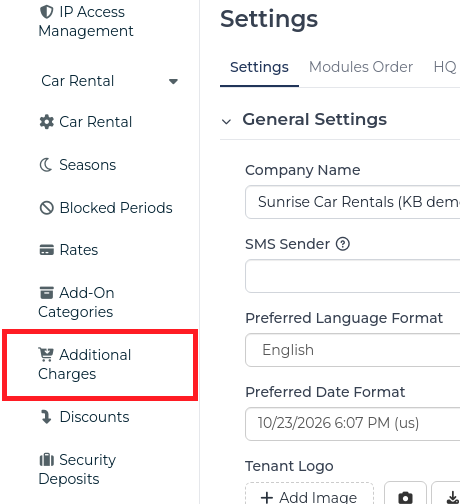
- In the left menu, under the group Car Rental, click Additional Charges.
Show me where (2 pictures)
Page address: /settings/fleets/additional-charges
Set It Up On The Charge
Section titled “Set It Up On The Charge”- Click the charge to open it.
- In the Branch table, tick the mandatory boxes you need, or Excluded Branches.
- Optional: open Default Settings and set Selected by Default to Yes.
- Optional: open Advanced and fill in the When Selected and Show Only fields.
- Click Save at the bottom of the page.
Show me where (1 picture)
Good To Know
Section titled “Good To Know”- A Location can also add charges, in Mandatory Additional Charges of its Additional Charges & Fees box.
- When HQ adds a mandatory charge, Show Only for Specific Fleet Locations is checked against the pickup Location only.
If Something Goes Wrong
Section titled “If Something Goes Wrong”A Mandatory Charge Is Not Added
Section titled “A Mandatory Charge Is Not Added”- Why it happens: The class, Location or Commission Partner limits still apply to mandatory charges.
- What to do: Check the Show Only fields in Advanced.