How Rate Radar Works Out My Rate And The Tiles
Before You Start
Section titled “Before You Start”- Plan or add-on: Rate Radar paid add-on, turned on by our support team.
How It Works
Section titled “How It Works”My Rate
Section titled “My Rate”My rate is the rate HQ would quote for the class at the enrolled Location:
- Pickup on the selected date at 12:00, and return the selected days later at 12:00.
- Only from the Rate Type chosen in My rate on the enrollment.
- The rental price before Additional Charges and taxes, divided by the length of rental.
- Read at 100% availability, even if you use demand-based pricing.
Example: Length of rental 3 days. Your 3 day Standard price for Economy is $117, so My rate is $39.
Market Position And Priced High
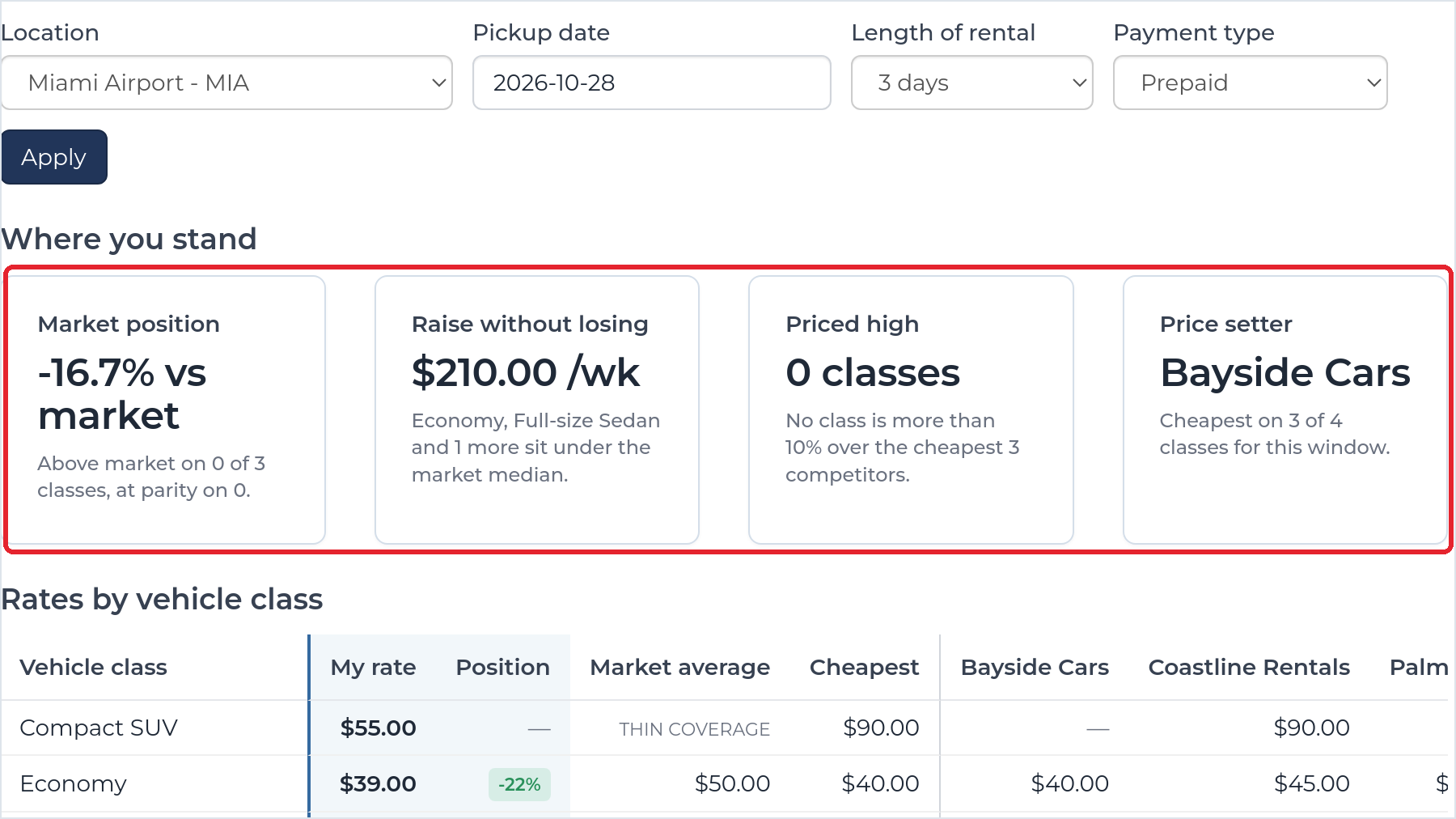
Section titled “Market Position And Priced High”- Market position: the average Position of every class with both your rate and a market average, for example “+3.2% vs market”.
- Priced high: the number of classes more than 10% above the average of the 3 cheapest competitors. The caption names the worst class.
Example: Economy competitors charge $40, $45, $50 and $65. The 3 cheapest average $45. Your $39 is not 10% above, so Economy is not counted.
Raise Without Losing
Section titled “Raise Without Losing”For each class below the median competitor rate, HQ takes the gap up to the median, times 7 days, and adds them up per week.
Example: The Economy median of $40, $45, $50 and $65 is $47.50. Your $39 is $8.50 below it, and $8.50 × 7 = $59.50 a week. Full-size Sedan adds $49 and Minivan $101.50, so the tile shows $210.00 /wk.
Price Setter
Section titled “Price Setter”The competitor that is cheapest on the most classes.
Example: Bayside Cars is cheapest on Economy, Full-size Sedan and Minivan, and Coastline Rentals on Compact SUV. Bayside Cars is the price setter.
Good To Know
Section titled “Good To Know”- Classes with fewer than 3 competitors are left out of Raise without losing and Priced high.
- If your settings charge one more day than the rental lasts, that day is included in My rate.
- My rate never shows a rate from another Rate Type.
If Something Goes Wrong
Section titled “If Something Goes Wrong”My Rate Shows A Dash
Section titled “My Rate Shows A Dash”- Why it happens: The hint says which case. “You have no rate set up for this class on this pickup date and length of rental” means the Rate Type has no rate. “This selection cannot be quoted at the enrolled location” means HQ cannot quote it there.
- What to do: Add a rate, or enroll with another Rate Type. Or check the Location’s opening hours and booking limits for those dates.