Charge An Extra Day For Early Pickups Or Late Returns
Before You Start
Section titled “Before You Start”- Plan or add-on: All plans, Car Rental module.
- Hidden settings: the settings in this article are hidden until you turn on Show Advanced Settings.
Show Hidden Settings
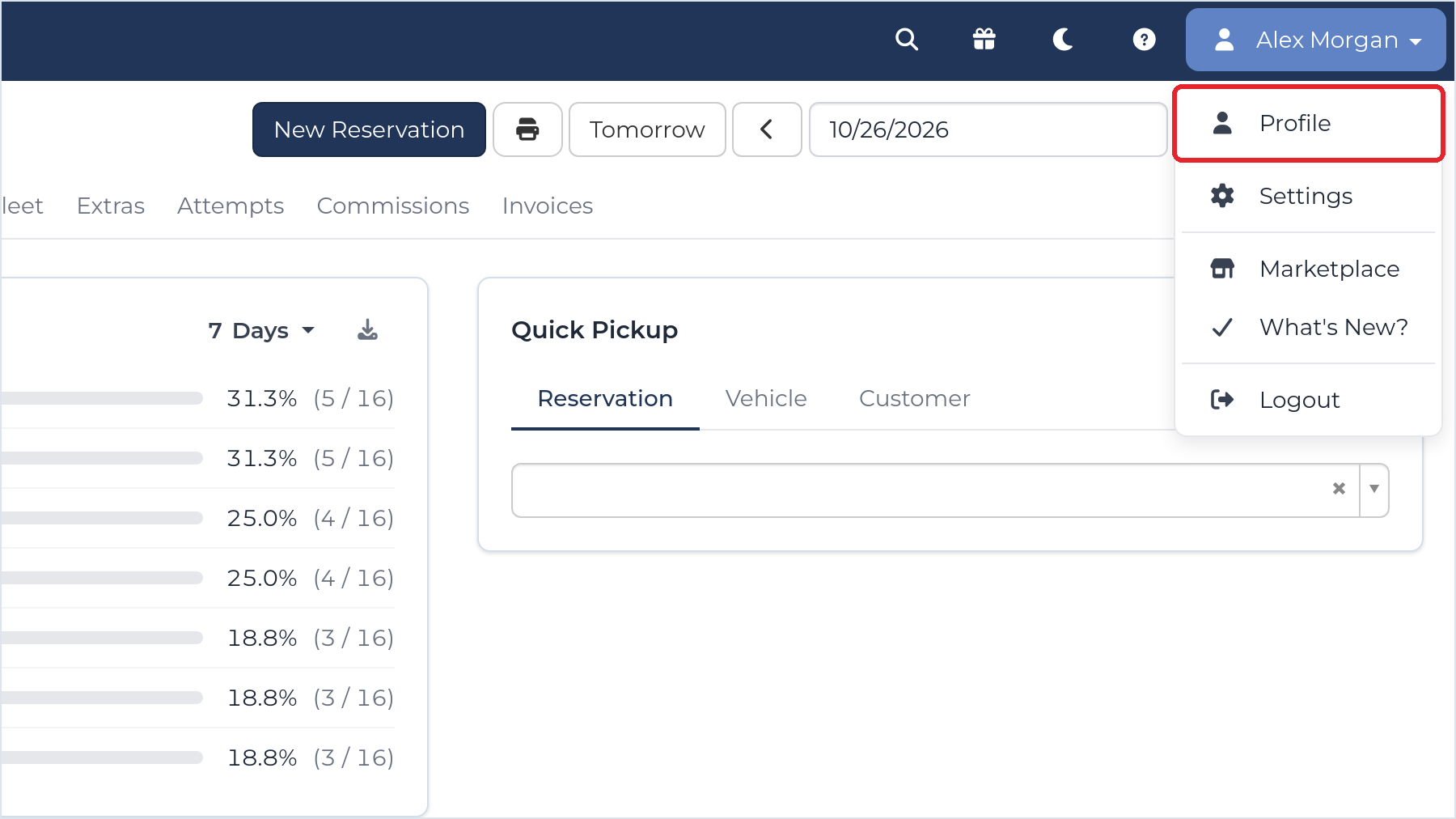
Section titled “Show Hidden Settings”- Click your name in the top right corner, then click Profile.
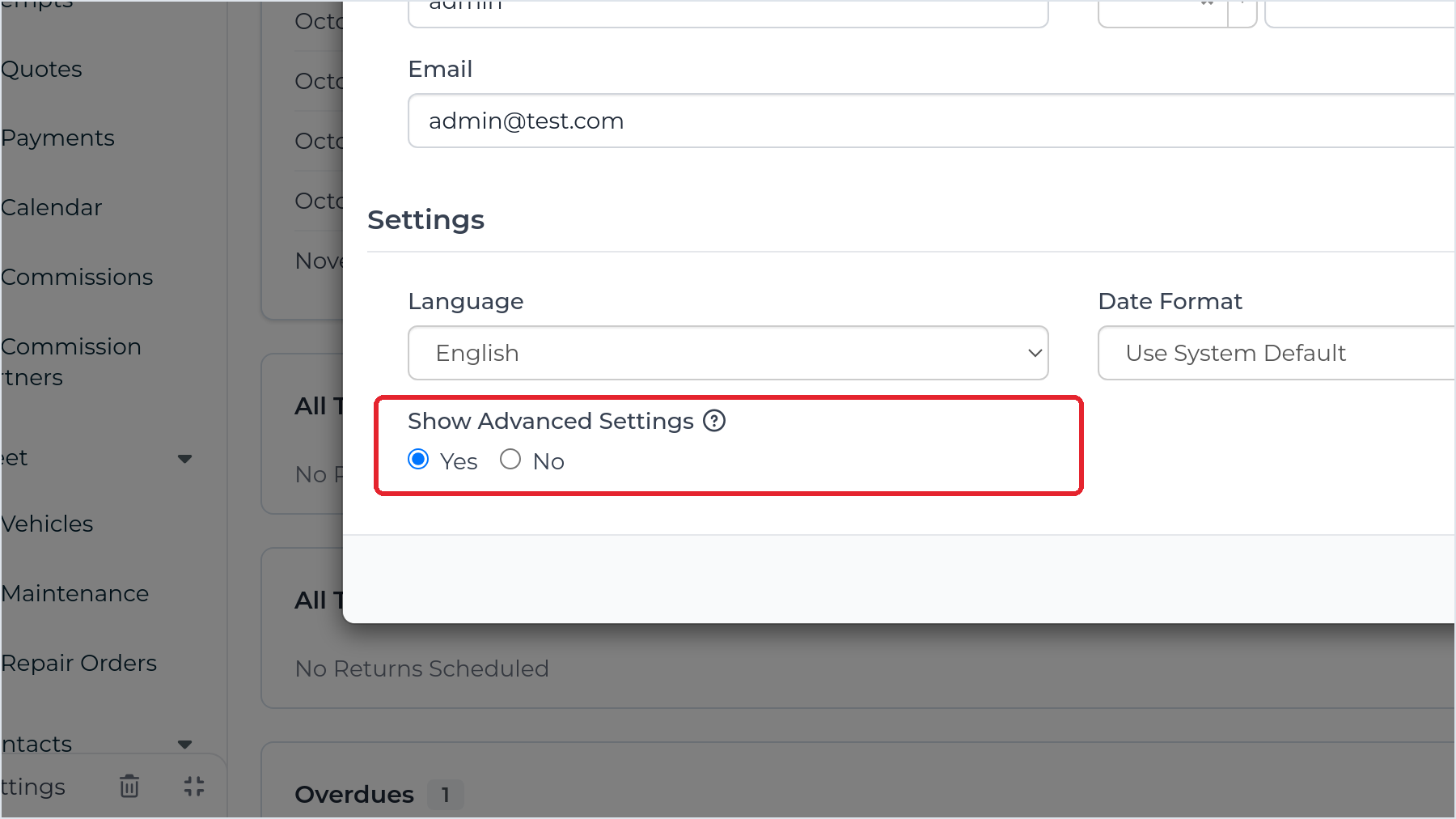
- In the User Profile window, find Show Advanced Settings and choose Yes.
- Click Save at the bottom of the window. Hidden settings now show on every settings page.
Show me where (2 pictures)
How It Works
Section titled “How It Works”Which Time Rule Applies
Section titled “Which Time Rule Applies”- With only Charge Extra Day if Pickup Time is Before x Time set, a pickup before that time adds 1 day.
- With only Charge Extra Day if Return Time is After x Time set, a return after that time adds 1 day.
- With both set, HQ adds the day only when the pickup is before the first time and the return is after the second time.
Example: Daily Rate $50, pickup time 09:00. Pickup Monday 08:00, return Thursday 08:00: 3 days + 1 extra day = $200.
Extra Hours Are Covered
Section titled “Extra Hours Are Covered”The extra day also covers any extra hours, so HQ does not charge them.
Example: Pickup Monday 08:00, return Thursday 11:00: still $200. The extra day covers the 3 extra hours.
Rentals Shorter Than 24 Hours
Section titled “Rentals Shorter Than 24 Hours”The time rules apply to rentals shorter than 24 hours only when Charge Extra Day based on Hour Restrictions for one day Reservations is Yes.
Example: Pickup Monday 08:00, return Monday 17:00. With Yes: 2 days = $100. With No, the time rule is ignored and the rental is charged by the hour or as 1 day.
Set It Up
Section titled “Set It Up”Get There
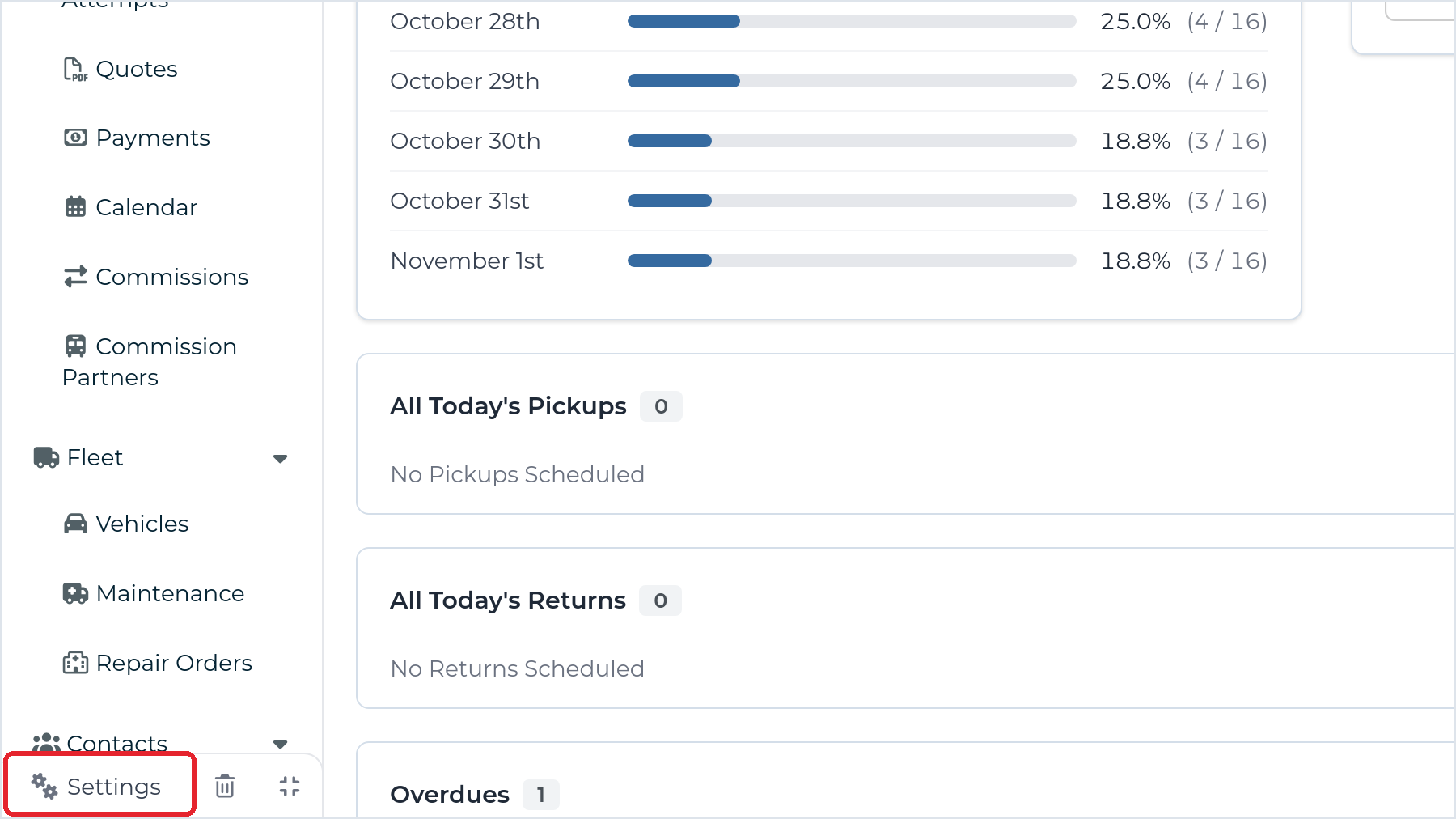
Section titled “Get There”- Click Settings at the bottom of the left menu.
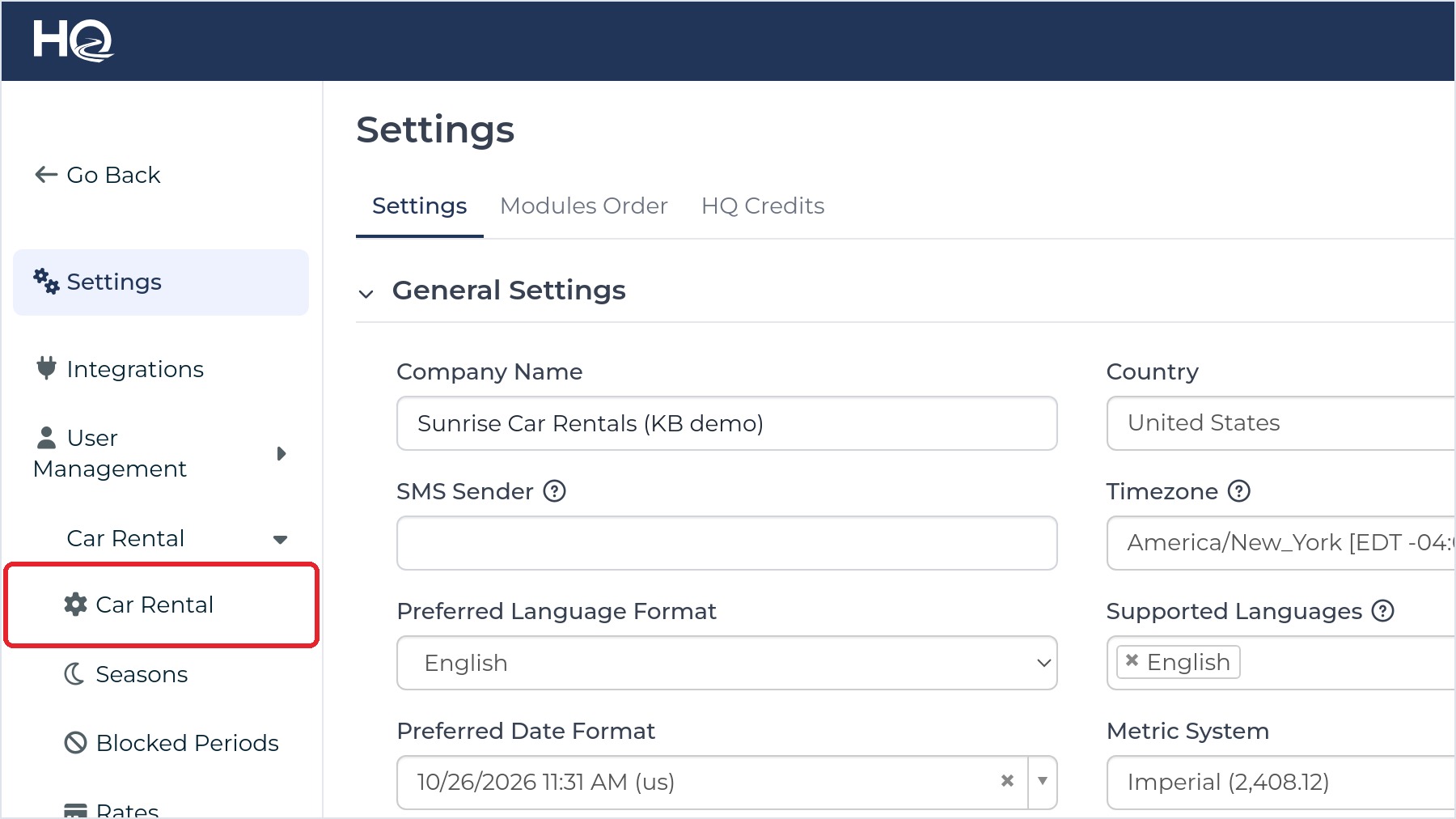
- In the left menu, under the group Car Rental, click Car Rental.
- Stay on the tab General Settings. Click the section Rates & Days Calculations to open it.
Show me where (3 pictures)
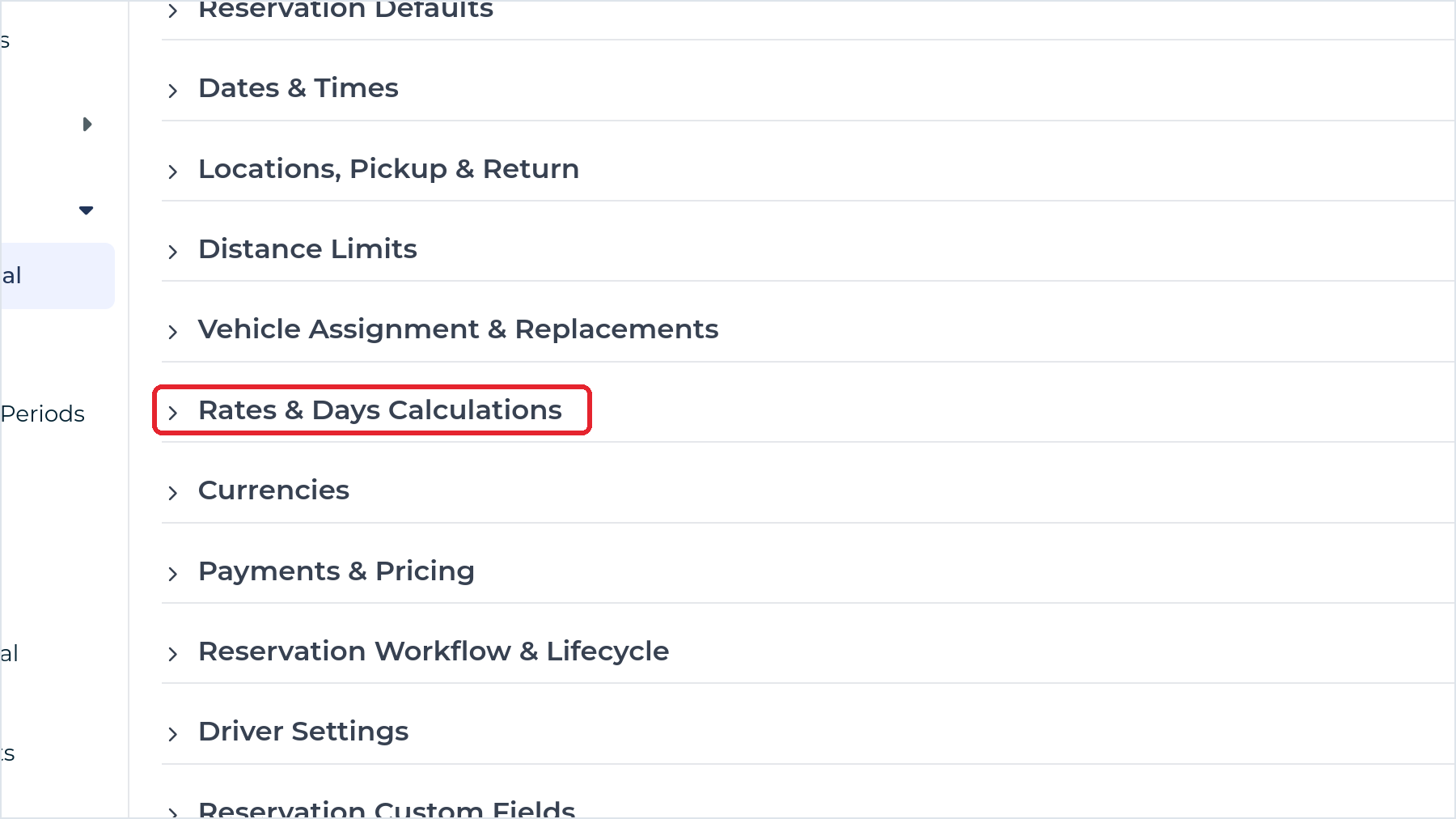
Page address: /settings/car-rental
Set The Times
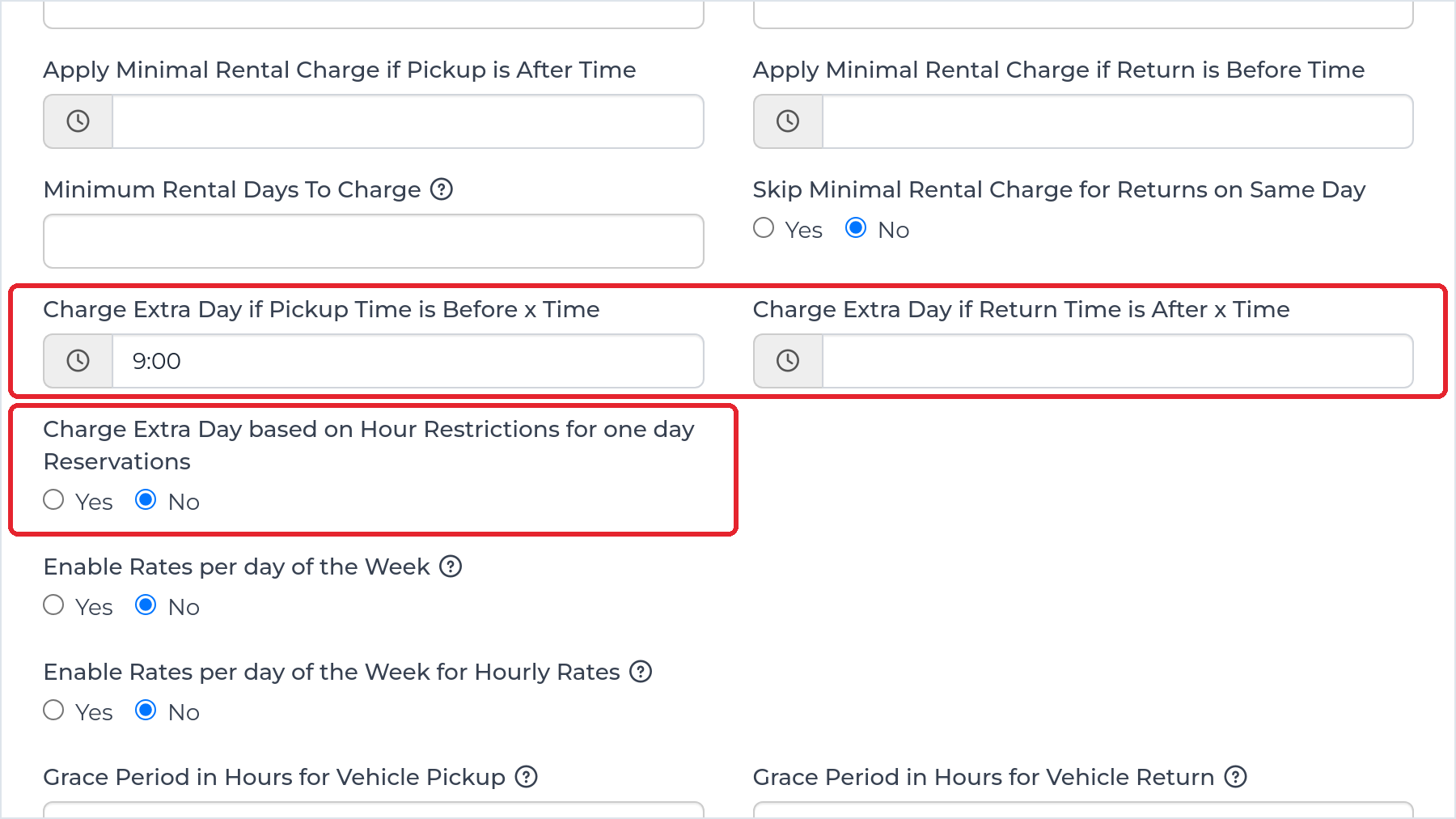
Section titled “Set The Times”- For the pickup rule, enter a time in Charge Extra Day if Pickup Time is Before x Time.
- For the return rule, enter a time in Charge Extra Day if Return Time is After x Time.
- For rentals shorter than 24 hours, set Charge Extra Day based on Hour Restrictions for one day Reservations to Yes.
- Click Save at the bottom of the page.
Show me where (1 picture)
Good To Know
Section titled “Good To Know”- These rules do not apply to rental extensions.
- To turn a rule off, clear its time.
- On rates with a decreasing daily price, the setting for short rentals also matters. With Yes, rentals shorter than 24 hours are charged at least 1 day.
If Something Goes Wrong
Section titled “If Something Goes Wrong”A Same Day Rental Shows 2 Days
Section titled “A Same Day Rental Shows 2 Days”- Why it happens: The pickup was before, or the return after, the times you set. The rules apply to same day rentals because the setting for short rentals is Yes.
- What to do: Change the times, or set that setting to No.
The Extra Day Was Not Added
Section titled “The Extra Day Was Not Added”- Why it happens: Both times are set and only one was met. Or the rental is shorter than 24 hours and the setting for short rentals is No.
- What to do: Clear the time you do not need, or set the setting to Yes.
Settings Used In This Article
Section titled “Settings Used In This Article”All are in Settings, under Car Rental, tab General Settings, section Rates & Days Calculations. Full details are in General Settings Reference: Rates & Days Calculations Part 2.
- Charge Extra Day if Pickup Time is Before x Time: adds 1 day when the pickup is before this time. Empty turns it off.
- Charge Extra Day if Return Time is After x Time: adds 1 day when the return is after this time. Empty turns it off.
- Charge Extra Day based on Hour Restrictions for one day Reservations: lets the time rules apply to rentals shorter than 24 hours.