Currencies And Exchange Rates
Before You Start
Section titled “Before You Start”- Plan or add-on: All plans, Car Rental module.
How It Works
Section titled “How It Works”Default Currency
Section titled “Default Currency”Your rates, Additional Charges, security deposits and reports use the Default Currency. It is set from your country when your account is created.
Example: An account in Miami starts in USD, so a rate of 100 means $100.
Supported Versus Chargeable Currencies
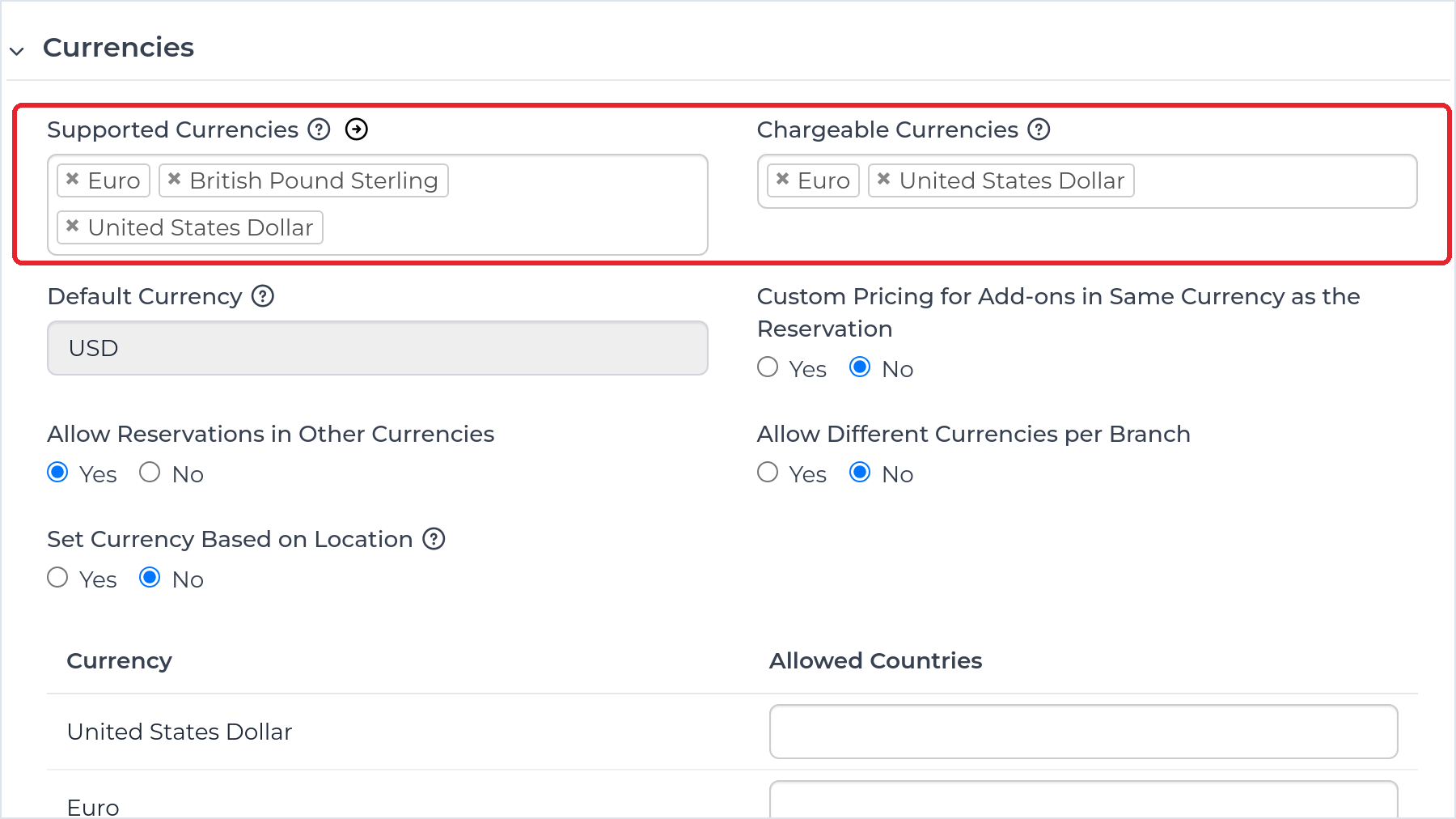
Section titled “Supported Versus Chargeable Currencies”- Supported Currencies: customers can pick them to see prices. They still book and pay in the Default Currency.
- Chargeable Currencies: customers can book and pay in them, when Allow Reservations in Other Currencies is Yes.
Example: A rental costs $100. The rate is 0.85 for the Euro and 0.74 for the British Pound. A customer who picks Euro books and pays €85. A customer who picks British Pound sees £74 but pays $100.
Where Exchange Rates Come From
Section titled “Where Exchange Rates Come From”HQ gets exchange rates from Open Exchange Rates once a day, at 05:00 UTC. You can replace the rate of any currency with your own.
Example: On Monday 1 USD = 0.85 EUR, so $100 shows as €85. If Tuesday’s rate is 0.86, it shows as €86.
Each Reservation Keeps Its Exchange Rate
Section titled “Each Reservation Keeps Its Exchange Rate”When a reservation is created, HQ saves its exchange rate. Later changes to that reservation use the saved rate.
Example: A reservation in EUR is created at 0.85. A week later the rate is 0.88 and the customer adds a $100 day. The extra day costs €85, not €88.
Good To Know
Section titled “Good To Know”- A payment is made in the reservation’s currency, through a gateway whose Supported Currencies include it. A EUR reservation with a USD only gateway cannot be paid online.
- Each Branch, or each rate, can have its own currency. See Use A Different Currency Per Branch Or Per Rate.
- The booking engine can start in the currency of the visitor’s country. See Set The Currency By Visitor Country.
- Some currencies, like JPY, are shown without decimals. See How Currency Amounts Are Converted And Rounded.
If Something Goes Wrong
Section titled “If Something Goes Wrong”A Customer Paid In The Default Currency Instead Of The One They Picked
Section titled “A Customer Paid In The Default Currency Instead Of The One They Picked”- Why it happens: The currency they picked is supported but not chargeable.
- What to do: Add it to Chargeable Currencies and set Allow Reservations in Other Currencies to Yes.
No Payment Button Shows For A Reservation In Another Currency
Section titled “No Payment Button Shows For A Reservation In Another Currency”- Why it happens: No payment gateway lists that currency in Supported Currencies.
- What to do: Add it to the gateway, if your gateway account accepts it.