How Additional Charges Are Priced
Before You Start
Section titled “Before You Start”- Plan or add-on: All plans, Car Rental module.
How It Works
Section titled “How It Works”Price And Charge Type
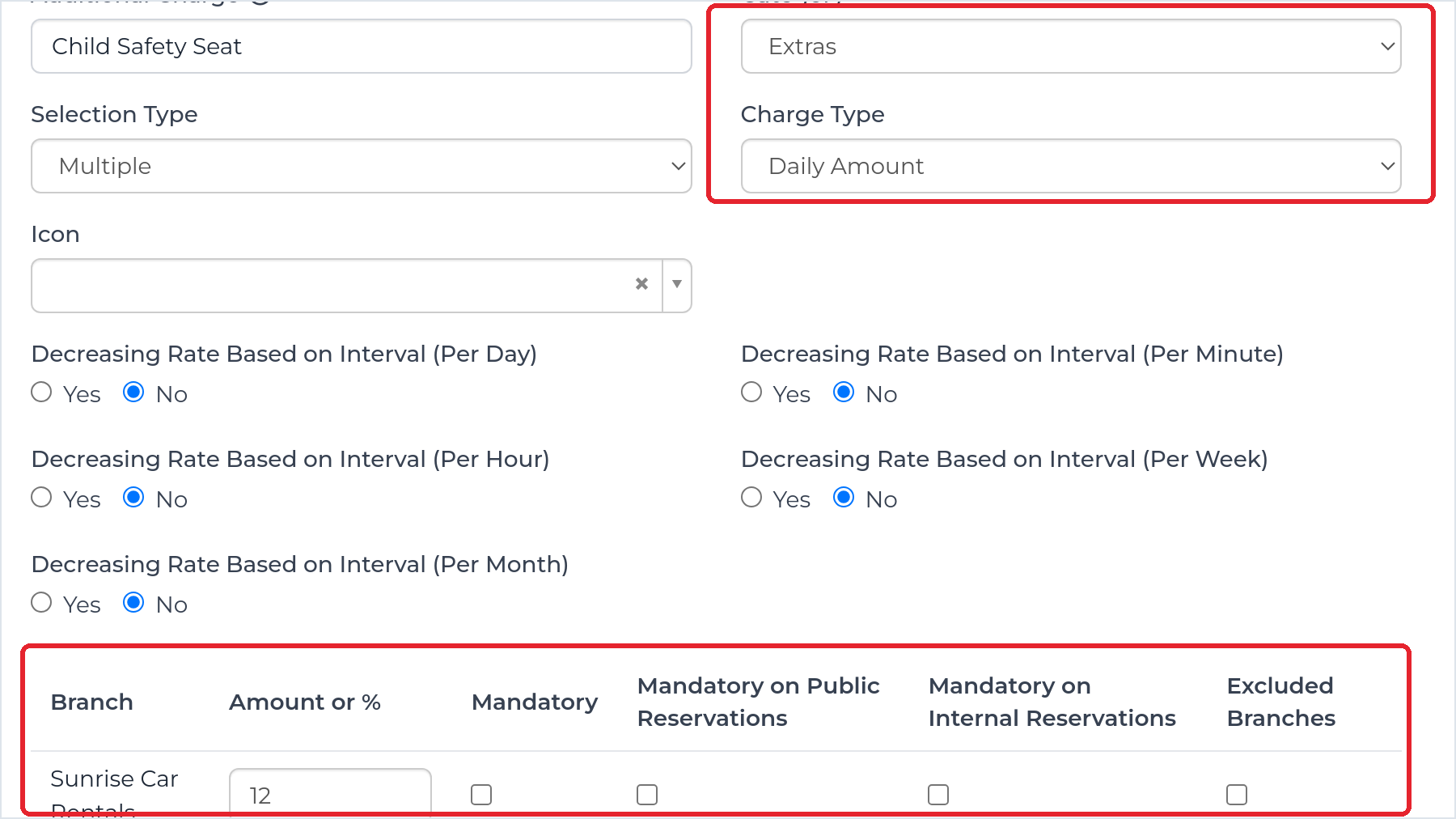
Section titled “Price And Charge Type”- Each charge has one price per Branch, in Amount or %. HQ uses the price of the reservation’s Branch.
- The Charge Type decides how the price grows: once, per hour, per day, per week, per month or as a percentage of the rental price.
Example: Child Safety Seat is a Daily Amount of $12 with Selection Type Multiple. 2 seats on a 5 day rental cost 2 × $12 × 5 = $120.
Limits And Free Periods
Section titled “Limits And Free Periods”A charge can have a minimum or maximum number of units and a price cap. It can also be free or hidden for some rental lengths.
Example: A $15 daily charge capped at $60 costs $60 on a 10 day rental instead of $150.
Charges Added Automatically
Section titled “Charges Added Automatically”Some charges are added without the customer choosing them:
- Mandatory charges and Location fees. See Make A Charge Mandatory Or Limit Where It Shows.
- One-way and custom address fees. See Charge One-Way And Custom Address Fees.
- Fuel. See Charge For Missing Fuel.
- Young and old driver fees. See Add Young And Old Driver Fees.
Example: A $50 one-way fee is added when a rental is picked up at the Airport and returned Downtown.
Existing Reservations
Section titled “Existing Reservations”A reservation keeps the price each charge had when it was added. Changing a charge’s price does not change existing reservations. Charges with interval prices are priced again when the dates change.
Example: You raise GPS from $9.99 to $12 a day. A reservation made yesterday keeps $9.99.
Good To Know
Section titled “Good To Know”- Reservations in another currency convert the price at the exchange rate saved on the reservation.
- Include in Tax, Include in Location Fee and Include in Discount decide which totals the charge counts toward.
If Something Goes Wrong
Section titled “If Something Goes Wrong”A Charge Does Not Appear In Step 3
Section titled “A Charge Does Not Appear In Step 3”- Why it happens: It is hidden from reservations or the website, excluded for the Branch, or limited by class, Location, Commission Partner, rental length or dates.
- What to do: Check the charge as shown in Make A Charge Mandatory Or Limit Where It Shows and Set Quantities, Caps And Free Days On A Charge.
I Changed A Price But An Old Reservation Did Not Change
Section titled “I Changed A Price But An Old Reservation Did Not Change”- Why it happens: Reservations keep the price saved when the charge was added.
- What to do: Edit the charge’s price on that reservation.