Price Rentals That Cross Seasons
Before You Start
Section titled “Before You Start”- Plan or add-on: All plans, Car Rental module.
- Hidden settings: Prorate Base Price for Multiple Seasons is hidden until you turn on Show Advanced Settings.
Show Hidden Settings
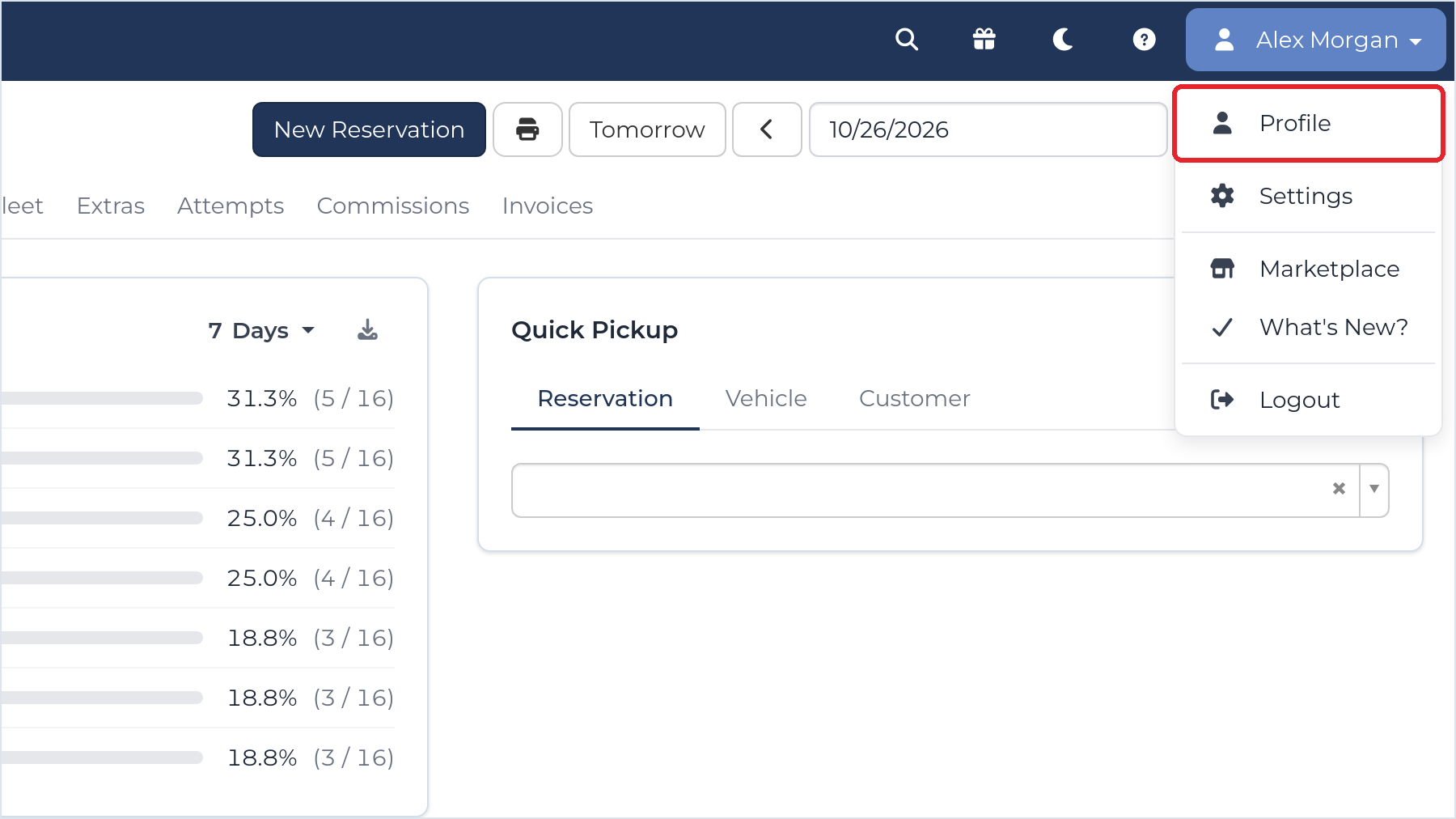
Section titled “Show Hidden Settings”- Click your name in the top right corner, then click Profile.
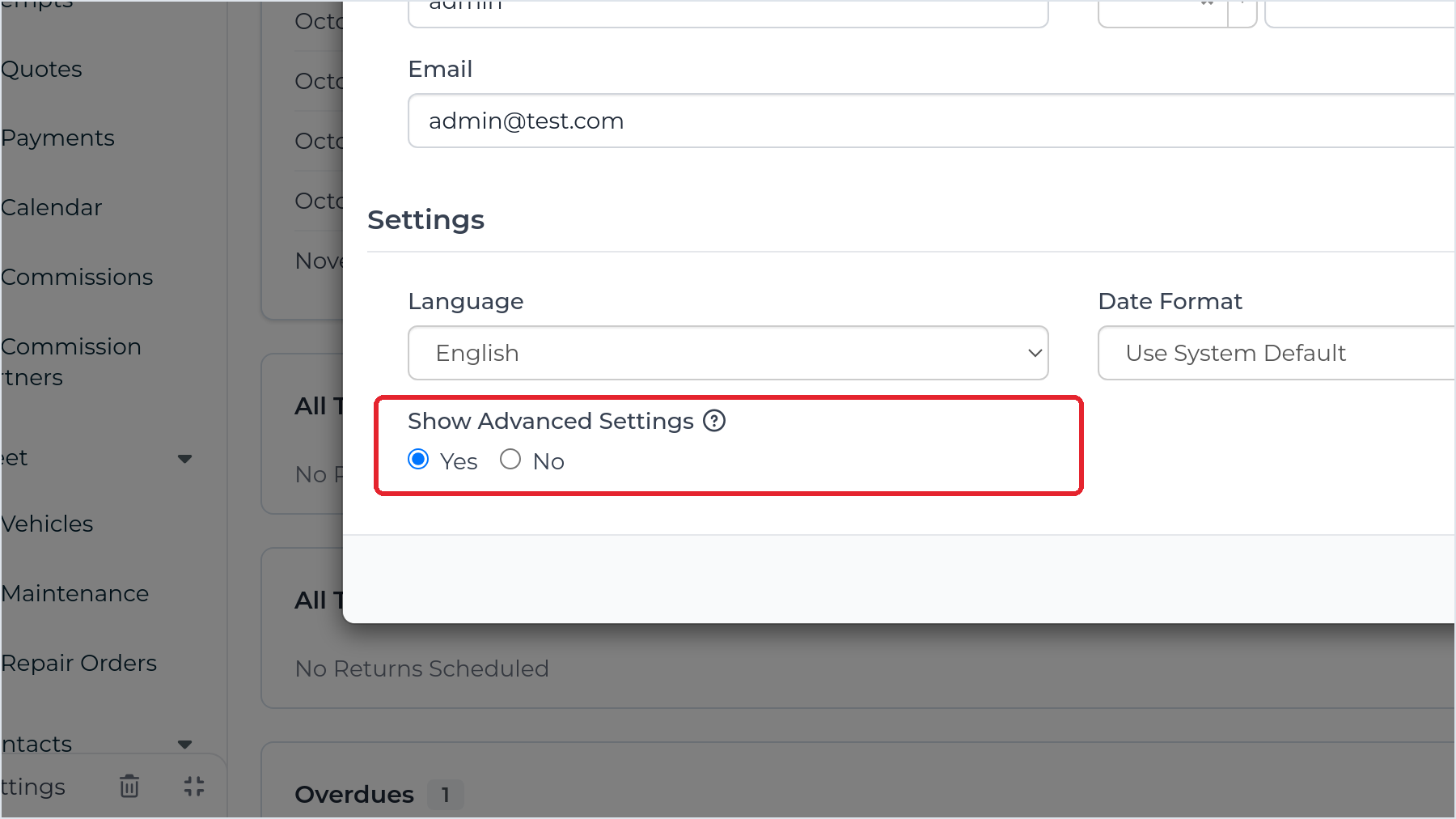
- In the User Profile window, find Show Advanced Settings and choose Yes.
- Click Save at the bottom of the window. Hidden settings now show on every settings page.
Show me where (2 pictures)
How It Works
Section titled “How It Works”Each Part At Its Own Season
Section titled “Each Part At Its Own Season”- With Enable Multiple Seasons Bookings = Yes, each part of the rental uses its own Season’s rates.
- With No, the first Season prices the whole rental. With Enable Rates per day of the Week = Yes, each day still uses its own Season, as shown in Weekday And Weekend Rates.
- Weekly and monthly rates count inside each Season’s part, so a split rental may not reach a full week.
Example: August 30 at 10:00 to September 2 at 10:00 is 3 days: August 30, August 31 and September 1. With Yes: 2 × $100 + 1 × $200 = $400. With No: 3 × $100 = $300.
How The Lines Are Shown
Section titled “How The Lines Are Shown”With Prorate Base Price for Multiple Seasons = Yes, the Summary shows one line with the average price. The Total does not change. The vehicle list always shows the average price per day.
If you change a rate by hand on such a reservation, Yes applies it to every Season of the rental. No applies it only to the Season you edit.
Example: 2 days × $100 and 1 day × $200 show as 3 days × $133.33. The Total stays $400.
Which Reservations Use It
Section titled “Which Reservations Use It”- Each reservation keeps the value from when it was created.
- Reservations imported from OTA connections always use the first Season.
- Saving the page with Enable Rates per day of the Week = Yes sets this setting to No. On a Rate Calendar it stays Yes.
Example: You turn it on today. A reservation made yesterday over two Seasons keeps the first Season’s rates.
Set It Up
Section titled “Set It Up”Get There
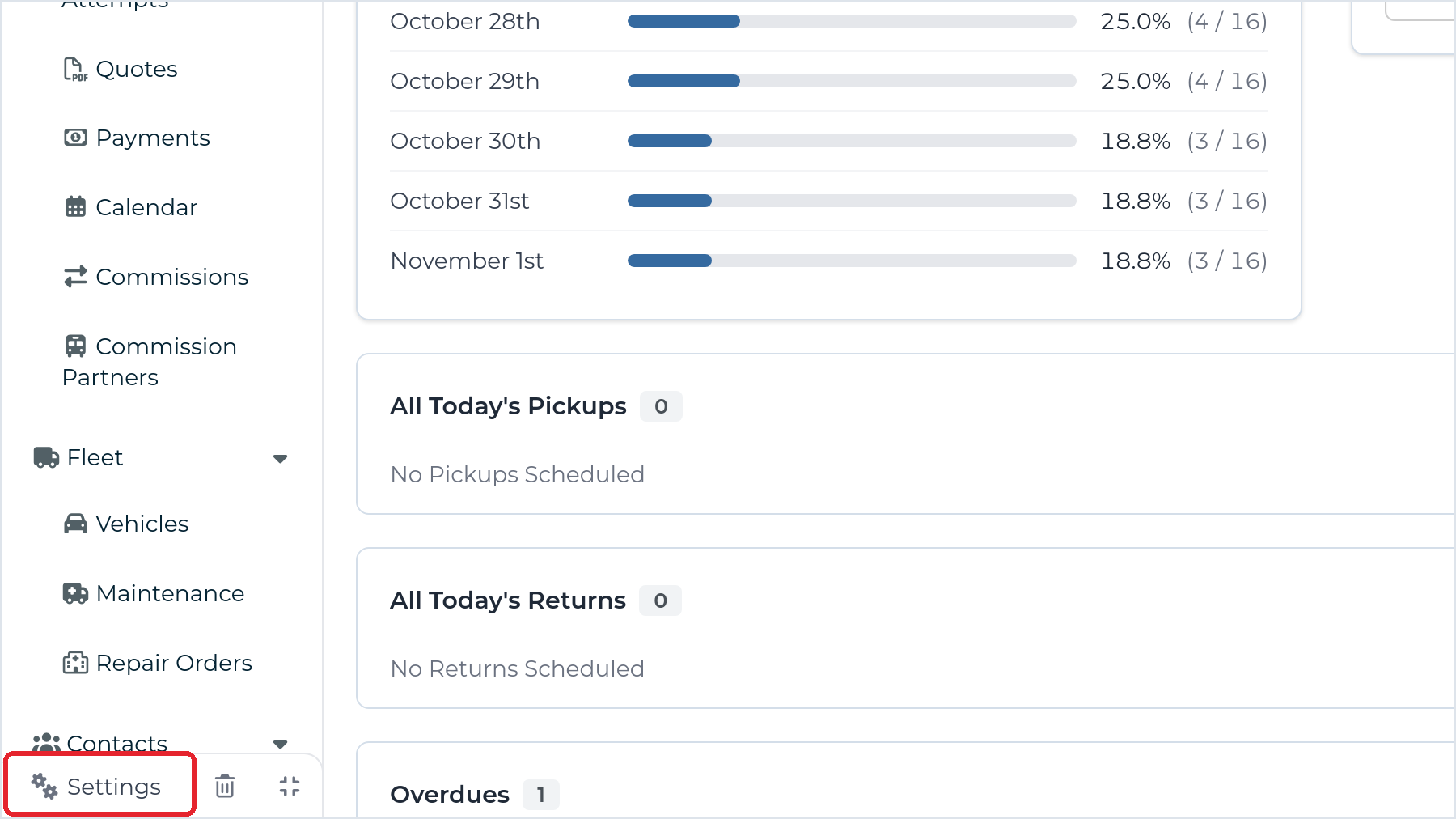
Section titled “Get There”- Click Settings at the bottom of the left menu.
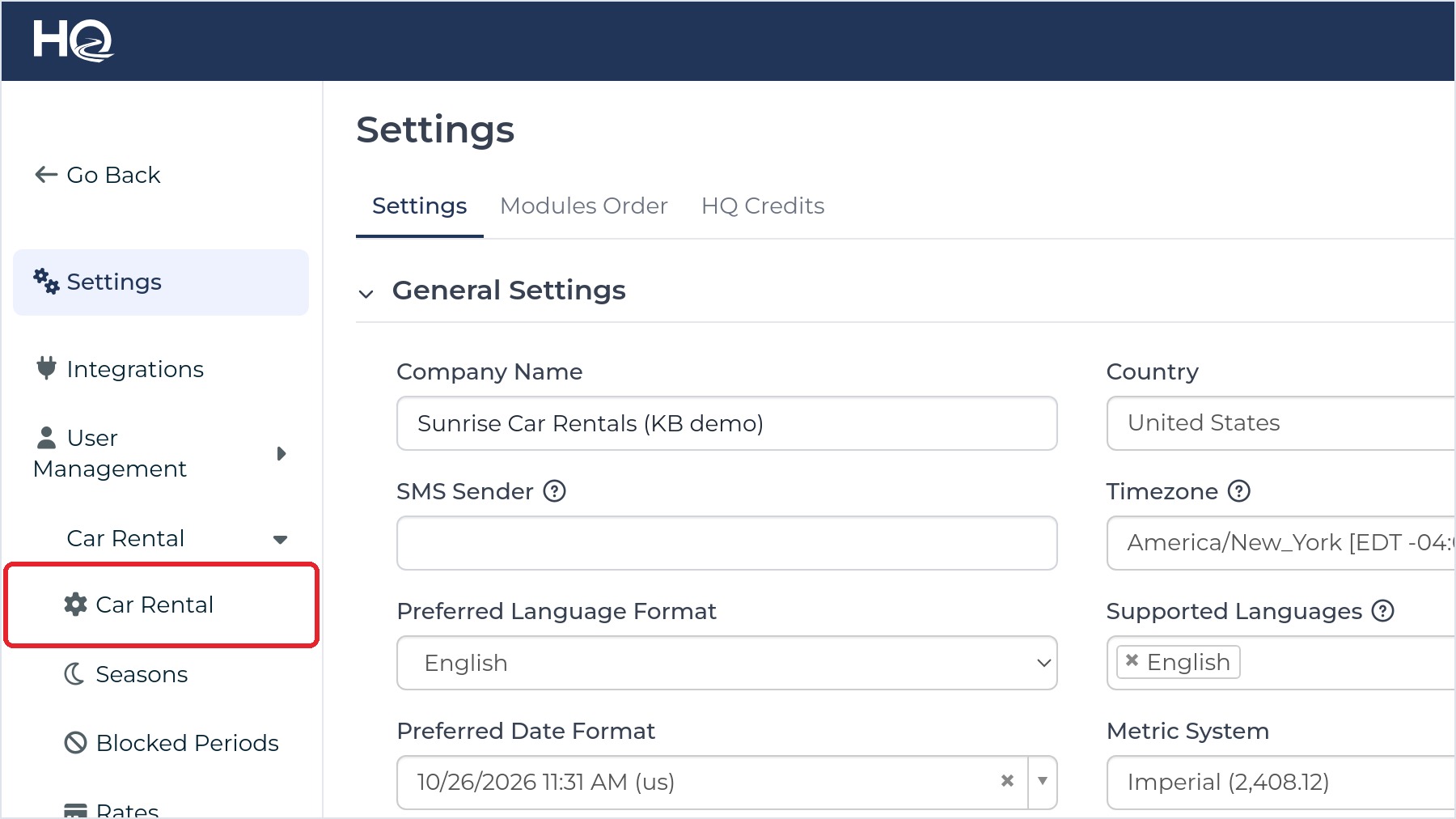
- In the left menu, under the group Car Rental, click Car Rental.
- Stay on the tab General Settings. Click the section Rates & Days Calculations to open it.
Show me where (3 pictures)
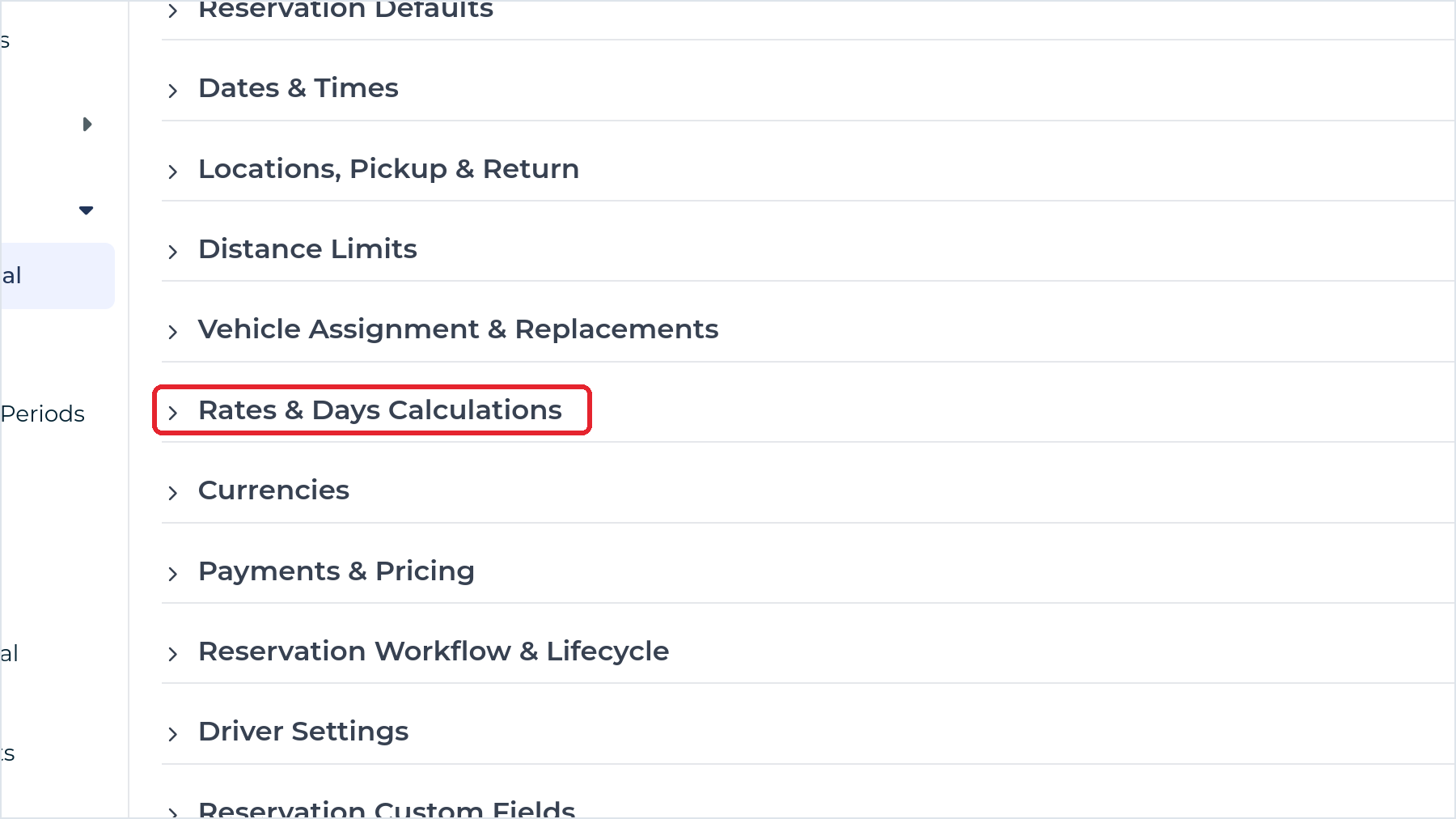
Page address: /settings/car-rental
Turn It On
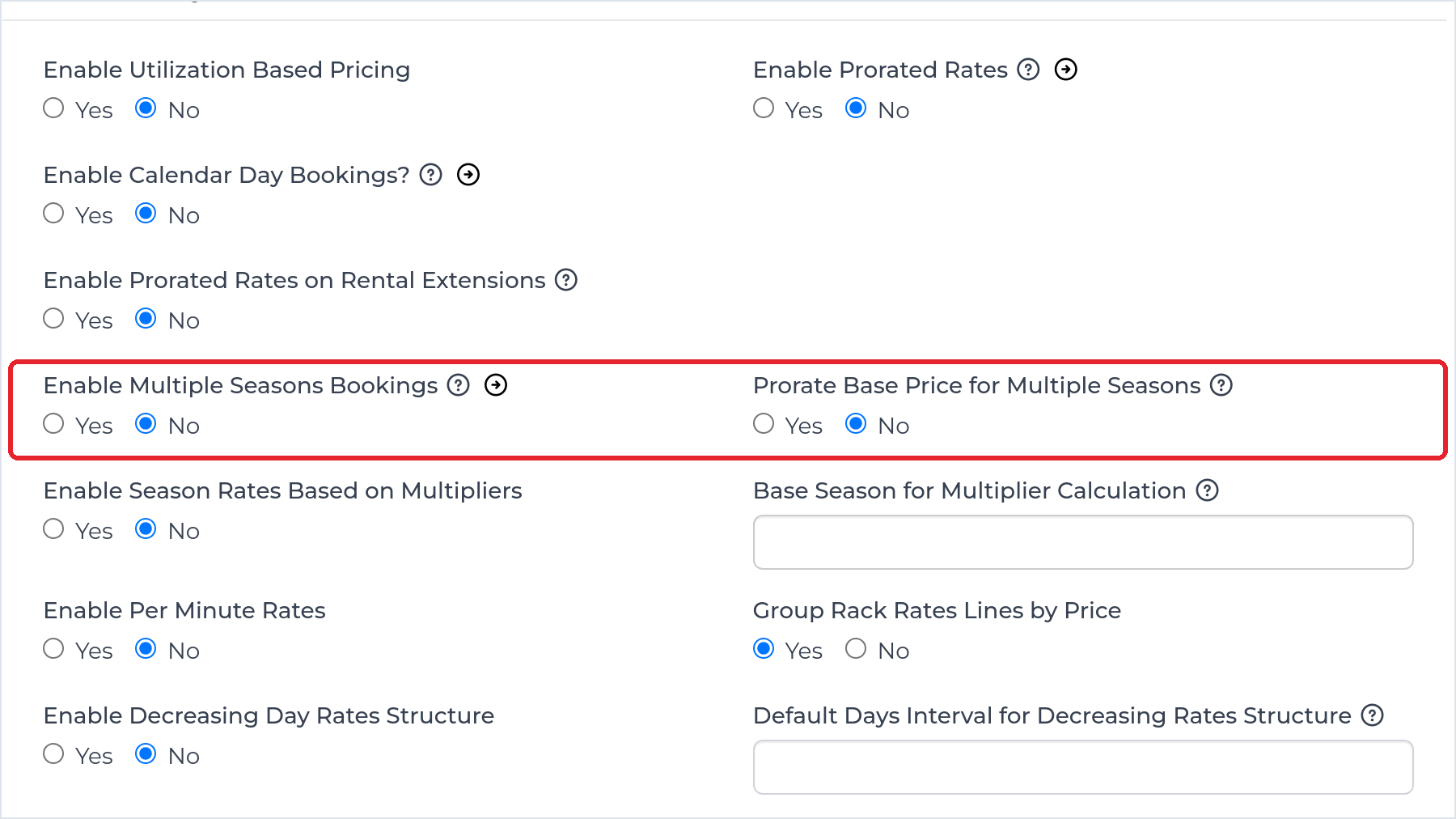
Section titled “Turn It On”- Set Enable Multiple Seasons Bookings to Yes.
- Optional: set Prorate Base Price for Multiple Seasons to Yes.
- Click Save at the bottom of the page.
Show me where (1 picture)
If Something Goes Wrong
Section titled “If Something Goes Wrong”A Rental Over Two Seasons Was Charged At One Rate
Section titled “A Rental Over Two Seasons Was Charged At One Rate”- Why it happens: The setting is No, the reservation was made before you turned it on, or it came from an OTA connection.
- What to do: Set the setting to Yes for new reservations.
Settings Used In This Article
Section titled “Settings Used In This Article”Both are in Settings, under Car Rental, tab General Settings, section Rates & Days Calculations. Full details are in General Settings Reference Part 2.
- Enable Multiple Seasons Bookings: prices each part of a rental with its own Season. Default No.
- Prorate Base Price for Multiple Seasons: shows one combined line with the average price.